
BUSINESS
How to Safeguard Your Business From Modern Online Attacks


Modern attackers move fast, mix old tricks with new tools, and probe every corner of your network. You do not need a giant budget to raise the bar. You need clear priorities, repeatable habits, and the right mix of people, process, and tech.
This guide breaks down practical steps you can take right now. Each section focuses on actions that are simple to start, measurable to track, and realistic for small and midsize teams.
Train People To Spot Scams
Attackers still start with people because it works. Short, frequent training beats long annual videos. Teach the 3 big tells of a phish: urgent tone, unusual sender, and requests for secrets or money. Use real examples so staff know what to look for.
Run friendly phishing simulations and share outcomes without blame. Celebrate reports from employees who catch a lure. The goal is to build a habit of pausing before clicking and of asking for help when something feels off.
Make reporting easy. A single mailbox or button in the email client keeps the signal clean. Promise quick feedback. When people see action after they report, they keep reporting.
Lock Down Accounts And Access
Strong authentication stops many attacks at the door. Use phishing-resistant MFA for admins and anyone with access to sensitive data. If you cannot roll it out to all staff at once, start with high-risk roles and remote access.
Cut standing privilege. Use role-based access and just-in-time elevation for tasks that need admin rights. Rotate service keys and tokens on a schedule. If a system cannot support that, isolate it and document the exception.
Add a clean separation between user devices and crown jewel systems. Segment networks and apply least privilege to APIs and third-party integrations. A small boundary now prevents a big blast radius later.
- Enforce MFA on all remote access
- Remove unused accounts every month
- Rotate secrets on a 90-day cadence
- Segment high-value systems from general users
Use AI To Speed Up Detection
Detection time is the line between a scare and a breach. Aim to spot and confirm suspicious activity in hours, not days. Use behavior signals from identity, endpoints, and cloud to cut through noise.
Modern defenders lean on tools that learn normal patterns and flag outliers. Having AI cybersecurity solutions for faster threat detection can compress time and surface the few alerts that matter most. The win is a smarter triage that guides analysts to the next best action. Pair these tools with clear playbooks so alerts trigger the same crisp steps every time.
Keep a human in the loop. Analysts validate, suppress false positives, and tune models. Schedule regular reviews to retrain on new threats and new business behavior. AI multiplies good processes but cannot replace them.
Patch And Harden Critical Systems
Prioritize patches for internet-facing services, identity systems, VPNs, and email. These are the usual paths in. Use maintenance windows and automation so patches land without drama. Track coverage and age of unpatched items so leaders see progress.
Harden by default. Disable legacy protocols that leak data. Turn on logging at the platform level so you get useful telemetry without agents everywhere. For SaaS, review built-in security baselines and enable the strict options you can support.
For shadow IT and long tail apps, set a simple rule. If an app cannot be patched or supported, reduce its access, proxy it, or retire it. Dead code invites live attackers.
Build A Resilient Backup And Recovery Plan
Backups are your last line of defense. Use the 3-2-1 rule: 3 copies, 2 different media, 1 offsite or offline. Test restores on a schedule, so you know they work and you know the steps by heart.
Map recovery priorities by business process, not just by system name. Define recovery time and recovery point targets that reflect real needs. A chat service might tolerate a short data loss, while a transaction store cannot.
Practice disaster scenarios. Run a tabletop for ransomware, a cloud account lockout, and a supplier outage. Note the handoffs that felt slow and fix them. Recovery is a team sport that rewards rehearsal.
Measure What A Breach Really Costs
Security work competes for time and money. Put numbers behind the risk. Track near misses, incident counts, dwell time, and mean time to respond. Convert these to business language so leaders see trends, not just charts.
Use industry benchmarks as a reality check. A recent IBM study reported that the global average cost of a data breach is about $4.4M, with a small decrease year over year, which still signals serious financial exposure for most firms. Treat this as a planning input, then refine it with your own loss scenarios and insurance terms.
Update metrics quarterly. When you improve a control, expect the metric to move – if it does not, adjust the control or the measurement. Clear numbers keep the program honest and focused.
Test, Monitor, And Improve Continuously
Adopt a simple test calendar. Quarterly vulnerability scans, semiannual external pen tests, and monthly access reviews create a steady cadence. Keep scopes small so work finishes on time.
Monitor the signals that predict trouble. Identity anomalies, large data transfers, and new admin grants deserve quick eyes. Use alert thresholds that reflect normal business cycles so the team does not drown in noise.
Close the loop with post-incident reviews that are blameless and specific. Capture what worked, what did not, and the top three changes to make. Share the lessons with IT, dev, and business owners so everyone gets a little better 
Modern threats will keep evolving, but your defenses can evolve faster. Focus on clear priorities, consistent habits, and fast feedback. Small improvements compound into strong resilience.
Pick one section above and start this week. Write down what you will do, who owns it, and how you will measure it. In a few cycles, you will feel the difference across the whole company.

Small businesses generate valuable data every day, from website visits and customer inquiries to sales transactions and marketing campaign results. However, collecting information is only the first step. The real advantage comes from understanding what that information means and using it to make better business decisions. Businesses can explore Team4Solution for additional technology and digital solutions resources.
Data analytics helps businesses identify customer preferences, measure performance, recognize emerging problems, and discover opportunities for growth. Even companies with limited budgets can use affordable digital tools to make decisions based on evidence rather than assumptions. For practical ideas on adopting technology, see digital transformation trends.
What Is Data Analytics in Business?
Data analytics is the process of collecting, organizing, and examining information to identify patterns and support decision-making. Businesses can use it to understand which products perform best, where website visitors come from, how customers interact with their services, and which marketing activities generate results.
For example, an online store might discover that visitors frequently view a particular product but rarely complete a purchase. By examining product prices, shipping costs, customer feedback, and checkout behavior, the business can investigate the reasons behind the problem. Instead of immediately spending more money on advertising, the company can use the available evidence to improve its existing sales process.
Why Data Analytics Matters for Small Businesses
1. Understanding Customer Behavior
Customer behavior provides important clues about what people need and expect from a business. Website analytics, customer surveys, purchase histories, and support requests can reveal common interests and recurring problems. Businesses can use these insights to improve their services, create more relevant content, and offer products that better match customer needs.
For instance, a service provider might discover that most inquiries concern one particular service. That information could help the company improve its service page, publish a detailed guide, or make the inquiry process easier.
2. Improving Marketing Performance
Marketing campaigns should be evaluated according to meaningful outcomes rather than impressions alone. A campaign may attract thousands of visitors but generate very few inquiries or sales. Businesses should monitor metrics such as:
- Website traffic and traffic sources.
- Conversion rates and completed purchases.
- Cost per lead or customer acquisition.
- Email engagement and returning visitors.
- Revenue generated by individual campaigns.
Google Analytics can help website owners understand how people discover and interact with their websites. By reviewing the results regularly, businesses can identify which channels deserve more attention and which campaigns need improvement. The objective is not simply to attract more visitors. It is to attract relevant visitors and help them complete useful actions.
3. Making Better Financial Decisions
Financial analytics helps business owners understand expenses, revenue trends, profit margins, and cash flow. These insights can support more realistic budgets and reduce unnecessary spending.
For example, a company may experience rising revenue while its profit margins continue to decline. Reviewing operating expenses, supplier costs, advertising expenditure, and product-level profitability can help identify the underlying issue. A simple monthly spreadsheet can be enough to begin tracking these indicators. As the business grows, more advanced reporting tools can combine information from different departments.
4. Identifying Problems Before They Grow
Regular performance monitoring can help businesses identify unusual changes before they become serious problems. A sudden decline in website conversions, an increase in customer complaints, or a rise in operating costs may indicate an issue that requires investigation.
The important step is to establish a baseline, compare current results with previous periods, and determine whether the change is temporary or persistent. Businesses should also investigate external factors, such as seasonality, pricing changes, and shifts in customer demand, before making major decisions.
Essential Data Analytics Tools for Small Businesses
Choosing the right tools depends on the company’s size, objectives, technical skills, and budget. Businesses should start with a few reliable tools rather than investing in multiple platforms that perform overlapping functions.
| Tool or resource | Primary purpose |
| Google Analytics | Understanding website traffic and visitor behavior |
| Google Search Console | Monitoring search visibility, clicks, and indexing information |
| Microsoft Excel or Google Sheets | Organizing data and creating basic reports |
| Customer relationship management software | Tracking leads, sales opportunities, and customer interactions |
| Business intelligence platforms | Combining data and creating interactive dashboards |
Not every business needs every tool. A small service company might begin with a spreadsheet, website analytics, and a customer inquiry tracker. An online retailer may require additional reporting for orders, returns, inventory, and marketing expenditure. The best setup is one that answers important business questions accurately and consistently.
Businesses can also use Google Search Console to monitor search performance, clicks, impressions, and indexing information.
How to Build a Practical Data Analytics Strategy
Step 1: Define Clear Business Objectives
Start by identifying the problem you want to solve. Examples include increasing online sales, reducing customer acquisition costs, improving customer retention, or understanding why website traffic has declined. Each objective should connect to a measurable outcome. Without a clear goal, businesses can easily collect large amounts of information without knowing what to do with it.
Step 2: Select Relevant Metrics
Choose a small set of indicators that directly relate to your objective. If the goal is to improve online sales, monitor product views, add-to-cart activity, completed purchases, and conversion rates. If the goal is to generate more leads, track qualified inquiries, landing-page conversions, and the cost of acquiring each lead. Avoid measuring every available metric simply because a dashboard displays it.
Step 3: Collect Reliable Data
Accurate decisions depend on accurate information. Check that website tracking works correctly, sales records are complete, and duplicate entries do not distort your results. Where possible, use consistent definitions across reporting periods. For example, everyone responsible for reporting should understand what qualifies as a lead, a conversion, or a returning customer.
Businesses should also collect only the information they genuinely need and handle personal data responsibly.
Step 4: Turn Findings Into Action
Reports become valuable when they lead to practical improvements. If a landing page receives substantial traffic but few inquiries, review its message, loading speed, mobile experience, and call to action. If customers repeatedly abandon their shopping carts, investigate shipping charges, payment options, and checkout complexity.
Businesses looking to modernize their operations can explore these digital transformation trends to understand how technology can improve efficiency and support better business decisions.
Change one or two important factors at a time when practical. This makes it easier to understand which adjustments contributed to an improvement.
Step 5: Review Results Regularly
Create a simple reporting schedule. Weekly reviews can help identify operational problems, while monthly reviews are often more useful for evaluating wider performance trends. Record the changes you make and compare results before and after implementation. This creates a learning process in which future decisions are informed by previous outcomes.
The Role of Artificial Intelligence in Data Analytics
Artificial intelligence is making data analysis more accessible by helping users identify patterns, summarize reports, categorize feedback, and automate repetitive tasks. For example, a business might use AI to group customer reviews by recurring themes or summarize monthly sales performance. These capabilities can save time and help teams investigate issues more efficiently.
However, AI-generated conclusions should not automatically be treated as facts. Incorrect input data, missing context, and flawed assumptions can lead to misleading recommendations. Human review remains important, particularly when decisions affect finances, customers, or business strategy. Companies should also avoid entering confidential customer or financial information into AI services without checking their privacy and data-handling terms.
Common Data Analytics Mistakes to Avoid
- Focusing on vanity metrics: High traffic or social media engagement does not necessarily mean the business is generating profit.
- Using incomplete data: Missing transactions, broken tracking, or duplicate records can produce inaccurate conclusions.
- Ignoring context: A decline in sales during a seasonal period may not indicate a permanent business problem.
- Collecting too much information: Unnecessary data increases complexity and can create privacy risks.
- Failing to act: Producing reports without testing improvements limits the practical value of analytics.
- Expecting immediate results: Reliable conclusions often require consistent measurement over time.
Avoiding these mistakes helps businesses build a more disciplined approach to decision-making.
Conclusion
Data analytics gives small businesses a practical way to understand performance, respond to customer needs, and use limited resources more effectively. By defining clear objectives, selecting relevant metrics, collecting reliable information, and reviewing results regularly, companies can make better-informed decisions without necessarily investing in expensive systems.
The most effective approach is to start small, focus on a specific business problem, and turn each useful finding into a measurable action. As the business develops, its analytics processes can become more advanced, supporting sustainable growth through better evidence and more informed planning.
About the Publisher
For additional guidance on technology, software, and digital solutions, businesses can explore the resources available at Team4Solution.

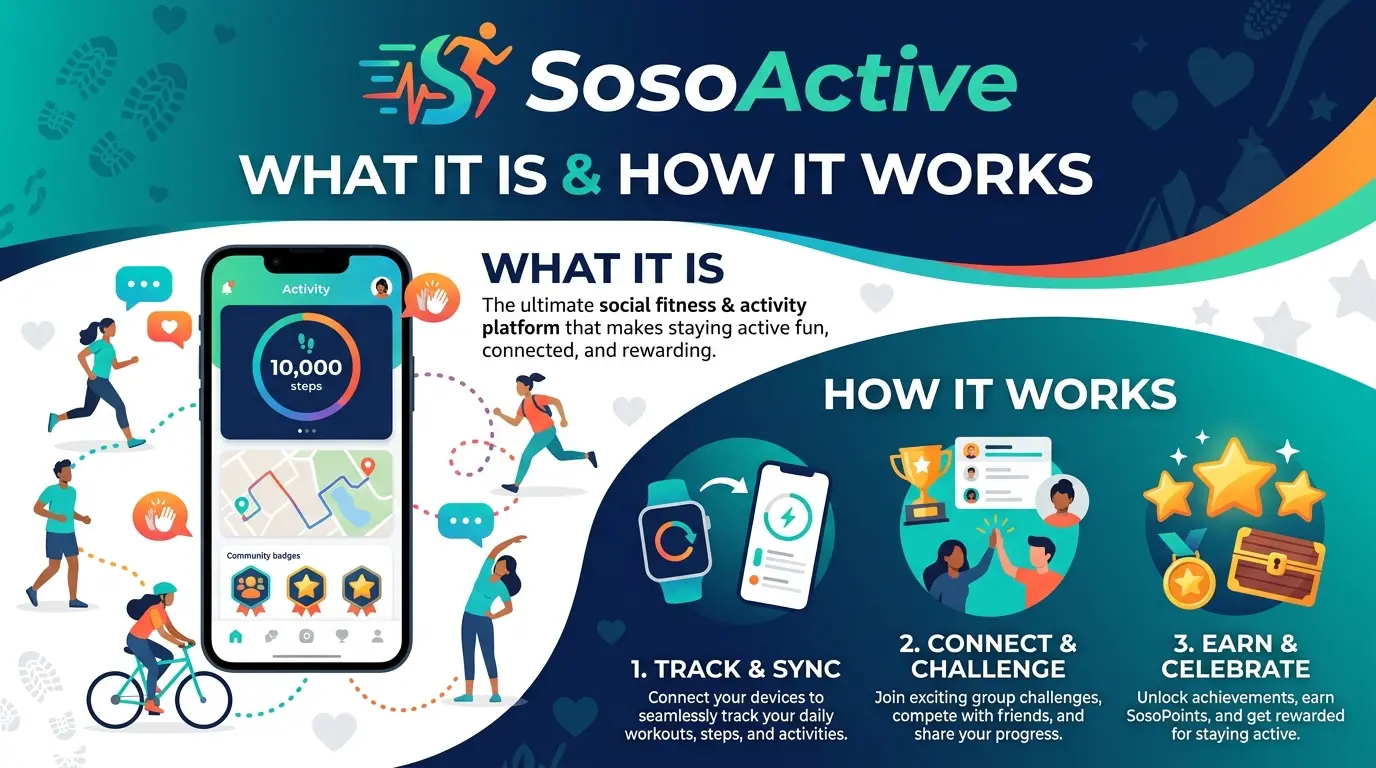
SosoActive is a name that can appear in searches related to digital media, online publishing, lifestyle content, and business-related websites. Because the name has been used across different online properties, it is important to look at the specific SosoActive website or platform being discussed rather than assuming they are all the same business.
For someone researching the term, understanding its online presence, content focus, and purpose is a useful starting point.
What Is SosoActive?
SosoActive is an online name associated with digital content and web publishing. Depending on the website or context, the term may refer to a publication, content platform, or website offering information across several categories.
This is why a search for SosoActive can produce different types of results. The exact domain matters when trying to determine what a particular SosoActive website does.
What Type of Content Can You Find?
SosoActive-related websites can cover a broad range of subjects rather than focusing on a single narrow topic.
Common areas associated with the name include:
- Lifestyle
- Business
- Technology
- Marketing
- Fashion
- Entertainment
- Online trends
- General informational content
The mix of categories can change over time as a website develops its editorial direction.
Why Does SosoActive Appear in Online Searches?
Names such as SosoActive can appear in search results for several reasons. A website may publish new articles regularly, target different informational topics, or build visibility through references from other websites.
Search visibility also depends on factors such as content quality, technical SEO, website structure, backlinks, and how closely individual pages match what people are searching for.
For this reason, simply finding a website in Google does not automatically indicate its overall authority or credibility.
SosoActive and Digital Publishing
The broader SosoActive name is particularly interesting from a digital publishing perspective because online publications can use multiple categories to attract readers with different interests.
A well-organized publishing website typically benefits from:
- Clear categories
- Useful original content
- Consistent publishing
- Descriptive page titles
- Easy navigation
- Strong internal linking
- A clear editorial purpose
These fundamentals can help a site build a stronger organic search presence over time.
Is SosoActive a Single Website?
Not necessarily.
One of the most important things to remember when researching SosoActive is that the name can be associated with different online properties. A domain such as SosoActive.com should not automatically be treated as identical to another website using the SosoActive name.
Checking the exact domain, current content, About page, authorship, and website history can help avoid confusion.
How to Research SosoActive
If you are evaluating a SosoActive website for business, publishing, or SEO purposes, start with the basics.
1. Check the Exact Domain
The domain is the first thing to verify. Similar names can belong to completely different websites.
2. Review Recent Content
Look at the latest articles and identify which topics the website is actually publishing.
3. Examine Website Categories
Categories can reveal whether the site has a focused editorial direction or covers many unrelated subjects.
4. Check Authors and About Information
Author pages and About sections can provide useful context about who operates the website and how it presents itself.
5. Look at Its Search Presence
Search the domain and individual article titles to see how consistently the website appears in search results.
Final Thoughts
SosoActive is an online name that can refer to different digital properties, making the exact website important when researching the term. Rather than judging the name alone, look at the domain, content, categories, authorship, and overall website activity.
For SEO or publishing research, this approach provides a more accurate picture than relying on the name or search ranking alone.

The internet has changed the way people discover websites, explore information, and interact with digital platforms. Every day, users come across new websites through search engines, social media, recommendations, and online communities.
In this environment, a website needs to offer more than a memorable domain name. It needs a clear purpose, useful content, and an experience that makes sense to the people visiting it.
Voozon.com is one of the names that can attract attention in this growing digital landscape. Like many modern online platforms, its value depends not only on being discoverable but also on how effectively it serves visitors and communicates what it offers.
Why Website Discovery Matters
Finding a useful website is often the first step in a much longer online journey.
A person may discover a domain while searching for a specific topic, clicking a shared link, or browsing recommendations. If the website immediately communicates its purpose, visitors can decide whether the content is relevant to them.
This is why clarity matters so much in digital publishing.
A simple navigation structure, readable content, descriptive page titles, and a consistent design can make it easier for visitors to understand a website without having to search through multiple pages.
What Makes an Online Platform Useful?
A successful online platform usually solves a problem or provides something people want.
That could be information, entertainment, educational material, tools, community features, or access to a particular type of service. The exact purpose can vary, but the principle remains the same: visitors need a reason to stay.
For websites such as Voozon.com, building a clear digital identity is therefore important. A visitor should be able to understand the website’s purpose without unnecessary explanations.
The easier that process becomes, the more comfortable users are likely to feel while exploring the site.
The Importance of User Experience
User experience is sometimes treated as a design issue alone, but it affects almost every part of a website.
Consider a typical visitor. They may be using a phone, have limited time, and arrive from a search result without knowing anything about the website beforehand.
If the page is difficult to navigate, overloaded with distractions, or slow to communicate its main purpose, the visitor may simply leave.
A better experience usually starts with simple fundamentals:
- Clear navigation
- Readable typography
- Logical page structure
- Mobile-friendly layouts
- Useful and relevant content
- Fast access to important information
These elements do not need to be complicated. In many cases, simplicity makes a website easier to use.
How SEO Helps People Find Websites
Search engine optimization plays an important role in website discovery.
When someone searches for Voozon.com, the intent is different from a person searching for a general topic related to the website. A branded search often indicates that the user already knows the name and wants to find the correct destination.
This makes accurate branding particularly important.
For broader searches, however, a website needs content that answers specific questions and matches the reason behind the search. That means creating useful pages around real topics instead of producing articles simply to insert keywords.
Writing Content for Real People
One of the biggest mistakes in SEO writing is forgetting who will actually read the page.
Keywords are useful because they help describe a topic, but they should not control every sentence.
Natural writing usually performs better from a reader’s perspective. Instead of repeating Voozon.com unnecessarily, a well-written article can mention the name where it is genuinely relevant and then use natural variations when discussing the broader topic.
The result is easier to read and feels more like editorial content than an advertisement.
Why Content Quality Still Matters
A website can have excellent technical SEO and still struggle to keep visitors if the content provides little value.
Useful content should answer questions, explain concepts clearly, or help readers make sense of something they are interested in.
For publishers, this means avoiding unnecessary filler. A longer article is not automatically a better article. What matters is whether each section contributes something useful.
This approach also makes content easier to update because every section has a clear purpose.
Building Trust Online
Trust is another important part of the modern web.
Visitors are more comfortable with websites that clearly explain who they are, what they offer, and how their content should be understood.
Consistent branding, accurate information, transparent navigation, and professional presentation can all contribute to a more trustworthy experience.
For any growing platform, these details can matter just as much as attracting the initial visitor.
The Future of Online Platforms
The internet continues to become more crowded, but that does not mean there is no room for new websites.
What has changed is the standard visitors expect.
People have become accustomed to finding information quickly. They expect websites to work well on mobile devices, understand what a page is about almost immediately, and provide a straightforward path to useful information.
This creates an opportunity for platforms such as Voozon.com to establish a recognizable presence by focusing on clarity, usability, and relevant digital content.
Final Thoughts
A strong online presence is built over time. A memorable domain can help people recognize a platform, but useful content and a positive user experience give them a reason to return.
Voozon.com fits into a broader digital environment where discoverability, content quality, usability, and clear communication all play an important role.
For website owners and publishers, the lesson is straightforward: SEO should help people find useful content, not replace the need for it. When search visibility and genuine reader value work together, a website has a stronger foundation for long-term growth.
-

 BLOG1 year ago
hanime1: The Ultimate Destination for Anime Lovers
-

 Technology1 year ago
GLAADVoice.com: How You Can Get Involved and Make a Difference
-

 BILLS1 year ago
Why Does My Instagram Reel Stop Getting Views After One Hour? How to Fix It?
-

 BLOG1 year ago
Imginn: The Ultimate Tool to View Instagram Content Anonymously
-

 ENTERTAINMENT1 year ago
Crackstreams 2.0: The Future of Free Sports Streaming?
-

 BLOG1 year ago
ThisVid: What Makes It Stand Out in the World of Online Videos
-

 ENTERTAINMENT1 year ago
Sflix: How It’s Changing the Way We Watch Movies and TV Shows
-

 BLOG1 year ago
NHentai.nef: Understanding the Popular Hentai Archive