
BLOG
How to Schedule Scans for Better PC Performance Throughout the Day

Understanding the Importance of Regular Scans
Every day, your computer faces potential threats, ranging from malware to system vulnerabilities, which can severely impact performance and compromise data security. Running regular scans is a simple yet powerful way to safeguard your PC. Effective scan routines identify potential issues early, helping users avoid sluggish behavior, unexpected crashes, and even costly data breaches.
Additionally, regular scans help mitigate emerging online risks and ensure your digital workspace remains reliable. For individuals and businesses alike, integrating cybersecurity services into everyday operations boosts overall defense, keeping critical information safe and workflows uninterrupted. Consistent monitoring also allows you to spot unusual activity before it escalates into a serious threat. By strengthening your system’s resilience, you reduce long-term risks and maintain smoother, more secure performance.
Types of Scans and Their Benefits
To keep your system clean and responsive, understanding which scans to use and when is key. Here are the primary scan types you should know:
- Quick Scan: This checks the most vulnerable areas of your system—like system files and startup programs—in just a few minutes. It’s perfect for daily use to catch common threats without disrupting your work.
- Full Scan: A comprehensive review that inspects every file and program. This scan is more time-intensive and best reserved for times when you don’t need the machine, such as overnight or on weekends.
- Custom Scan: These scans target specific folders or drives. If you suspect a file or application may be compromised, a custom scan isolates and examines only those locations.
Sophisticated threats can evade detection unless a scanning schedule is maintained, reinforcing the need to develop strong digital habits. Beyond manual efforts, leveraging managed IT services can streamline this process, ensuring your scans—and other critical system tasks—are performed consistently and correctly.
Scheduling Scans Using Built-in Tools
Modern operating systems provide tools to help automate regular scans, ensuring no lapse in your protection. On Windows devices, you can use Task Scheduler to set up regular scans with Windows Defender, eliminating the need to remember running scans yourself:
- Open the Start menu, type “Task Scheduler,” and launch the application.
- Go to Task Scheduler Library > Microsoft > Windows > Windows Defender.
- Double-click on “Windows Defender Scheduled Scan,” then select the “Triggers” tab.
- Click “New” to configure your preferred scanning schedule, then save your changes.
This straightforward process allows you to pick a frequency and time that aligns with your workflow.
Utilizing Third-Party Antivirus Software
If you use specialized security solutions, these programs offer custom scheduling options. For example, McAfee enables users to automate scans through its Settings page:
- Access the McAfee dashboard and find “Schedule Scan Settings.”
- Choose how often and at what times the scans run.
- Confirm and apply your preferences to activate the schedule.
Consult your software’s help section or official documentation for detailed instructions.
Best Practices for Scheduling Scans
To maximize effectiveness with minimal disruption, consider these guidelines:
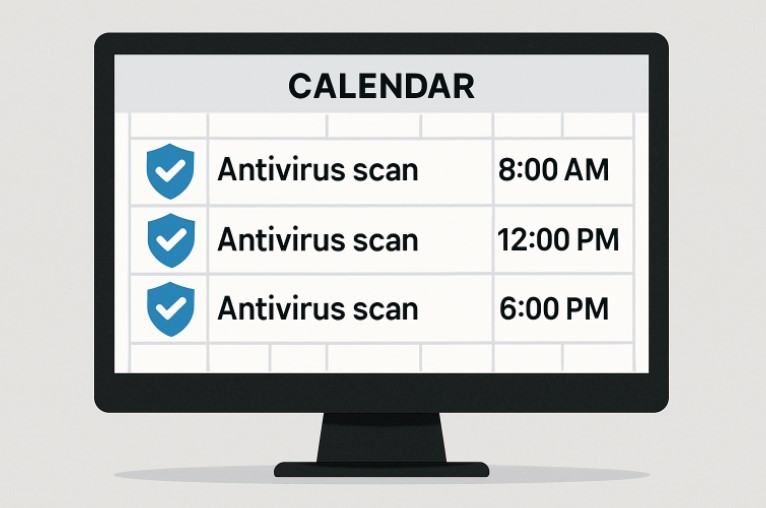
- Schedule scans for times of least activity, such as lunch breaks or after normal workday hours.
- Double-check that your PC remains powered on and not set to sleep or hibernate during scheduled scans.
- Regularly check for antivirus updates to keep your defense as robust as possible—outdated definitions increase your risk.
Monitoring and Adjusting Scan Schedules
After setting up a schedule, observe your computer’s performance. Sometimes, even a quick scan during busy periods can cause slowdowns. If you notice lag or interruptions, consider rescheduling your scans for off-peak hours or experimenting with the scan type. Balancing full and quick scans throughout the week often provides a solid compromise between security and speed.
Additional Maintenance Tips
- Keep your operating system and all software up to date with timely updates to close security loopholes.
- Clear temporary files and regularly review your startup program list to enhance boot speeds and minimize resource consumption.
- Make regular backups of important data, whether on local drives or through secure cloud solutions—this is your safety net in case of ransomware or hardware failure.
Final Thoughts
Creating and sticking to a scan schedule protects your PC from threats and ensures smooth daily operation. Whether you use built-in tools or advanced security suites, consistent scanning—paired with good digital hygiene—forms the backbone of healthy, secure computer use. Review your schedules periodically, adjust as work habits shift, and complement scanning with additional maintenance steps to keep your PC secure and performing at its best.

Collaborative knowledge creation has reshaped how communities build, refine, and disseminate information. When many contributors with diverse backgrounds converge on a shared goal—capturing facts, context, and interpretation—what emerges is more than the sum of individual inputs. This synergy depends on clear editorial standards, structured workflows, and a culture that balances openness with responsibility. Platforms that successfully harness collective intelligence do so by embedding norms and tools that guide contributors toward coherent, reliable outputs without stifling creativity.
Foundational Principles of Collective Authorship
At the heart of collaborative content production lies a commitment to transparency and traceability. Contributors must be able to see how a piece evolved: who added what, when, and why. This archival visibility supports accountability and allows later editors to assess the provenance of claims. Equally important is the principle of modular contribution, where content is divided into manageable components that can be independently updated and reviewed. This lowers the barrier to entry for new contributors and reduces the cognitive load for reviewers.
Editorial standards provide the scaffolding for these principles. Clear guidelines around sourcing, tone, and fact-checking help align disparate voices. Standards that are too rigid can deter participation, while those that are too loose risk degrading quality. The most effective frameworks strike a middle ground, offering concrete rules for verification while allowing editorial discretion for nuance and interpretation.
Mechanisms That Ensure Quality
A range of technical and social mechanisms work together to maintain high editorial standards. Version control systems record every change, enabling rollback when necessary and facilitating lightweight peer review. Structured templates and style guides promote consistency across entries, so readers encounter familiar patterns even when multiple authors are involved. Peer review processes, whether formal or informal, provide a second look that often catches errors and strengthens arguments.
Community moderation plays a critical role as well. Experienced contributors often take on stewarding roles, mentoring newcomers and adjudicating disputes. Election or appointment systems for trusted editors can provide a reliable layer of oversight, but they must remain accountable to the broader community to avoid power consolidation. Reputation systems that reward constructive participation encourage long-term engagement without relying solely on hierarchical control.
Balancing Openness and Reliability
The tension between open contribution and editorial rigor is one of the defining challenges of knowledge platforms. Openness invites a wider pool of expertise, including those with niche or lived experience who might otherwise be excluded from traditional publishing. Yet openness also invites mistakes, bias, and sometimes deliberate misinformation. Addressing this requires a multipronged approach: enforceable citation policies, automated checks for obvious errors or plagiarism, and a culture that values correction over defensiveness.
Editorial standards should emphasize evidence over authority. Statements anchored to verifiable sources are stronger than those resting on the reputation of any single contributor. When disputes arise, the process for resolving them must be clear and fair: identify the contested claim, gather relevant sources, and iterate until the community reaches a reasoned consensus. Clear dispute resolution contributes to both the perceived and real trustworthiness of the platform.
Role of Technology and Automation
Advances in natural language processing and automated verification offer new tools for editors. Bots can flag common issues like broken citations, inconsistent formatting, or potential vandalism, freeing human contributors to focus on substantive improvements. Machine-assisted summarization can help synthesize long discussion threads, making it easier to identify points of agreement. However, automation must be deployed judiciously. Algorithms trained on biased data can perpetuate those biases at scale, so human oversight remains indispensable.
Interoperability standards—such as structured metadata and open APIs—also support collaborative quality. They allow content to be exported, repurposed, and validated across systems, reducing duplication of effort and enabling broader scrutiny. Open licensing fosters reuse and adaptation, expanding the reach and impact of collaboratively created knowledge.
Cultural Practices That Sustain Communities
Beyond rules and tools, the culture of a community shapes its long-term success. A supportive onboarding process helps newcomers learn editorial norms without feeling intimidated. Regular training materials, clear documentation, and mentorship networks all contribute to a positive contributor experience. Recognition of volunteers’ efforts—through badges, public acknowledgments, or professional opportunities—can sustain motivation.
Diversity is another cultural imperative. Editorial standards must be sensitive to different epistemologies and communication styles. Inclusion in recruitment and moderation practices increases the likelihood that content will reflect a broader range of perspectives and mitigate systemic biases. Cultures that reward respectful debate and evidence-based persuasion are more resilient when controversies erupt.
Measuring Impact and Evolving Standards
Assessment is necessary for continuous improvement. Metrics such as citation quality, revision survival rates, and reader trust surveys offer insight into how well editorial practices are working. Qualitative feedback from contributors reveals friction points and opportunities for refinement. Standards should be living documents, periodically reviewed to incorporate lessons from new technologies, shifting user needs, and evolving norms around privacy and ethics.
Case studies of established collaborative initiatives show that hybrid governance—combining community-driven norms with lightweight institutional structures—tends to perform well. Transparent reporting on editorial decisions and error correction bolsters public confidence and invites collaboration from scholars, journalists, and practitioners.
The Path Forward
Collaborative knowledge creation promises to democratize access to information while amplifying expertise through collective effort. Maintaining editorial standards in such environments requires a deliberate mix of transparency, tooling, cultural norms, and measured automation. When contributors are empowered with clear guidelines, supportive structures, and effective technologies, the result is dynamic, reliable content that adapts over time. Platforms that cultivate these conditions contribute not only to the accumulation of knowledge but to the health of public discourse.
Models of large-scale, open collaboration such as Wikipedia have illustrated both the potential and the pitfalls of this approach. Learning from these examples, future efforts can refine governance, invest in inclusive communities, and leverage technology responsibly to sustain a flourishing ecosystem of shared knowledge.

Many media consoles are sized for streaming boxes and game controllers, not full-size receivers, amplifiers, or large bundles of cable. A cabinet can look generous from the front while leaving too little usable depth behind the doors.
Depth affects more than fit. Electronics need room for connectors, bend radius, airflow, access, and future replacement. Planning all five prevents the cabinet from becoming an expensive obstacle.
An extra deep TV stand designed with an 18.3-inch internal depth, adjustable bays, rear vents, slatted doors, and multiple cable holes illustrates the complete approach. The goal is not simply to hide equipment, but to house it without blocking signals or trapping heat.
Measure the Equipment, Then Add Working Space
Start with the deepest component, including knobs, speaker terminals, and attached connectors. Manufacturers often publish chassis depth without the cable plugs that extend several inches beyond the rear panel.
Add space for the cable to curve without strain. A tight bend can pull on a port, loosen a connection, or prevent the cabinet door from closing. Record width and height too, because ventilation gaps are part of the equipment footprint.
Use Internal Dimensions, Not the Exterior Alone
An exterior depth includes doors, back panels, trim, and structural framing. The usable shelf can be meaningfully smaller, so product width and depth should never substitute for internal-compartment measurements.
Ask for the clear opening at the door and the shelf depth behind it. A receiver that fits inside may still be impossible to angle through a narrow opening. Removable or adjustable shelves can solve some conflicts, but only when their positions are documented.
Plan Passive Airflow Around Heat Sources
Receivers and amplifiers release heat during normal use. Leave space above and beside them according to each component maker’s guidance, and avoid stacking warm devices when the upper unit blocks the lower unit’s vents.
Slatted doors and vented rear panels can support air movement without leaving every component exposed. Check that the cabinet does not sit flush against a wall where rear vents have no path to release warm air. Cables should not form a dense curtain across openings.
Confirm Remote and Wireless Access
Solid doors can block infrared remote signals. Slats, glass, or an external IR repeater may allow hidden equipment to remain controllable, but performance depends on door material and the location of each receiver window.
Test the remote from the normal seating position after installation. Wireless controllers also deserve testing because dense equipment, metal cases, and cabinet placement can affect reception. Do not wait until every cable is tied down to discover a signal problem.
Create a Cable Route Before Connecting Anything
Sketch the signal path from source devices to receiver, television, speakers, network, and power. Assign each rear opening a purpose so power and low-voltage cables do not become an unplanned knot.
Use labels at both ends of every cable. Leave a modest service loop so a component can slide forward for maintenance without unplugging immediately. Too much spare cable adds clutter and can restrict airflow, so route the extra length beside rather than behind hot equipment.
Separate Everyday Access From Rare Access
Controllers, headphones, and charging leads need a reachable home. Calibration microphones, manuals, spare remotes, and old adapters can sit farther back because they are used less often.
Use the front drawers or outer cabinets for frequent items, and reserve the deeper adjustable bays for electronics. This arrangement reduces the temptation to stack small objects on warm equipment or leave doors open during every movie night.
Match Console Width to the Screen and Wall
A console should visually support the television without appearing pinched beneath it. Many rooms benefit from a cabinet that extends beyond the screen on both sides, but the right width also depends on doors, speakers, and traffic paths.
The referenced design is offered in several exterior widths, which can help match different screens and rooms while keeping the same deep cabinet concept. Tape the proposed outline on the wall and floor before choosing a size.
Account for Speakers and Vibration
Center speakers need a clear acoustic path. If one sits inside the console, confirm that the opening is large enough and that a door or decorative slat will not alter the sound in an unwanted way.
Keep turntables and sensitive components away from strong speaker vibration. Stable shelves, proper speaker isolation, and careful placement matter more than adding decorative objects. Do not place a subwoofer inside a cabinet unless its manufacturer specifically supports that arrangement.
Use Lighting Without Hurting the Screen
Interior lighting can help users see controls and can display equipment through slatted or glass doors. Adjustable brightness is useful because the best level for setup may be too bright during a film.
Check for reflections on the television from the normal seat. If the cabinet offers several brightness levels, choose the lowest one that provides the desired effect. Keep wiring for lights separate from ventilation paths and service loops.
Plan Delivery and Final Assembly
Deep consoles are often heavy because they use more material and must support substantial equipment. Compare package weight and dimensions with the route from the building entrance to the room, then arrange two-person handling when recommended.
A largely assembled cabinet with only legs to attach can reduce setup time, yet it also arrives as a large rigid object. Measure turns and stair landings with the carton dimensions. Protect the floor before tilting the unit during leg installation.
Build for the Next Component
Leave one adjustable bay or a portion of one shelf available for future gear. Home theater systems change, and replacing a receiver should not require replacing the entire console because the new chassis is slightly deeper.
Buy based on measured internal space, airflow, access, and cable management. When those systems are planned first, the furniture can keep the room composed while the electronics remain safe and serviceable.
Document the Finished Installation
Photograph each connection and cable route before pushing the console into its final position. Save the images with a short equipment list that records model names, input assignments, and the drawer or bay containing each accessory.
This record reduces guesswork when a device is replaced or a signal fails. It also helps another household member reset a cable without pulling every component forward. Update the notes whenever equipment moves so the deep cabinet remains organized after the first installation.

A broken streetlight may seem like a small neighborhood problem. But it can change what a home is worth.
In 2016, New York City tested how much lighting could change a community. Researchers added temporary streetlights to 39 public housing developments and left 38 similar areas unchanged. The result was as expected: nighttime outdoor crime fell by 36% in the areas with better lighting.
Buyers may not consider streetlights or sidewalks listed as home features, but they still factor them into their decisions. For instance, a one-point Walk Score increase near the top of the scale (79 to 80) adds more than $7,000 to the home value.
A home’s value is shaped by more than its size or upgrades. The streets around it matter too. A well-lit walkable neighborhood can make buyers feel more confident and create a sense of safety and trust.
The 4-to-1 Return on Visible Infrastructure
The financial impact of neighborhood safety extends beyond streetlights alone. The NYC lighting study revealed a recurring pattern: investments in visible, well-maintained infrastructure can create measurable economic value.
Researchers found that permanent public lighting costs about $200,000 per housing complex annually. It also avoids roughly $770,000 in social costs from reduced nighttime crime.
This 4-to-1 return shows how safety investments can create lasting value. When neighborhoods feel well cared for, buyers feel more secure living there.
The Real Estate Premium Behind Higher Walk Scores
A higher Walk Score doesn’t naturally translate into the same price increase everywhere. In high-demand neighborhoods, even a small improvement in walkability can add thousands to home values. In lower-demand areas, the same raise may have a smaller impact.
Redfin’s analysis found that highly walkable homes in Boston sell for a 29% premium, or about $140,724 more, compared with similar car-dependent properties. The reason is simple: walkable neighborhoods are rare. Only 4% of US real estate listings qualify as a “walker’s paradise,” which creates a strong competitive advantage. Buyers looking for new construction homes for sale in these neighborhoods often act quickly whenever a property becomes available.
Why Buyers Trade Space for Walkability
This growing demand for walkable neighborhoods has changed what buyers value in a home. NAR’s 2023 Community and Transportation Preferences survey found that Americans prioritize walkability, sidewalks, and nearby shops above secondary factors like highway access when picking a place to live.
85% of the survey’s respondents said sidewalks and places to walk are important. More than half said they’d take a smaller yard over a bigger one if it meant they could walk to nearby destinations.
Real estate platforms like Houzeo, Zillow, and Realtor.com allow sellers to list these exact neighborhood details. Sellers can highlight features such as walkability, lighting, and sidewalk access before making a decision.
How Buyers Price Neighborhood Safety
Academic research offers insight into how buyers price perceived safety risks. A landmark study by Leigh Linden and Jonah Rockoff found that homes located within 0.1 miles of a registered sex offender sell for about 4% less. That represents an average of roughly $5,500 compared with similar homes farther away.
These concerns reflect a broader gap in how Americans experience neighborhood safety. Gallup’s safety research found that fear of walking alone at night is much higher among women (53%) than men (26%). This 27-point gap shows that safety perceptions can vary significantly across demographics.
Concern is higher among lower-income households than higher-income groups. City residents also report higher levels of fear than people who live in suburban or rural areas.
Buyers now look beyond listing photos to understand the reality of a neighborhood. Platforms like Houzeo help buyers acquire more information about the area around their chosen property through safety data and walkability scores. This enables them to make better-informed decisions before they submit an offer.
The New Formula for a Desirable Neighborhood
A desirable neighborhood is no longer defined by home size alone. People look at the streets, sidewalks, and public spaces around a property before accepting an offer.
Safety matters. Gallup’s global safety data shows that 40% of Americans, the most in three decades, say they fear walking alone at night within a mile of their home. As safety becomes a key measure of quality of life, cities face greater pressure to create public spaces that feel secure and accessible.
The takeaway from the NAR survey is simple: buyers are not only paying for what exists inside a home. They also consider what surrounds their home. Well-maintained streets, well-lit streets, and walkable spaces can turn an ordinary block into a more desirable one.
-

 BLOG1 year ago
hanime1: The Ultimate Destination for Anime Lovers
-

 ENTERTAINMENT1 year ago
Sflix: How It’s Changing the Way We Watch Movies and TV Shows
-

 BILLS1 year ago
Why Does My Instagram Reel Stop Getting Views After One Hour? How to Fix It?
-

 BLOG1 year ago
Imginn: The Ultimate Tool to View Instagram Content Anonymously
-

 ENTERTAINMENT1 year ago
Crackstreams 2.0: The Future of Free Sports Streaming?
-

 BLOG1 year ago
NHentai.nef: Understanding the Popular Hentai Archive
-

 BLOG12 months ago
ThisVid: What Makes It Stand Out in the World of Online Videos
-

 Technology1 year ago
GLAADVoice.com: How You Can Get Involved and Make a Difference