
Technology
How LED Light Bulbs Cut Your Electric Bill by 75% or More


The world of home lighting has changed. Gone are the days when you had only one choice for lighting your home. Today, LED light bulbs offer a better way to light up your space. These bulbs use less power. They last much longer. They save you money every month. More people are choosing LED light bulbs because they work better than old bulbs. They also help protect our planet. This guide will show you everything you need to know. You’ll learn how these bulbs work. You’ll discover how much money they can save. You’ll find out which ones work best for each room. By the end, you’ll know exactly which LED light bulbs to buy for your home.
How LED Light Bulbs Actually Work
LED light bulbs work in a completely different way than old bulbs. The word LED means Light Emitting Diode. These are small electronic parts that make light. When electricity flows through them, they glow. This happens inside a tiny chip. The chip is very small but very powerful. Old bulbs made light by heating up a wire until it glowed. That process wasted lots of energy as heat. LED light bulbs skip that wasteful step. They turn electricity straight into light. This makes them much better at their job. The bulb has several parts working together. There’s the LED chip that makes the light. There’s a heat sink that keeps everything cool. There’s a driver that controls the power. All these parts work as a team. The result is bright light that uses very little power.
The main parts inside LED light bulbs:
- LED Chip – The tiny part that actually creates light when power runs through it
- Heat Sink – Metal piece that pulls heat away to keep the bulb cool
- Driver Circuit – Controls how much power goes to the LED chip
- Lens Cover – Spreads the light evenly across the room
- Base – The screw part that fits into your lamp or ceiling fixture
- Protective Case – Keeps dust and moisture away from the electronics inside
Why LED Light Bulbs Save You So Much Money
Your electric bill goes down fast when you switch to LED light bulbs. These bulbs use about 75% less power than old bulbs. Think about that for a moment. You could light four rooms with LED light bulbs for the same cost as lighting one room with old bulbs. The savings add up quickly each month. A single LED light bulb might save you $10 per year. But most homes have 20 or more bulbs. That means $200 saved every year. Over ten years, that’s $2,000 back in your pocket. The bulbs cost more at first. But you make that money back in less than a year. After that, it’s pure savings. You also save money because LED light bulbs last so long. You won’t need to buy replacement bulbs for years. You won’t need a ladder to change bulbs every few months. Your time has value too.
How LED light bulbs cut your costs:
- Lower Electric Bills – Use 75% less power than old bulbs every single month
- Fewer Replacements – Last 20 to 25 years instead of just one year
- Less Heat – Don’t heat up your home in summer, so air conditioning costs drop
- Rebate Programs – Many power companies give you money back for buying LED light bulbs
- Business Savings – Stores and offices can cut lighting costs by thousands of dollars yearly
- Quick Payback – Most people earn back the cost within 6 to 12 months
How Long LED Light Bulbs Really Last
LED light bulbs last an incredibly long time. Most will run for 25,000 to 50,000 hours. That sounds abstract, so let’s make it real. If you use a bulb three hours per day, it will last 22 years. Yes, you read that right. Twenty-two years from one bulb. Old bulbs lasted about one year under the same use. This long life changes everything. You install LED light bulbs once and forget about them. No more keeping spare bulbs in the closet. No more climbing ladders to change burnt-out bulbs. No more trips to the store for replacements. The bulbs last so long because they have no fragile parts. There’s no thin wire that burns out. There’s no gas that leaks away. The solid construction means they handle bumps and shakes. They work fine even when turned on and off many times. They don’t care about cold or heat. This makes LED light bulbs perfect for any location in your home.
Why LED light bulbs outlast everything else:
- Solid Build – No fragile wires or glass tubes that break easily
- Cool Operation – Don’t get hot enough to damage themselves over time
- Switch Friendly – Turning them on and off doesn’t shorten their life
- Slow Fade – Gradually dim over years instead of burning out suddenly
- Tough Design – Handle vibrations from ceiling fans or garage door openers
- Weather Proof – Work great in freezing cold or summer heat outside
Different Types of LED Light Bulbs for Every Need
LED light bulbs come in many shapes and sizes. Each type works best for specific uses. The standard bulb shape is called A19. These fit in most lamps and ceiling lights. They work great for general lighting throughout your home. Spotlight bulbs have a different shape. They’re called BR30 or PAR38 bulbs. Use these in recessed ceiling lights or track lighting. They focus light in one direction. Globe bulbs are round and see-through. They look nice in bathroom vanity lights. Candelabra bulbs are small and fit fancy chandeliers. Tube bulbs replace old fluorescent lights in garages. Corn bulbs have LEDs all around them. They light up in every direction at once. Smart bulbs connect to your phone. You can change colors and brightness from an app. Vintage style bulbs look old-fashioned but use modern technology. Pick the right type for where you’ll use it.
Common LED light bulb types you’ll find:
- A19 Standard Bulbs – Regular shape for lamps and most ceiling fixtures
- BR30 Flood Bulbs – Wide beam for recessed ceiling cans in kitchens
- PAR38 Spotlight Bulbs – Focused beam for outdoor security lights
- Globe Bulbs – Round shape for bathroom mirrors and pendant lights
- Candelabra Bulbs – Small size for decorative chandeliers and wall lights
- Tube Bulbs – Long shape to replace fluorescent tubes in garages
- Corn Bulbs – 360-degree light for post lights and large spaces
- Smart Bulbs – Connect to WiFi for phone control and color changes
Choosing the Right Color for Each Room
The color of light matters more than most people think. LED light bulbs come in different color temperatures. This affects how a room feels. Warm white light has a yellow glow. It makes rooms feel cozy and relaxing. This works great in bedrooms and living rooms. You want to unwind in these spaces. The warm glow helps you relax. Bright white light has no yellow tint. It looks clean and fresh. This works well in kitchens and bathrooms. You need to see clearly for cooking and grooming. Daylight white has a slight blue tint. It looks like sunlight at noon. This energizes you and helps you focus. Use it in home offices and workshops. The color is measured in Kelvin. Lower numbers like 2700K are warm and yellow. Higher numbers like 5000K are cool and blue. Most homes use 2700K to 3000K for main rooms.
Best color temperatures for LED light bulbs:
- 2700K Warm White – Cozy yellow glow for bedrooms and living rooms
- 3000K Soft White – Gentle light for dining rooms and hallways
- 3500K Natural White – Balanced light for any room in your home
- 4000K Cool White – Clean bright light for kitchens and bathrooms
- 5000K Daylight – Energizing light for offices and work areas
- 6000K Bright Daylight – Very bright for garages and outdoor security
Understanding Brightness in LED Light Bulbs
Brightness is measured in lumens, not watts. This confuses people at first. Old bulbs used watts to show brightness. But watts actually measure power use. LED light bulbs changed this. They use few watts but give lots of light. So we measure their light output in lumens instead. More lumens mean brighter light. A 60-watt old bulb made 800 lumens. An LED light bulb makes the same 800 lumens with only 9 watts. Same brightness, way less power. For a living room, you want about 1,500 to 3,000 total lumens. For a kitchen, aim for 5,000 to 10,000 lumens. Bedrooms need 2,000 to 4,000 lumens. Bathrooms work well with 4,000 to 8,000 lumens. These numbers cover all the bulbs in that room added together. Check the lumens on the box when shopping. Don’t worry about watts anymore.
Lumen guide for LED light bulbs:
- 450 Lumens – Replaces 40-watt old bulbs for small table lamps
- 800 Lumens – Replaces 60-watt bulbs for most home lighting needs
- 1,100 Lumens – Replaces 75-watt bulbs for brighter room lighting
- 1,600 Lumens – Replaces 100-watt bulbs for kitchens and workspaces
- 2,600 Lumens – Very bright for large rooms or outdoor areas
Dimming Your LED Light Bulbs
Many LED light bulbs can dim, but not all of them. Check the box before buying. It will say “dimmable” if it works with dimmer switches. Using non-dimmable bulbs with a dimmer causes problems. They might flicker. They might buzz. They might stop working completely. If you have dimmer switches, only buy dimmable LED light bulbs. Your old dimmer switch might not work well with LED light bulbs. Old dimmers were made for old bulbs. They don’t always play nice with LED light bulbs. You might need to replace your dimmer. Look for dimmers labeled “LED compatible.” These work much better. They give smooth dimming from bright to very dim. No flickering or buzzing. Some fancy LED light bulbs dim and change color. They shift to warmer tones as they dim. This looks more natural. It’s how old bulbs behaved.
What you need to know about dimming LED light bulbs:
- Check the Label – Only dimmable LED light bulbs work with dimmer switches
- Update Your Dimmer – Old dimmers cause flickering with LED light bulbs
- LED Compatible – New dimmers work perfectly with LED light bulbs
- Smooth Control – Good dimmers let you adjust from 100% down to 10% brightness
- No Buzzing – Quality LED light bulbs and dimmers run silently
- Warm Dim Feature – Premium bulbs get warmer as they dim for better ambiance
Installing LED Light Bulbs in Your Home
Installing LED light bulbs is simple. Just screw them in like any other bulb. Turn off the light first for safety. Remove the old bulb. Screw in the new LED light bulb. Turn the power back on. That’s it. But there are a few things to check first. Make sure the base size matches. Most home bulbs use E26 bases. This is the standard screw size. Candelabra bulbs use smaller E12 bases. Check that the bulb fits in your fixture. Some LED light bulbs are bigger than old bulbs. They might not fit in tight spaces. Look at the fixture rating too. Some fixtures say “60 watts max.” LED light bulbs use much less power. A 60-watt equivalent LED only uses 9 watts. So it’s safe to use. Some LED light bulbs don’t work in enclosed fixtures. The box will tell you. Heat builds up in enclosed spaces. This can shorten the bulb’s life.
Steps for installing LED light bulbs correctly:
- Turn Off Power – Flip the switch off before touching any bulb
- Match the Base – E26 for standard sockets, E12 for small decorative lights
- Check Size – Make sure the bulb fits inside your lamp shade or fixture
- Read Ratings – Enclosed fixtures need special LED light bulbs rated for that use
- Outdoor Use – Only use outdoor-rated LED light bulbs in weather-exposed locations
- Three-Way Lamps – Buy special three-way LED light bulbs for three-way fixtures
How LED Light Bulbs Help the Environment
LED light bulbs are much better for our planet. They use less electricity. This means power plants burn less coal and gas. Less fuel burned means cleaner air. One LED light bulb prevents 1,000 pounds of carbon pollution over its lifetime. That’s like taking a car off the road for weeks. When millions of people switch to LED light bulbs, the impact grows huge. Less pollution means healthier air to breathe. LED light bulbs also contain no toxic chemicals. Old CFL bulbs had mercury inside. Mercury is dangerous. LED light bulbs are safe. You can throw them away normally. Though recycling is better. The long life of LED light bulbs means less waste. Fewer bulbs in landfills. Less manufacturing needed. Less trucking to stores. All of this reduces environmental harm. Making the switch to LED light bulbs is one easy way to help.
Environmental benefits of LED light bulbs:
- Less Power Used – Cut electricity use by 75% compared to old bulbs
- Cleaner Air – Reduce carbon pollution from power plants significantly
- No Mercury – Safe to use and dispose of unlike CFL bulbs
- Less Waste – One bulb lasts 25 times longer than old bulbs
- Lower Manufacturing – Fewer bulbs made means less factory pollution
- Recyclable – Metal parts can be recycled for new products
10 SEO-Friendly Titles for LED Light Bulbs
- LED Light Bulbs Guide: Save Money and Energy in Your Home Today
- Best LED Light Bulbs for Every Room: Complete Buying Guide 2025
- How LED Light Bulbs Cut Your Electric Bill by 75% or More
- LED Light Bulbs vs Traditional Bulbs: Why You Should Switch Now
- Choosing the Right LED Light Bulbs: Color, Brightness, and Style
- LED Light Bulbs That Last 25 Years: The Ultimate Home Upgrade
- Dimmable LED Light Bulbs: Everything You Need to Know Before Buying
- Smart LED Light Bulbs: Control Your Lighting from Your Phone
- LED Light Bulbs for Outdoor Use: Weatherproof and Energy Efficient
- LED Light Bulbs Buyer’s Guide: Find the Perfect Bulbs for Your Home
Making the Switch to LED Light Bulbs
Now you know everything about LED light bulbs. You understand how they work. You see how much money they save. You know which types fit different needs. You can pick the right color and brightness. The choice is clear. LED light bulbs beat old bulbs in every way. They cost less to run. They last for decades. They light your home better. They help the environment. Start with your most-used lights first. Replace the bulbs in your kitchen. Change the ones in your living room. Swap out your outdoor lights. You’ll notice the difference right away. Your next electric bill will be lower. You won’t climb ladders to change bulbs anymore. Your lights will look better too. Make the switch today. Your wallet will thank you. Your planet will thank you. LED light bulbs are the smart choice for modern homes.


A research dossier for a target company is a structured collection of information used to understand a business before making an informed decision about it. Instead of looking at a company through a single source or a few search results, a dossier brings important details together, including its business model, leadership, products, market position, competitors, financial picture, customers, and potential risks.
This type of research can be useful for investors, sales teams, business analysts, marketers, recruiters, consultants, and anyone who needs a clearer picture of a company.
The goal is not simply to collect as much information as possible. A useful dossier should make important information easier to evaluate and compare.
What Is a Research Dossier for a Target Company?
A research dossier is a detailed company research document built around a specific target business.
It usually combines information from several areas rather than focusing on one aspect of the company. Depending on the purpose of the research, it may include:
- Company history and ownership
- Products or services
- Business model
- Leadership and key executives
- Target customers
- Industry and market position
- Competitors
- Recent company developments
- Financial information
- Partnerships and acquisitions
- Strengths and weaknesses
- Potential business risks
The depth of the dossier depends on why the company is being researched. A sales team preparing for an important meeting may need different information from an investor evaluating a potential investment.
Why Create a Target Company Research Dossier?
A company can look very different depending on which information you examine.
Its website may emphasize its strengths, while industry reports may reveal competitive pressure. News coverage may highlight recent developments that are not obvious from the company’s own materials.
A research dossier helps bring these pieces together.
1. Understand the Business
Before analyzing a company, you need to understand what it actually does. Researching its products, services, customers, revenue model, and markets provides the foundation for everything that follows.
2. Prepare for Business Opportunities
Sales and business development teams can use company research to understand a prospect before contacting them. Knowing the company’s priorities and challenges can make communication more relevant.
3. Evaluate Competitors
A dossier can help identify who competes with the target company, how those competitors differ, and where the company appears to have an advantage or disadvantage.
4. Identify Potential Risks
Research may reveal warning signs such as declining performance, leadership changes, legal disputes, market concentration, or heavy dependence on a particular product or customer group.
5. Support Better Decisions
Good research does not guarantee a correct decision, but it gives decision-makers a stronger factual foundation.
What Should a Target Company Research Dossier Include?
There is no single format that works for every situation. However, a comprehensive dossier normally covers several core areas.
Company Overview
Start with the basics.
Include the company’s:
- Full name
- Headquarters
- Founding year
- Industry
- Main products or services
- Business model
- Geographic markets
- Ownership structure
- Major subsidiaries, if relevant
This section should give the reader a quick understanding of what the company is and how it operates.
Company History
Look at the major events that shaped the business.
Depending on the company, this could include its founding, major product launches, acquisitions, expansions, leadership changes, rebranding, or entry into new markets.
A timeline can make this information easier to understand.
Products and Services
Identify what the company sells and which offerings appear to be most important.
Consider questions such as:
- What are its main products or services?
- Who uses them?
- Which markets do they serve?
- What problem do they solve?
- Are there different pricing or service levels?
- Does the company depend heavily on one major offering?
Understanding the product portfolio can also help reveal where the company is positioned within its industry.
Research the Company’s Leadership
Leadership can provide important context when evaluating a business.
Research the company’s executives and other decision-makers who are relevant to the purpose of the dossier.
Look at:
- Current roles
- Professional backgrounds
- Previous companies
- Relevant experience
- Leadership changes
- Public statements or strategic priorities
For larger companies, you may also want to examine the board of directors and major shareholders.
The objective is not to create biographies of every executive. Focus on information that helps explain the company’s direction and decision-making.
Analyze the Business Model
Understanding how a company makes money is one of the most important parts of company research.
Ask:
Who pays the company?
What are they paying for?
How does the company deliver its products or services?
What factors influence its costs and revenue?
For example, a software company may rely on recurring subscriptions, while a retailer may depend on product sales and store or online traffic.
A clear explanation of the business model can make later financial and competitive analysis much easier.
Research the Target Company’s Market
The company should not be analyzed in isolation.
Examine the market in which it operates and consider:
- Market size and direction
- Major industry trends
- Customer demand
- Regulatory developments
- Technology changes
- Economic factors
- Emerging competitors
The purpose is to understand the environment surrounding the company.
A strong company in a shrinking or highly disrupted market may face very different challenges from a company operating in a growing market.
Identify and Analyze Competitors
Competitor research is another essential part of a target company dossier.
Start by identifying direct competitors that offer similar products or services. Then consider indirect competitors that may solve the same customer problem in a different way.
For each major competitor, compare areas such as:
| Area | Target Company | Competitor |
|---|---|---|
| Main offering | What it sells | What the competitor sells |
| Target customers | Primary audience | Primary audience |
| Market | Main markets | Main markets |
| Pricing | Pricing approach | Pricing approach |
| Strengths | Key advantages | Key advantages |
| Weaknesses | Important limitations | Important limitations |
The goal is not simply to create a long competitor list. The useful question is why customers might choose one company instead of another.
Review Financial and Business Performance
Financial research should match the type of company and the purpose of your analysis.
For public companies, available information may include revenue, profitability, cash flow, debt, market capitalization, and annual or quarterly results.
For private companies, financial information can be much more limited. In that situation, other indicators may provide useful context, such as funding rounds, acquisitions, employee growth, major contracts, geographic expansion, or reported business milestones.
Avoid treating limited information as proof of either strong or weak performance. Clearly separate verified information from assumptions.
Look for Recent Developments
A company dossier should not rely entirely on historical information.
Check for recent developments that could change your understanding of the business.
These may include:
- New products
- Executive appointments
- Acquisitions
- Partnerships
- Expansion into new markets
- Layoffs
- Funding
- Legal developments
- Regulatory changes
- Major customer wins or losses
Recent developments can sometimes be more relevant than older company information.
Identify Strengths, Weaknesses, Opportunities, and Risks
After collecting the information, organize the findings into a practical assessment.
Strengths
These could include:
- Strong brand recognition
- Loyal customers
- Unique technology
- Strong distribution
- Valuable partnerships
- Market leadership
Weaknesses
Potential weaknesses might include:
- Limited geographic reach
- High operating costs
- Dependence on one product
- Weak brand awareness
- Customer concentration
Opportunities
Look for areas where the company could potentially grow, such as new markets, product categories, partnerships, or changing customer demand.
Risks
Consider competitive pressure, regulation, economic conditions, technological disruption, financial constraints, leadership issues, and other factors relevant to the business.
This section should be based on evidence rather than speculation.
How to Research a Target Company Step by Step
A simple research process can make the work more organized.
Step 1: Define the Purpose
First determine why you are researching the company.
Are you evaluating an investment, preparing for a sales conversation, studying a competitor, considering a partnership, or conducting market research?
Your purpose determines what information deserves the most attention.
Step 2: Start With Basic Company Information
Collect the company’s official name, website, headquarters, industry, products, leadership, ownership, and markets.
Step 3: Expand Beyond the Company’s Website
Company-controlled information is useful, but it should not be your only source.
Compare it with independent reporting, regulatory information, industry publications, market data, and other reliable sources when available.
Step 4: Research Competitors
Identify the company’s main competitors and compare their products, customers, positioning, pricing, and market presence.
Step 5: Review Recent Events
Look for developments that could materially change the company’s current position.
Step 6: Organize the Evidence
Separate confirmed facts from interpretations or unanswered questions. This makes the final dossier more reliable.
Step 7: Summarize the Findings
Finish with the most important conclusions instead of simply repeating everything you discovered.
Research Dossier vs. Company Profile
A company profile and a research dossier are related, but they are not exactly the same.
A company profile generally provides a concise overview of a business. It may cover its history, products, leadership, and basic company information.
A research dossier goes further. It is designed for deeper analysis and may include competitors, financial information, market conditions, risks, recent developments, and evidence from multiple sources.
Think of a company profile as an introduction and a research dossier as a deeper investigation.
Common Mistakes in Target Company Research
Even a detailed dossier can be weak if the research process is poor.
Relying on One Source
No single source is likely to provide the complete picture. Compare important claims across reliable sources.
Using Outdated Information
Leadership, products, financial results, and business strategies can change. Always pay attention to dates.
Confusing Opinions With Facts
An analyst’s interpretation is different from a verified company fact. Keep the distinction clear.
Collecting Information Without a Purpose
A dossier should answer useful questions. More data does not automatically mean better research.
Ignoring Competitors
Understanding a company without understanding its competitive environment can lead to an incomplete assessment.
Overlooking Negative Information
A useful dossier should not become a promotional profile. Strengths and weaknesses should both be examined.
A Simple Target Company Dossier Checklist
Before finishing your research, check whether you have covered:
- Company overview
- Company history
- Ownership
- Leadership
- Products and services
- Business model
- Target customers
- Market and industry
- Competitors
- Financial or business performance
- Recent developments
- Strengths
- Weaknesses
- Opportunities
- Risks
- Key conclusions
You do not necessarily need every section for every research project. The best dossier is the one that answers the questions that matter for your specific objective.
Final Thoughts
A research dossier for a target company turns scattered company information into a structured view of the business. The most useful dossiers go beyond basic company facts and examine how the business makes money, who it competes with, where it operates, what has changed recently, and what risks or opportunities could affect its future.
The key is to research with a purpose, verify important information, use current data where possible, and clearly distinguish facts from interpretation.
When done properly, a company research dossier becomes more than a collection of notes. It becomes a practical tool for making better-informed business decisions.
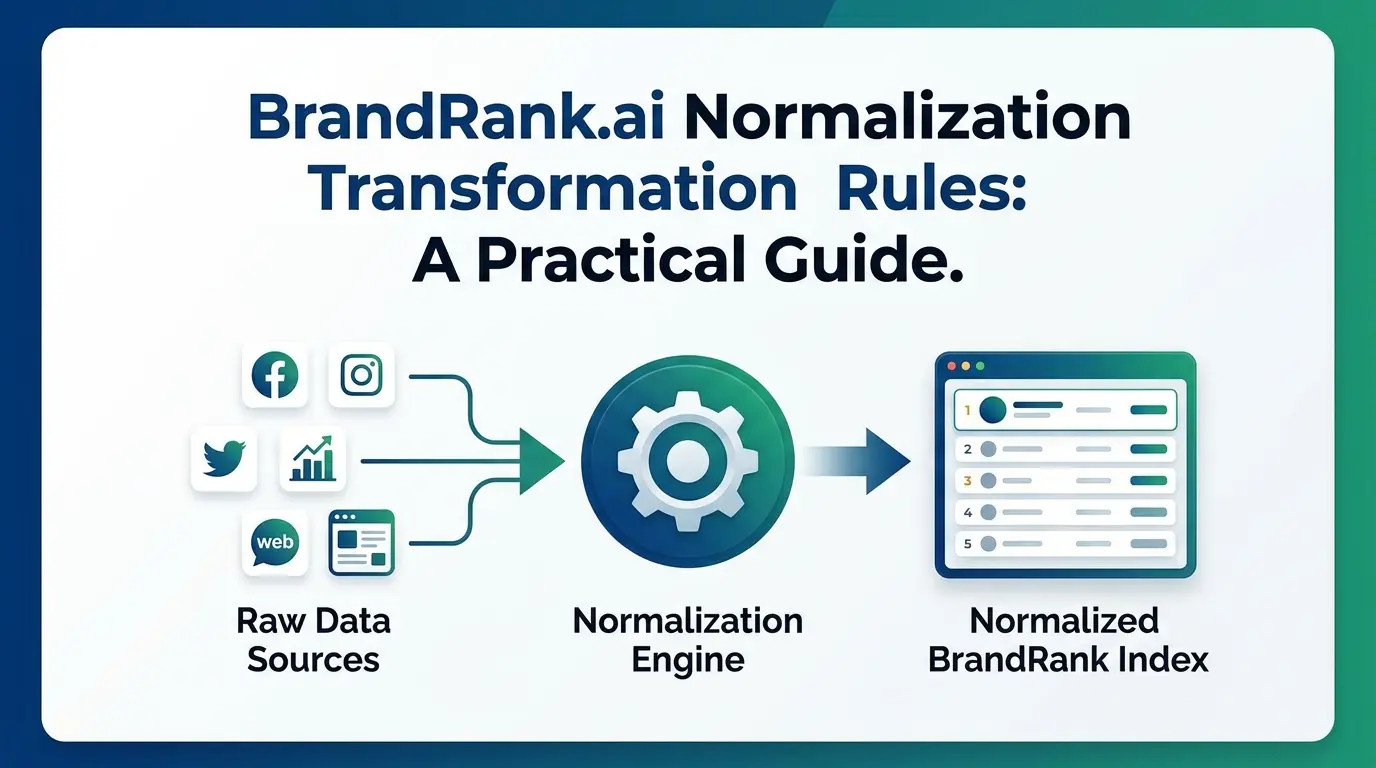
AI search is changing how people discover and evaluate brands. Instead of scanning a page of search results, someone can ask an AI assistant a direct question and receive a short answer that summarizes products, companies, competitors, or recommendations.
That creates a new problem for businesses: information about a brand has to remain clear and consistent as it is collected, interpreted, and presented by different AI systems.
This is where the idea behind BrandRank.ai normalization transformation rules becomes useful. While BrandRank.AI publicly focuses on AI visibility, claim verification, content readiness, citations, and recommendation share, the broader concept of normalization and transformation is about making brand information consistent enough to analyze and interpret reliably.
What Does BrandRank.ai Normalization Mean?
Normalization generally means taking information that appears in different formats and bringing it into a consistent structure.
For example, a company might appear online as:
- ABC Technologies Inc.
- ABC Technologies
- ABC Tech
- abc-technologies.com
A human can usually understand that these references may point to the same organization. A data system, however, benefits from consistent identifiers and clearly structured information.
In an AI brand-monitoring environment, normalization can help make information easier to compare across prompts, sources, platforms, and time periods.
The goal isn’t to make every source identical. It is to reduce unnecessary differences that can make brand information harder to interpret.
What Are Transformation Rules?
Transformation rules describe how information is changed from one format or representation into another.
A simple example would be turning:
“ABC Technologies, Inc.”
into a standardized company name such as:
“ABC Technologies”
Another transformation might convert several variations of a product category into one consistent category label.
These transformations can be useful when a system needs to compare information collected from different websites or AI-generated answers.
The important distinction is that normalization creates consistency, while transformation defines how the data gets from one representation to another.
Why Does This Matter for AI Search?
AI answer engines don’t simply display a list of matching pages. They can combine information from multiple sources and produce a synthesized response.
BrandRank.AI describes its platform as testing priority queries across major AI platforms, capturing generated answers, identifying cited sources, and extracting key claims.
That means businesses need to think beyond traditional keyword rankings.
Consider a customer asking:
“What are the best software companies for small businesses?”
The answer may depend on how different sources describe each company, what claims are supported, and whether those descriptions are consistent.
If one source calls a company a “CRM platform,” another calls it “business automation software,” and a third describes it as “sales management software,” the differences may be harmless. But when important facts conflict, the resulting AI answer can become less predictable.
Common Normalization Rules to Consider
There isn’t a single universal set of normalization rules that applies to every AI system. However, several practical rules can make brand information easier to interpret.
1. Standardize Brand Names
Choose one official brand name and use it consistently across important pages.
That doesn’t mean every third-party website must use exactly the same wording. It simply gives search and AI systems a clear reference point.
2. Keep Product Names Consistent
Product names should not change randomly from one page to another.
If a product has an official name, use that name consistently in product pages, documentation, FAQs, and other important content.
3. Separate Facts From Marketing Language
Statements such as “the world’s leading platform” are different from measurable facts such as a product’s release date or supported features.
Clear factual information is easier to verify than vague promotional claims.
4. Use Structured Information
Organization details, product information, FAQs, and other important entities should be presented in a clear structure.
BrandRank.AI’s public material specifically discusses content structure, schema, citation strength, and content readiness as parts of AI visibility.
5. Preserve Important Context
Transformation should not remove information that changes the meaning of a claim.
For example, changing:
“Available in the United States”
to:
“Available worldwide”
wouldn’t be a harmless formatting change. It would alter the underlying claim.
Good transformation preserves meaning.
A Simple Example
Imagine a fictional company called Northstar Analytics.
Its website says:
Northstar Analytics provides analytics software for mid-sized retailers.
A business directory describes it as:
Northstar Analytics — retail analytics platform.
A news article calls it:
Northstar, a data analytics company.
These descriptions are different, but they share an underlying concept.
A useful normalization process could identify:
Brand: Northstar Analytics
Category: Analytics software
Primary market: Retail
Target customer: Mid-sized businesses
The transformation step can then map different descriptions into a consistent analytical structure without pretending that every source used identical wording.
Normalization Does Not Mean Changing the Truth
This is probably the most important point.
A normalization process should make information more consistent, not make inconvenient information disappear.
If two reliable sources disagree, the solution isn’t simply to transform one of them until they match.
Instead, the disagreement should remain visible and be investigated.
This matters particularly for AI-generated answers because BrandRank.AI’s public platform emphasizes identifying inaccurate, outdated, disputed, or unsupported claims and tracing information back to its sources.
How Transformation Rules Can Help With AI Visibility
AI visibility is not simply about mentioning a brand as many times as possible.
BrandRank.AI describes AI visibility in terms of whether and how a brand is cited in generated answers, while its broader framework also considers visibility, vulnerability, and content readiness.
Consistent information can therefore support several practical areas:
- clearer entity identification
- easier comparison between sources
- fewer conflicting descriptions
- better organization of product information
- stronger content consistency
- easier verification of important claims
These are useful foundations, but they should not be confused with a guaranteed method for making an AI system recommend a particular brand.
What Should Businesses Review?
If you’re trying to improve how your company is represented in AI search, start with the basics.
Check your brand name
Is the company name consistent across your website and important third-party profiles?
Check your core descriptions
Can someone quickly understand what the company actually does?
Check your product information
Are product names, features, pricing information, and availability described consistently?
Check important claims
Can major claims be supported by credible sources?
Check third-party references
Do reputable websites describe the company accurately?
Check outdated information
Old product pages, discontinued services, outdated company descriptions, and old announcements can continue to influence how a brand is understood.
Normalization vs. Traditional SEO
Traditional SEO often focuses heavily on keywords, rankings, links, and search-result visibility.
AI search adds another layer: how information about an entity is interpreted and represented in an answer.
BrandRank.AI itself distinguishes traditional SEO from AI search optimization, noting that AI systems generate answers rather than simply presenting a list of pages.
That doesn’t make traditional SEO irrelevant. Strong technical SEO, useful content, crawlability, and authoritative sources still matter.
The difference is that businesses now have another representation problem to solve: not only “Can people find our page?” but also “Is the information about our brand clear and accurate when AI summarizes it?”
A Practical Workflow
For a simple starting process, businesses can use five steps:
1. Collect
Gather important brand information from your website and major external sources.
2. Normalize
Identify different names, categories, product labels, and descriptions that refer to the same entities.
3. Transform carefully
Create consistent representations without changing the meaning of factual claims.
4. Verify
Check important claims against reliable sources.
5. Monitor
Test how AI systems represent the brand over time.
This last step matters because AI answers can change. BrandRank.AI says it runs daily testing across prioritized queries and multiple AI platforms, which reflects the broader need for ongoing monitoring rather than a one-time optimization exercise.
Final Thoughts
The phrase BrandRank.ai normalization transformation rules points to an important issue in AI-driven brand visibility: information needs to be consistent enough to analyze, but transformation should never come at the expense of accuracy.
Businesses should focus on clear entity names, consistent product information, structured content, verifiable claims, and trustworthy third-party references.
The objective isn’t to manipulate an AI answer. It’s to make the underlying information about a brand clearer, easier to verify, and harder to misunderstand.
As AI becomes a larger part of how people research companies and products, that basic discipline can become just as important as traditional search optimization.


Structured data only works when it tells the truth about what’s actually on the page. A lot of sites carry schema that was accurate six months ago and has drifted since: a price changed, a byline got swapped, an FAQ got trimmed, but the JSON-LD never caught up.
That gap between what a page says and what its markup claims is more common than most site owners realize, and it rarely shows up as an obvious error. Running pages through a schema markup checker is a useful way to catch structured-data issues and identify potential mismatches before they become a larger problem.
This guide walks through what a real mismatch looks like, how to check for one manually, where a checker fits into that process, and how to fix the gaps without breaking rich results that are already working.
What “Matching” Schema Actually Means
Matching schema means the information represented by the markup accurately reflects the content and information visitors can see or verify on the page.
Take a Product page. If the JSON-LD lists a price of $49 but the page itself shows $59, that’s a mismatch. Google expects structured data to accurately represent the content on the page, and misleading or incorrect markup can cause a page to lose eligibility for a rich result.
The same rule applies to review counts, author bylines, publish dates, and FAQ answers. Schema is a promise about what’s on the page. Once that information stops matching reality, search engines may ignore the markup or decline to use it for enhanced search features.
It doesn’t take a redesign to break this promise, either. Someone updates a product price in the CMS, forgets the schema template pulls from a separate field, and the mismatch is live for weeks before anyone notices the rich result is gone.
Why Mismatched Schema Hurts More Than You’d Think
Rich results already earn a real click advantage. Google users click on rich results 58% of the time compared to 41% for non-rich results. Losing that eligibility because of a stale property is a measurable hit to organic traffic.
There’s also a compliance dimension worth taking seriously. Google’s structured data guidelines require markup to represent the content on the page and prohibit irrelevant or misleading structured data. Violations can cause a page to lose eligibility for rich results and, in some cases, can lead to a structured data manual action.
Spotting a Mismatch Manually Before You Automate It
Before reaching for any tool, it helps to know what a manual check actually looks for. It’s slower, sure, but it builds an eye for the patterns a checker will later flag automatically.
That instinct is worth having even after the tooling takes over.
Compare Visible Text Against the JSON-LD Line by Line
Open the page in one tab and the page source in another. Pull up the <script type=”application/ld+json”> block and read it property by property against what’s rendered on screen.
Pay close attention to datePublished, author, price, ratingValue, and reviewCount. These fields can become outdated when content teams make changes without updating the corresponding markup.
Check Field by Field, Not Just Type by Type
It’s easy to confirm the schema type is correct: Article, Product, FAQPage, and stop there. That’s not enough. A Product block can be perfectly typed and still list an availability status that’s months out of date.
Go property by property. If a field doesn’t have a clear match on the page, either update the content or remove the property rather than leaving a guess in place.
Running the Page Through a Schema Markup Checker
Manual review works for one page. It doesn’t scale across a hundred product pages or a blog with years of archived posts, which is where a schema markup checker earns its keep.
What a Good Checker Actually Flags
A solid checker will confirm syntax, catch missing required properties, and show which supported rich result types the page may be eligible for. Google’s own Rich Results Test is a reliable free starting point for validating supported structured data and checking rich-result eligibility.
What It Won’t Catch
No automated checker can tell you that a price in your schema is wrong unless it’s also comparing rendered page content: most tools validate structure, not accuracy. That comparison step still needs a human pass, or a tool built specifically to cross-check visible content against markup.
Common Mismatch Patterns Worth Watching For
Article schema is a frequent offender. Here’s a clean example of what the author and datePublished fields should look like when they’re accurate:
{
“@context”: “https://schema.org”,
“@type”: “Article”,
“headline”: “Example Article Headline”,
“author”: {
“@type”: “Person”,
“name”: “Jane Doe”
},
“datePublished”: “2026-01-15”,
“dateModified”: “2026-07-02”
}
If the byline on the page reads “Content Team” but the schema still says “Jane Doe,” that’s the exact kind of gap a checker catches instantly.
FAQPage schema has its own version of this problem. It’s common to see three FAQ items marked up in JSON-LD while the visible page has been trimmed down to two, or an answer gets rewritten on the page without ever touching the corresponding schema text. Google’s guidelines require the two to match word for word in meaning.
When a JSON-LD Schema Tool Makes More Sense Than Manual Edits
Hand-editing JSON-LD across dozens of templates is where mistakes creep in: a missing comma, a duplicated @type, a property nested under the wrong object. A JSON-LD schema tool that generates markup directly from page fields removes most of that risk, since the schema updates automatically whenever the underlying content does.
This matters most for sites with frequent content changes: e-commerce catalogs, editorial sites with multiple authors, and businesses running seasonal promotions where prices and availability shift often.
Fixing Gaps Without Breaking What’s Already Working
Once a mismatch is found, resist the urge to overhaul the entire schema block. Update only the properties that are actually wrong, then re-test with the Google Search Console Enhancements report to confirm the fix registered correctly.
It’s also worth checking the page against the Schema.org Validator afterward, since syntax errors sometimes get introduced during manual edits even when the intent was correct.
Keeping Content and Schema in Sync Going Forward
Any time page content changes (price, author, FAQ answers, ratings), schema should be part of the same edit, not a separate task someone remembers later or forgets entirely.
Teams that treat structured data as a living part of the page rather than a one-and-done setup are the ones that keep their rich results intact through content updates and platform migrations alike.
Frequently Asked Questions
What happens if schema markup doesn’t match page content?
Google may ignore the structured data, drop existing rich results, or in more serious cases, treat it as manipulative markup, which can affect how the page is indexed.
How often should structured data be audited?
A quarterly check is reasonable for stable pages; e-commerce and frequently updated content should be reviewed monthly or tied directly to the content update process.
Can a schema markup checker fix errors automatically?
Most checkers identify syntax and eligibility issues but don’t rewrite content-accuracy mismatches on their own; those still need a manual comparison or a content-linked generation tool.
Does mismatched schema cause a manual penalty?
Not always, but Google has taken action against sites using structured data to misrepresent content, particularly with review and FAQ schema.
-

 BLOG1 year ago
hanime1: The Ultimate Destination for Anime Lovers
-

 Technology1 year ago
GLAADVoice.com: How You Can Get Involved and Make a Difference
-

 BLOG1 year ago
Imginn: The Ultimate Tool to View Instagram Content Anonymously
-

 BILLS1 year ago
Why Does My Instagram Reel Stop Getting Views After One Hour? How to Fix It?
-

 ENTERTAINMENT1 year ago
Crackstreams 2.0: The Future of Free Sports Streaming?
-

 BLOG1 year ago
ThisVid: What Makes It Stand Out in the World of Online Videos
-

 ENTERTAINMENT1 year ago
Sflix: How It’s Changing the Way We Watch Movies and TV Shows
-

 BLOG1 year ago
NHentai.nef: Understanding the Popular Hentai Archive