
Blog
8 Best Recommendations for AI Avatar Generator Tools In 2026

Top Picks from My Experience
-
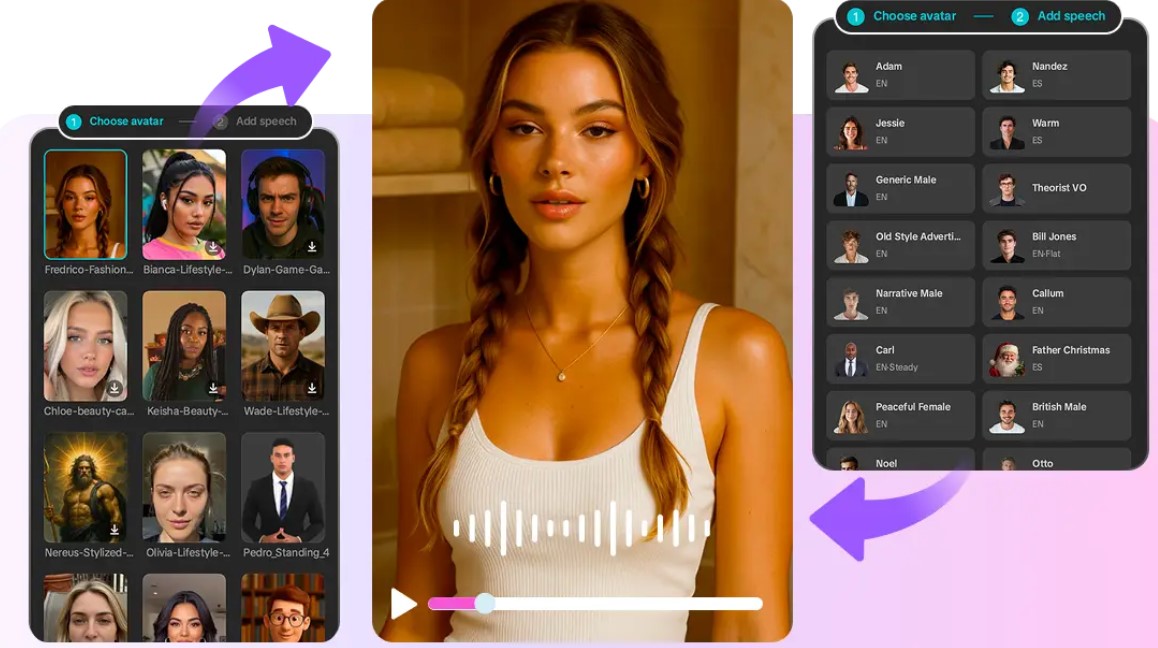
CapCut: CapCut is my go-to for fast, all-in-one avatar video production. Its AI-driven photo-to-avatar conversion, lip-sync, and expressive presets make creating polished avatars effortless. I also love that I can switch seamlessly between photo and video projects without leaving the platform.
-
Ready Player Me: Ready Player Me excels at creating cross-platform 3D avatars that fit social identity and gaming ecosystems. It’s simple to use, supports VR/AR applications, and allows me to maintain a consistent avatar across multiple platforms.
-
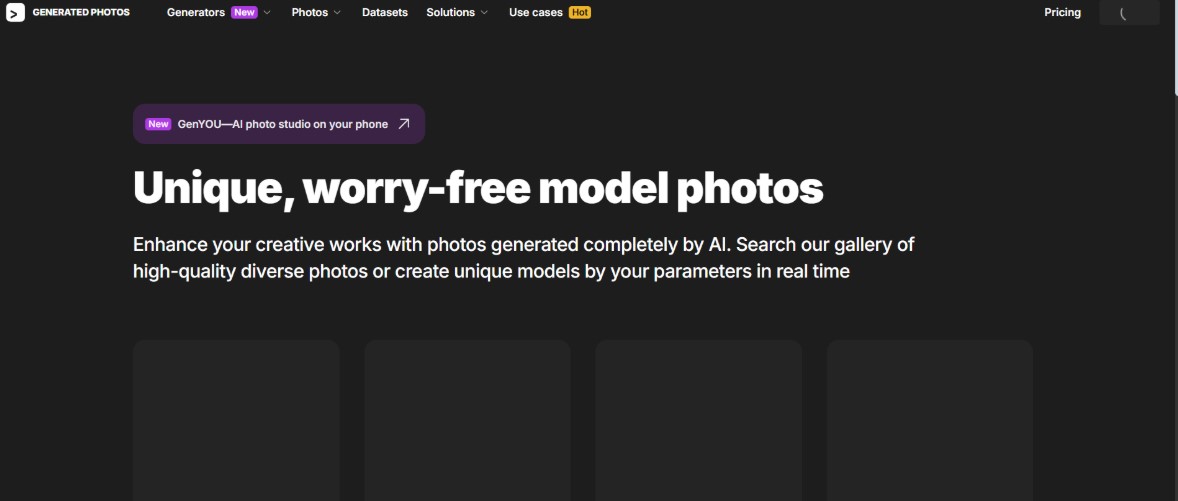
Generated Photos: I rely on Generated Photos when I need photorealistic synthetic faces or batch avatar outputs. Its AI delivers high-quality, diverse faces quickly, saving me time while maintaining realism for projects or presentations.
-
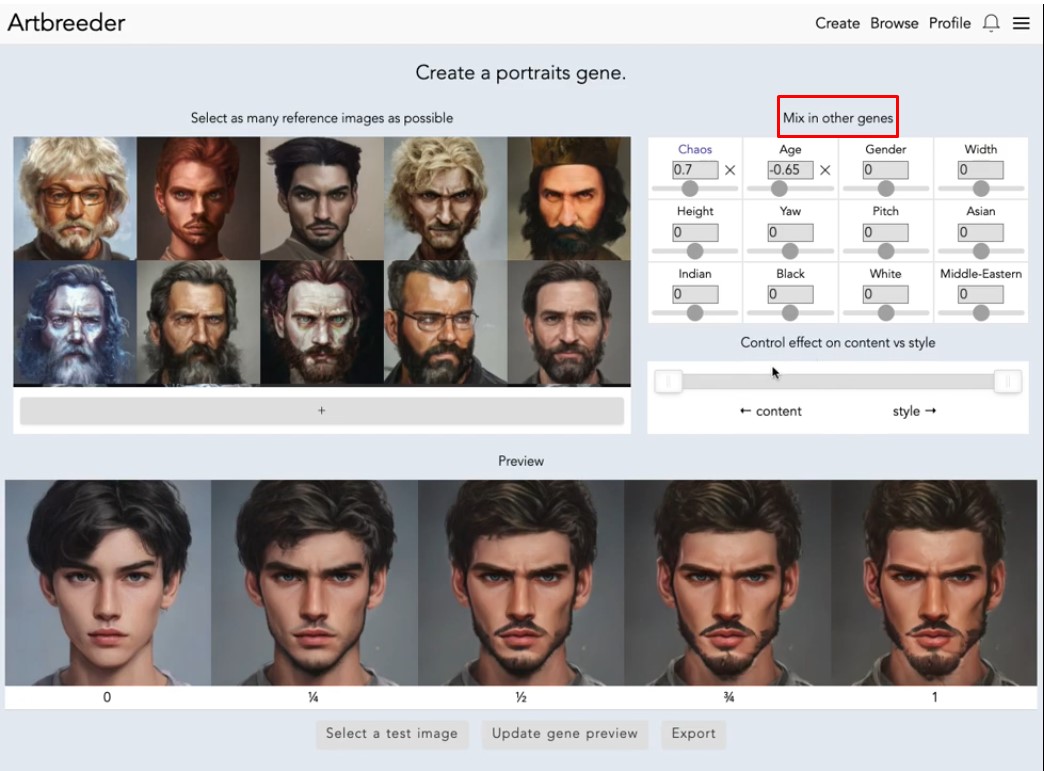
Artbreeder: Artbreeder is perfect for creative experimentation. I can blend images, morph features, and iteratively generate unique avatars. It encourages artistic exploration and lets me fine-tune results with surprising precision.
-
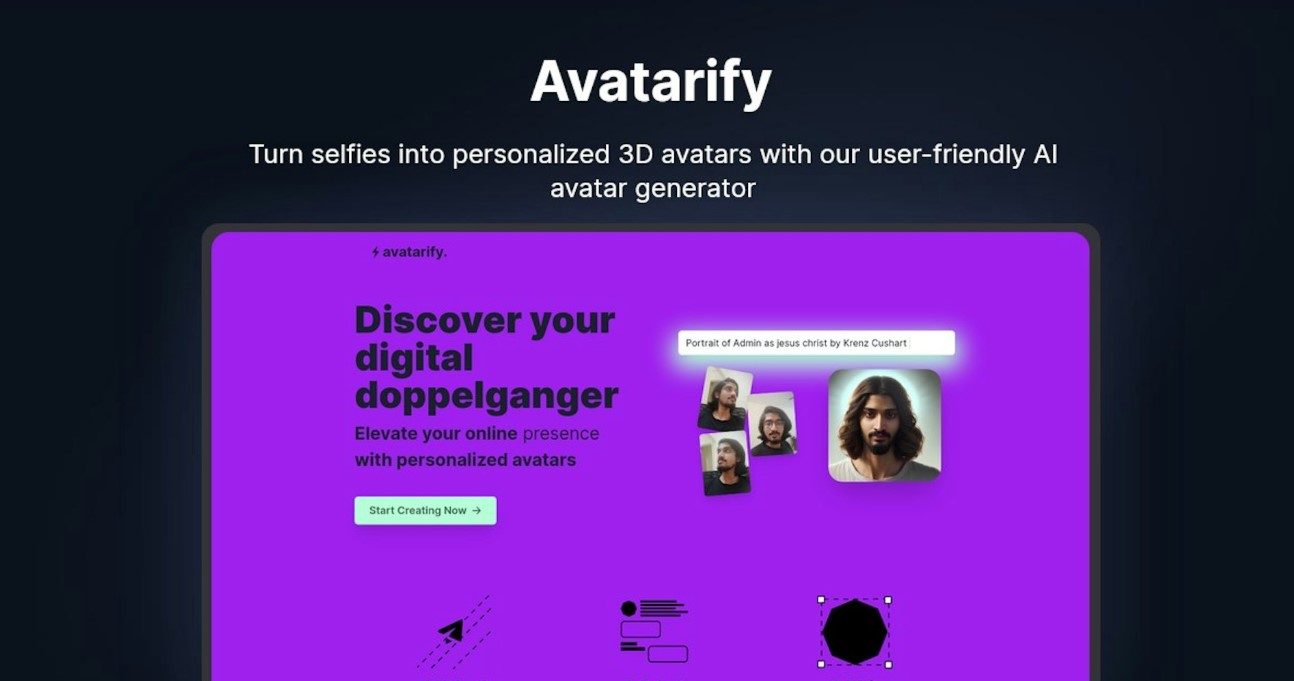
Avatarify: Avatarify shines for live webcam-based animation and streaming. I use it to bring avatars to life in real time, capturing expressions and gestures seamlessly for interactive content.
-
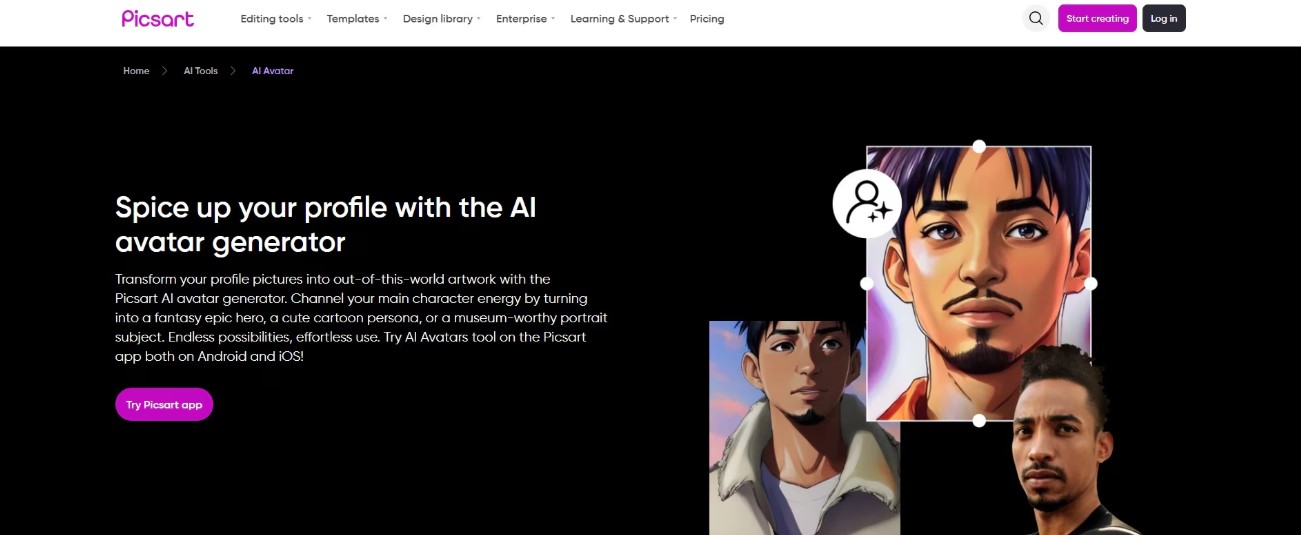
PicsArt AI Avatar Studio: PicsArt’s AI Avatar Studio is my pick for stylized portrait avatars. Quick edits, creative filters, and AI enhancements allow me to generate shareable avatars effortlessly, perfect for social media content.
-
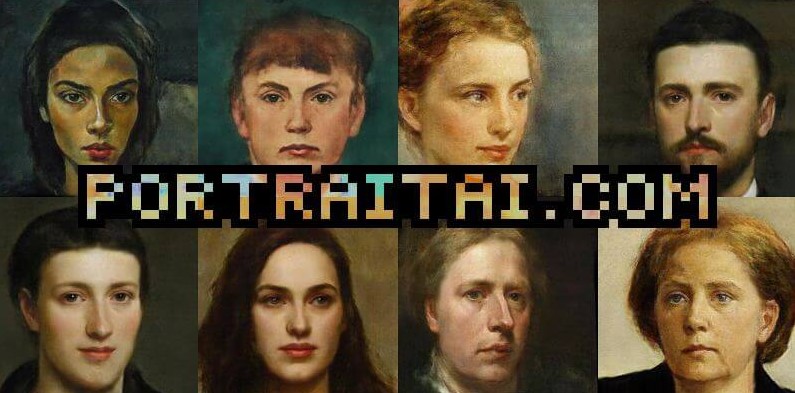
PortraitAI: I turn to PortraitAI when I want classic painted-style avatars. Its AI replicates traditional portrait techniques, giving avatars a timeless, artistic feel without manual painting.
-
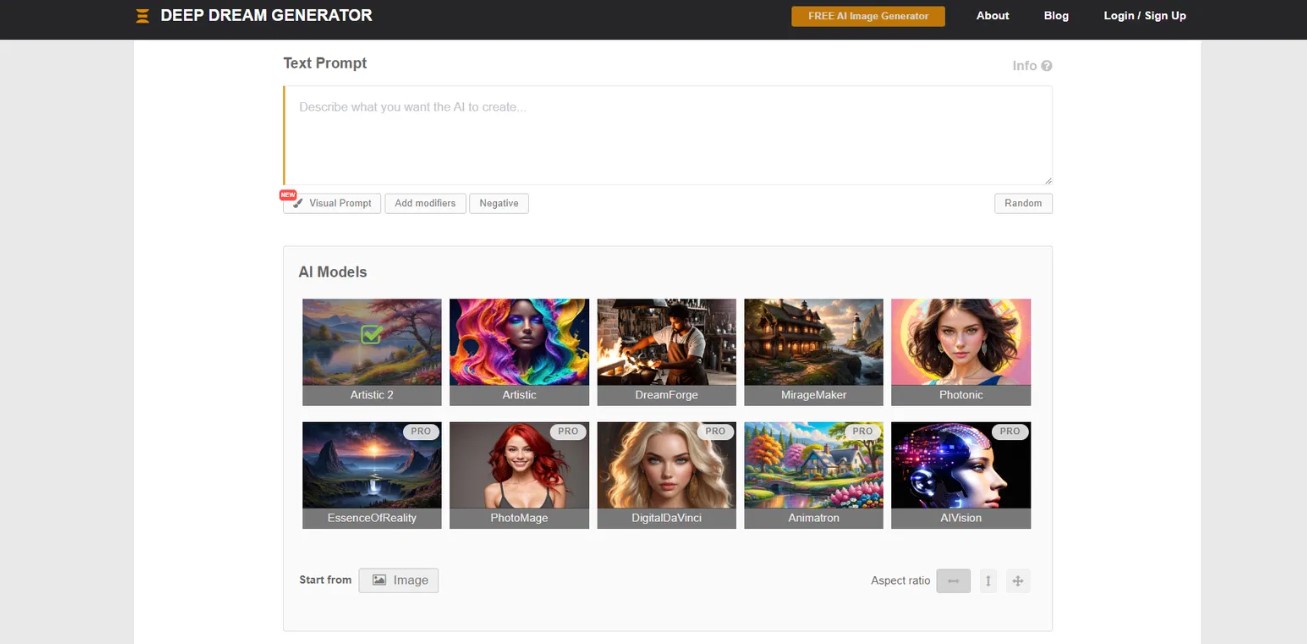
Deep Dream Generator: Deep Dream Generator is my tool for experimental and highly artistic avatars. I enjoy exploring surreal, imaginative styles that push creative boundaries beyond realism.
A Personal Test of the 7 Best Free Avatar Tools
-
Ease of use and approachability
-
Avoiding unnecessary complexity
-
Affordability or free accessibility
-
Sufficient features to grow your skills
-
CapCut
-
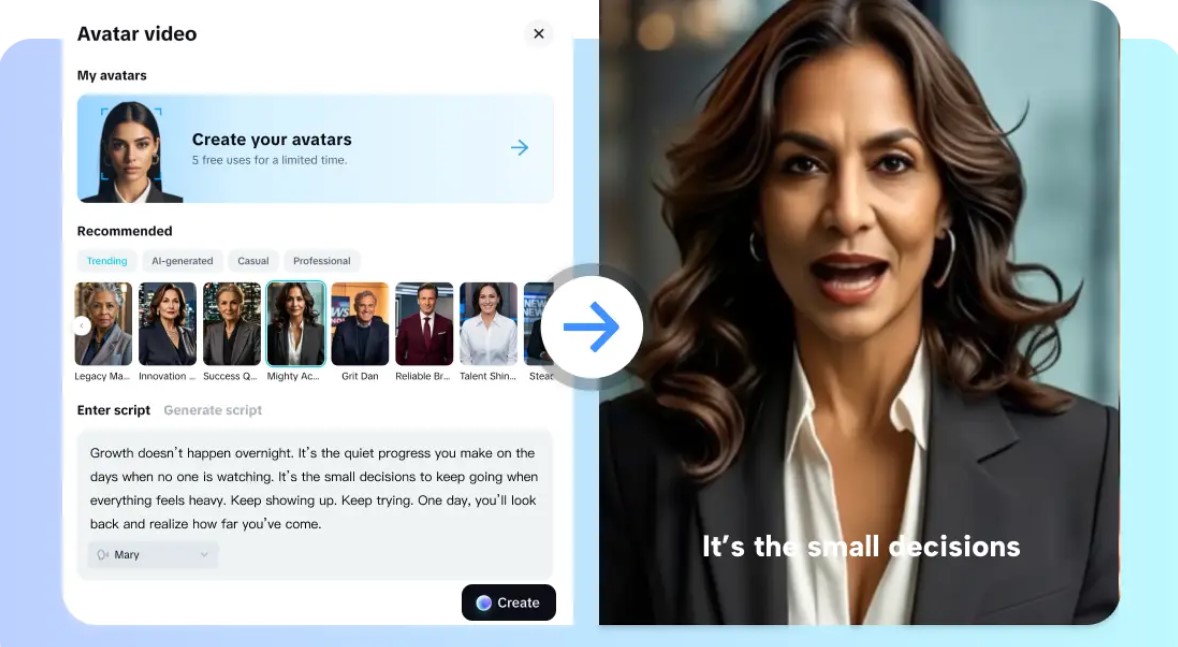
Wide Avatar Styles: Offers 1,000+ digital human categories for diverse projects.
-
Voice Library: 150+ AI voices with accents, tones, and languages.
-
Video-to-Avatar Conversion: Transform videos into talking avatars instantly.
-
Photo-to-Avatar Animation: Converts photos into speaking animated characters.
-
Integrated Editor: Built-in effects, auto-subtitles, custom covers, one-click sharing.
-
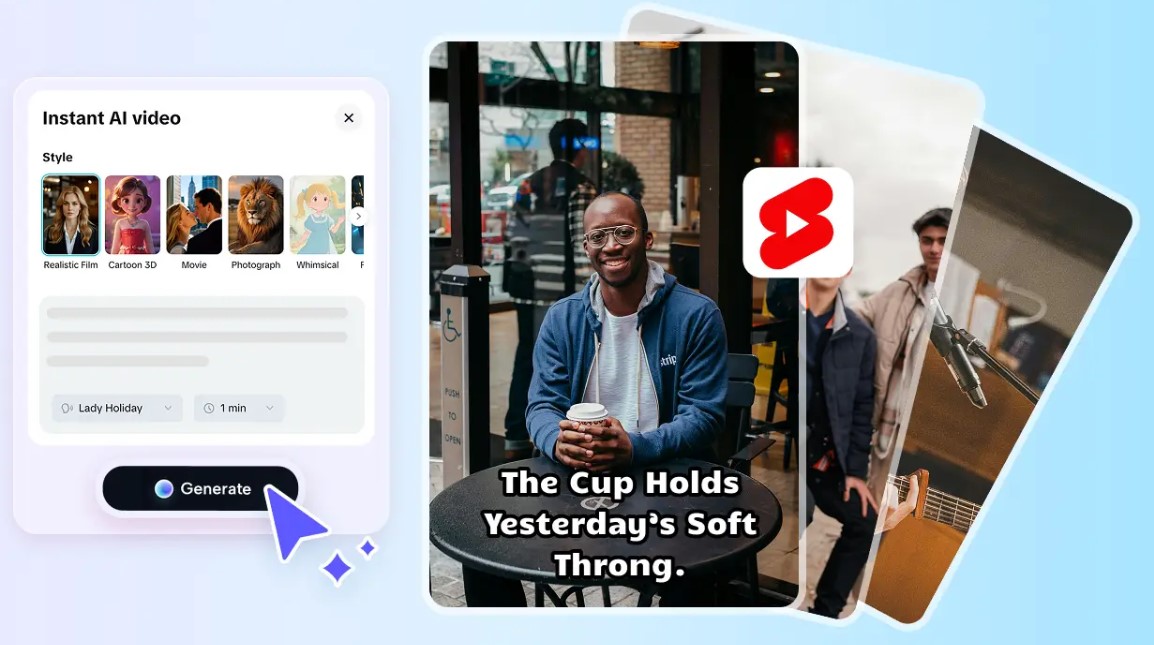
YouTube Shorts Integration: Quickly create short-form content without extra tools.
-
High-Quality Export: Maintains professional bitrate for studio-level output.
-
Batch Workflows: Supports multiple avatars in consistent style across projects.
-
Available On: Web, Windows, macOS, iOS, Android
-
Overall: 4.9/5
-
Beginner-Friendly Tools: 5/5
-
Price: Free; Pro starting at $19.99/month
-
Produces professional-looking avatar videos without juggling multiple tools.
-
Speeds up content workflows for marketing and social media creators.
-
Maintains consistent character appearance across multiple videos and campaigns.
-
Offers export presets compatible with streaming and native platforms.
-
Simplifies captioning with built-in subtitle automation and editing.
-
Some features require a pro account to access.
-
Ready Player Me
-
Creates exportable 3D avatars for engines and virtual spaces.
-
Strong customization for clothing, hair, and accessories.
-
Easy integration with many third-party platforms and engines.
-
Fast generation from a single headshot capture.
-
Focus on avatar portability across ecosystems.
-
Limited animation complexity compared to specialized animation suites.
-
Facial rigging may need extra work for advanced lip-sync tasks.
-
Higher-fidelity options reserved for paid tiers.
-
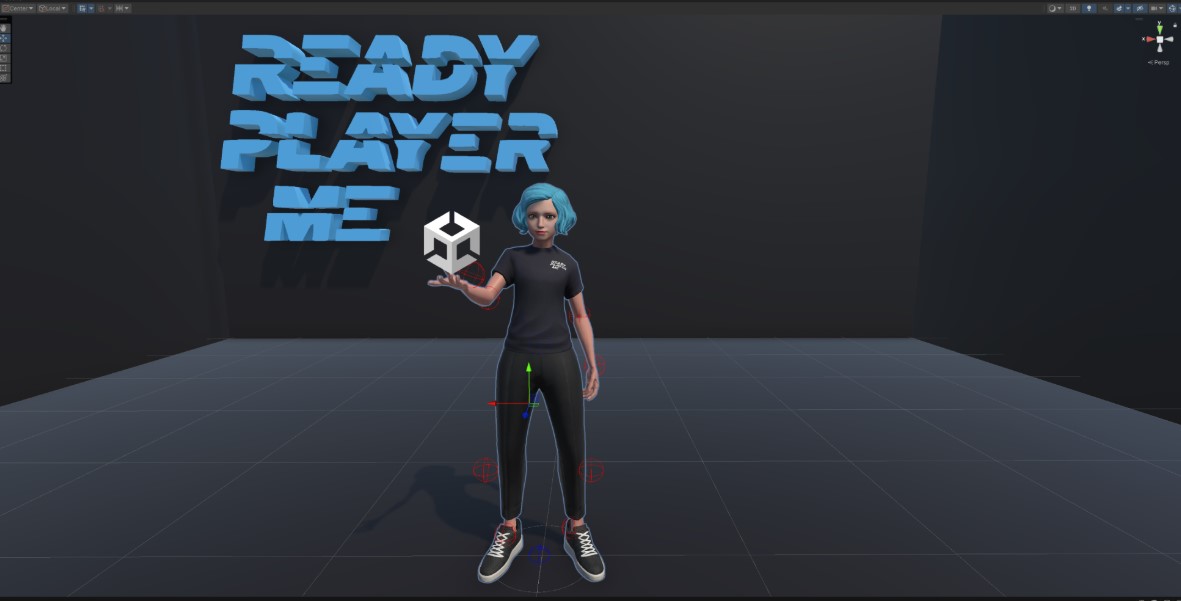
3D Avatar Export: Compatible with engines, metaverse platforms, and interactive apps.
-
Headshot-Based Generation: Quick avatar creation from a single selfie.
-
Outfit Customization: Change clothes, accessories, and hairstyles easily.
-
Skin Tone Variety: Supports diverse ethnic and visual representations.
-
Face Adjustments: Fine-tune facial features for accurate resemblance.
-
Cross-Platform Integration: Works with Unity, Unreal, and other 3D engines.
-
Avatar Portability: Use across multiple virtual platforms effortlessly.
-
Real-Time Preview: Check updates immediately during editing.
-
Available On: Web, Windows, macOS
-
Overall: 4.6/5
-
Beginner-Friendly Tools: 4.5/5
-
Price: Free; Enterprise plan available on request
-
Generated Photos
-
Extremely realistic face generation for photorealistic avatars.
-
Useful batch export for multiple character variants.
-
Fine attribute controls for targeted demographic needs.
-
Clean, high-resolution imagery suitable for profile use.
-
Works well as a source for downstream animation pipelines.
-
No native talking-avatar pipeline included in free tier.
-
Animation requires integration with other animation solutions.
-
Licensing can limit commercial usage in advanced cases.
-
Realistic Face Generation: AI creates lifelike portraits instantly.
-
Batch Export: Generate multiple faces at once for variety.
-
Customizable Attributes: Adjust age, ethnicity, and facial features.
-
High-Resolution Output: Suitable for profiles and professional projects.
-
Face Library Access: Wide selection for experimentation.
-
Downstream Editing Ready: Ideal for animation or composite work.
-
Consistent Appearance: Maintains uniform character style across batches.
-
Flexible Integration: Works with Photoshop or other editing tools.
-
Available On: Web
-
Overall: 4.5/5
-
Beginner-Friendly Tools: 4.5/5
-
Price: Free trial; Yearly subscription $199/year
-
Artbreeder
-
Powerful blending tools for hybrid and creative character concepts.
-
Intuitive sliders allow controlled mutation and style mixing.
-
Great for concepting before committing to final designs.
-
Exports support common image formats for further editing.
-
Supports community remixing and iterative improvements.
-
Generated images often lack animation-ready rigging.
-
Output resolution sometimes lags behind studio-grade needs.
-
Free tier limits high-resolution export capabilities.
-
Hybrid Character Generation: Combine multiple images to create unique avatars.
-
Sliders for Fine-Tuning: Control style, traits, and mutations easily.
-
Concept Experimentation: Ideal for fantasy, anime, or surreal avatars.
-
Community Remixing: Explore and modify others’ creations.
-
Export Options: Download images for further editing.
-
Iterative Editing: Adjust features repeatedly without losing quality.
-
Stylized Portraits: Supports artistic or non-realistic designs.
-
Fast Prototyping: Quickly create multiple concepts for comparison.
-
Available On: Web
-
Overall: 4.3/5
-
Beginner-Friendly Tools: 4/5
-
Price: Starter: 100 credits/year $8.99; Advanced: 275 credits/year $18.99
-
Avatarify
-
Real-time facial motion capture for engaging live streams.
-
Integrates with streaming software via virtual camera support.
-
Low-latency mapping on decent hardware and network setups.
-
Supports multiple avatar styles and image inputs.
-
Good for interactive performances and live demonstrations.
-
Webcam quality heavily affects final avatar appearance.
-
Setup can require technical knowledge for optimal results.
-
Not optimized for polished, pre-rendered video outputs.
-
Real-Time Facial Capture: Maps webcam expressions onto avatars live.
-
Virtual Camera Output: Integrates with streaming software easily.
-
Low Latency: Smooth performance with decent hardware.
-
Multiple Avatar Styles: Supports different characters or face inputs.
-
Interactive Use: Perfect for live streaming or virtual meetings.
-
Customizable Setup: Adjust tracking and webcam settings.
-
Performance Monitoring: Ensures smooth mapping without lag.
-
Flexible Inputs: Works with images or live video.
-
Available On: Windows, macOS
-
Overall: 4.2/5
-
Beginner-Friendly Tools: 4/5
-
Price: Weekly $2.49; Yearly $34.99
-
PicsArt AI Avatar Studio
-
Fast creation of stylized portrait avatars for social media.
-
Numerous artistic filters and quick background replacement.
-
Simplified controls tailored for non-technical users.
-
Exports suitable for avatars, profile images, and thumbnails.
-
Good balance between speed and visual quality.
-
Limited native animation and lip-sync options.
-
Stylized output may not suit photorealistic campaigns.
-
Some premium styles locked behind subscription.
-
Stylized Portraits: Convert photos into artistic avatars instantly.
-
Filters and Effects: Multiple aesthetic styles available.
-
Background Swap: Change or remove image backgrounds easily.
-
Quick Touch-Ups: Grooming and minor edits built-in.
-
Optimized Exports: Ready for web, social media, and thumbnails.
-
User-Friendly Controls: Designed for non-technical creators.
-
Fast Processing: Generates avatars within seconds.
-
Template Use: Apply popular stylized presets instantly.
-
Available On: Web, iOS, Android
-
Overall: 4.1/5
-
Beginner-Friendly Tools: 4.5/5
-
Price: PicsArt Plus ~$5/month; PicsArt Pro ~$7/month
-
PortraitAI
-
Distinctive painted-style results for branded avatar looks.
-
Quick generation with multiple historical or artistic styles.
-
Simple interface requiring minimal technical knowledge.
-
Outputs suitable for premium profile images and campaigns.
-
Produces memorable, artistic visual identity elements.
-
No built-in talking-avatar or lip-sync capabilities.
-
Output format sometimes requires manual image adjustments.
-
Style may not match modern, photorealistic branding needs.
-
Classic Painted Style: Converts photos into traditional portrait art.
-
Multiple Art Styles: Offers historical and artistic variations.
-
Quick Generation: Produces results in seconds.
-
Simple Interface: Minimal setup or learning required.
-
High-Resolution Output: Suitable for social profiles or campaigns.
-
Memorable Visual Identity: Perfect for branding purposes.
-
Custom Editing: Users can adjust generated portraits for frames.
-
Unique Art Effects: Provides aesthetically distinctive avatars.
-
Available On: Web, iOS
-
Overall: 4.0/5
-
Beginner-Friendly Tools: 4.5/5
-
Price: Free
-
Deep Dream Generator
-
Creates bold, artistic avatar images for highly creative projects.
-
Layered processing offers control over dreamlike transformations.
-
Useful for campaign visuals and experimental branding assets.
-
Supports multiple style transfer options for unique looks.
-
Outputs encourage standout, attention-grabbing imagery.
-
Not intended for talking-avatar production or lip-sync.
-
Results often require significant downstream polishing for production.
-
Less predictable than targeted generative solutions.
-
Dreamlike Transformations: Converts images into surreal, artistic avatars.
-
Layered Processing: Fine-tune multiple effects for creative results.
-
Style Transfer Options: Apply different artistic or abstract styles.
-
High-Resolution Export: Suitable for digital campaigns or portfolio work.
-
Creative Control: Adjust intensity of dream effects easily.
-
Unique Visual Identity: Makes bold, attention-grabbing images.
-
Batch Processing: Apply effects to multiple images efficiently.
-
Community Sharing: Explore styles and techniques from other users.
-
Available On: Web
-
Overall: 4.0/5
-
Beginner-Friendly Tools: 4/5
-
Price: Basic $9/month; Advanced $19/month
What My Experiments with Each Tool Revealed
-
Ease of Use: You want a tool that’s intuitive and straightforward. The best AI avatar generators let you jump straight into creating avatars without complex menus or confusing settings. This is especially important if you’re handling multiple projects or need quick turnaround.
-
Performance and Speed: Smooth performance is critical when working with high-resolution images or generating multiple avatars. You should look for software that doesn’t lag or crash, allowing you to produce avatars efficiently and maintain workflow momentum.
-
Customization Options: You need tools that let you adjust facial features, expressions, hairstyles, and clothing. The more control you have over avatar details, the easier it is to align avatars with brand identity or project needs.
-
Output Quality: The avatars you generate should be high-quality and versatile, suitable for social media, video, VR, or gaming environments. You want options that produce realistic, stylized, or artistic avatars depending on your creative requirements.
-
Integrated Features: You should consider platforms that combine avatar creation with additional editing capabilities, such as lip-sync, animation, or background customization. This reduces the need for multiple software tools and streamlines your production process.
-
Cross-Platform Compatibility: You want a solution that works across different devices or export formats. Whether you’re on desktop, mobile, or integrating with VR/3D engines, flexibility ensures that your avatars are ready wherever you need them.
-
Cost and Accessibility: Price matters, but free or low-cost tools can be surprisingly powerful. You want software that delivers professional-quality avatars without locking key features behind expensive tiers, especially if you’re producing content regularly.
Conclusion
FAQs

In a digital world overflowing with links, standing out can be a challenge. Whether you’re sharing blog posts, product pages, or social media content, the way you present your links matters more than ever. Enter URLwo—a game-changing tool that simplifies and enhances link sharing. Imagine transforming long, cumbersome URLs into sleek and memorable ones that not only capture attention but also drive engagement. This isn’t just about aesthetics; it’s about creating an experience for your audience that encourages clicks and conversions. Let’s dive into how URLwo can elevate your online presence and make link sharing effortless and effective!
What is URLwo?
URLwo is an innovative link management tool designed to streamline the way you share content online. It transforms lengthy URLs into concise, user-friendly links that are easier to remember and share.
This platform not only shortens links but also offers a range of features tailored for marketers, businesses, and casual users alike. With URLwo, you can create custom URLs that reflect your brand identity while ensuring they remain catchy and accessible.
The interface is intuitive, making it easy for anyone to use—regardless of their tech-savviness. Whether you’re looking to enhance your social media presence or improve click-through rates on marketing campaigns, URLwo provides the tools necessary for effective link sharing in today’s fast-paced digital landscape.
The Benefits of Using URLwo
URLwo simplifies your link-sharing experience, making it more efficient and user-friendly. You can create short links that are easy to share across various platforms.
The platform is designed with customization in mind. Tailor your URLs to reflect your brand or content theme easily, which boosts recognition among your audience.
Another significant benefit is the analytics feature. URLwo provides insights into how many clicks each link receives, helping you gauge engagement and optimize future campaigns.
Additionally, using shorter links improves aesthetics on social media posts and emails. Clean-looking URLs enhance credibility and attract more users to click through.
Security also stands out as a priority with URLwo. Every shared link is safeguarded against malicious actions, ensuring peace of mind for both you and those who engage with your content.
How to Use URLwo
Using URLwo is straightforward and user-friendly. Begin by signing up for an account on their website. Once logged in, you can start creating your shortened links instantly.
Simply enter the long URL you want to shorten into the provided field. Click the ‘Shorten’ button, and voilà! Your new, compact link appears almost immediately.
You can customize this link if desired. Choose a unique keyword that reflects its content for easy recall.
Another feature lets you track performance metrics like clicks and locations of your audience. This data helps refine your marketing strategies effectively.
With just a few steps, you’re ready to share an optimized link across various platforms or with friends directly. The simplicity enhances your sharing experience while providing valuable insights into engagement.
Personalized and Customizable Features
URLwo stands out with its personalized and customizable features that cater to individual user needs. You can create links that reflect your brand’s identity, enhancing visibility.
Custom domains are just the beginning. Users have the option to modify URL paths for easier recall and sharing. This flexibility means you can craft links that resonate better with your audience.
Additionally, URLwo offers color schemes and logo placements, ensuring every link aligns perfectly with your marketing materials. The ability to personalize helps elevate user engagement.
With bulk customization options, businesses can manage multiple links without losing time or consistency. This feature streamlines processes while maintaining a professional appearance across all platforms.
These tailored elements not only strengthen branding but also improve click-through rates by making shared content more appealing. Your unique touch shines through in every link created with URLwo.
Integrating with Social Media and Marketing Strategies
URLwo seamlessly integrates with various social media platforms, streamlining your link-sharing process. This feature enhances visibility and engagement, allowing you to reach a broader audience effortlessly.
Utilizing URLwo in your marketing campaigns amplifies the effectiveness of your message. Custom short links can be shared across channels like Facebook, Twitter, and Instagram. Each click gives you valuable insights into user behavior.
Moreover, tracking the performance of these links helps optimize future strategies. You can adjust content based on real-time analytics, ensuring that you’re always hitting the mark.
The ability to customize URLs makes them more appealing and memorable for users. A branded link stands out in crowded feeds, enticing clicks from potential customers curious about what you have to offer.
Incorporating URLwo into your digital strategy not only simplifies sharing but also elevates brand presence online through smart integration with social media efforts.
Security and Privacy Measures
URLwo takes security and privacy seriously. Your data is protected through advanced encryption techniques, ensuring that your links and personal information remain confidential.
The platform adheres to strict guidelines, following best practices for safeguarding user data. This commitment to security builds trust among users who value their online safety.
Moreover, URLwo offers customizable privacy settings. You can control who sees your links and how they interact with them. This level of personalization enhances user experience while maintaining a secure environment.
Regular updates help protect against emerging threats. With URLwo, you can share links confidently without worries about unauthorized access or data breaches.
Your peace of mind is paramount as you utilize this powerful tool for link sharing in various contexts.
Testimonials and Success Stories
Users have been raving about URLwo and the transformations it brings to their link-sharing habits. One small business owner shared how their click-through rates skyrocketed after switching to URLwo for promotional campaigns. The simplicity of customizing links allowed them to create memorable URLs that resonated with customers.
A marketing professional highlighted the ease of tracking engagement metrics. They noted that understanding user behavior helped refine strategy, leading to increased conversions in just a few weeks.
Another user pointed out the seamless integration with social media platforms. By sharing personalized links through various channels, they saw a significant uptick in audience interaction and brand awareness.
These stories reflect how URLwo empowers individuals and businesses alike, turning everyday link sharing into a powerful tool for success. Real experiences showcase its impact on enhancing digital presence and driving results across diverse industries.
Conclusion: Why You Should Give URLwo a Try
URLwo offers a fresh perspective on link sharing that can redefine your online experience. With its user-friendly interface, powerful features, and commitment to security, it stands out as an essential tool for individuals and businesses alike.
Imagine having the ability to share links that not only look professional but also provide valuable insights into engagement. URLwo makes this possible with customizable options tailored to meet your needs. Whether you’re looking to boost social media presence or track engagement metrics for marketing campaigns, URLwo has got you covered.
Plus, the testimonials from satisfied users speak volumes about its effectiveness. People have reported increased click-through rates and better audience interaction since they started using URLwo.
If you’re seeking a reliable way to manage your links while enhancing their appeal and functionality, give URLwo a try today. You might just find it transforms how you engage with your audience online.

Brazil is a vibrant tapestry of cultures, rhythms, and melodies. Among its musical treasures lies dubolsinho—a genre that encapsulates the heart and soul of Brazilian music. With roots deeply embedded in the country’s rich history, dubolsinho offers listeners an exhilarating blend of sounds that resonate with joy and celebration. This unique style reflects Brazil’s diverse heritage, drawing influences from African grooves to European harmonies. Whether you’re dancing at a street carnival or enjoying a quiet evening at home, exploring dubolsinho offers an unforgettable journey through sound.
As we delve deeper into this captivating genre, you’ll discover how it has evolved over time and shaped Brazilian culture as we know it today. Get ready to immerse yourself in the lively world of dubolsinho!
The History and Evolution of Brazilian Music
Brazilian music carries a rich tapestry woven from diverse influences. Its roots trace back to indigenous sounds, reflecting the country’s original inhabitants.
As colonization took hold in the 16th century, Portuguese melodies blended with African rhythms brought by enslaved people. This fusion gave rise to unique genres that shaped Brazil’s musical landscape.
The emergence of samba in the early 20th century marked a significant turning point. This vibrant genre showcased Brazil’s cultural identity and social complexities. Bossa nova followed, introducing a smooth sophistication that captured international attention.
Over decades, Brazilian music continued to evolve with tropicalia and MPB (Música Popular Brasileira) expanding its horizons further. Each new wave introduced innovative styles while honoring traditional roots, creating an ever-changing yet cohesive soundscape that resonates globally today.
The Influence of African and European Music on Dubolsinho
Dubolsinho is a vibrant fusion of cultural sounds, deeply rooted in Brazil’s rich musical heritage. African rhythms profoundly shape its essence. The syncopated beats and percussive elements often trace back to the traditions brought by enslaved Africans.
These rhythms interweave with European melodies, creating a unique auditory landscape. Instruments like the guitar and accordion contribute a melodic charm reminiscent of Portuguese folk music.
The combination results in lively compositions characterized by call-and-response vocals that engage listeners. This interaction reflects communal spirit while honoring diverse origins.
As Dubolsinho evolved, it embraced various influences, enriching its texture and appeal. Each performance serves as a reminder of this intricate blend, celebrating both African and European legacies within Brazilian culture.
Characteristics and Instruments Used in Dubolsinho
Dubolsinho is a vibrant genre brimming with unique characteristics that reflect Brazil’s rich musical tapestry. At its core, you’ll find infectious rhythms that compel you to dance. The beats are lively and engaging, often incorporating syncopation to create an irresistible groove.
Instrumentation plays a crucial role in shaping the sound of Dubolsinho. Traditional Brazilian instruments like the berimbau and pandeiro blend seamlessly with modern elements such as synthesizers and drum machines. This fusion gives rise to captivating melodies.
Vocals are another defining feature, characterized by their heartfelt delivery and improvisational flair. Artists frequently engage in call-and-response patterns, inviting audience participation and enhancing the communal atmosphere.
The interplay between these diverse sounds creates a distinct auditory experience. Each performance can feel spontaneous yet deeply rooted in cultural heritage, making every encounter with Dubolsinho uniquely memorable.
Popular Artists and Songs in the Genre
Dubolsinho has birthed a vibrant array of artists who embody its spirit. One standout is **Tia Maria**, whose soulful voice and rhythmic flair captivate audiences. Her songs often reflect the heart of Brazilian life, blending traditional sounds with contemporary beats.
Another notable figure is **Céu**, known for her eclectic style that merges dubolsinho with other genres like MPB and jazz. Tracks like “Malemolência” highlight her unique approach to the genre.
**Ney Matogrosso** also plays a pivotal role in popularizing dubolsinho. His energetic performances breathe new life into classic rhythms, making them accessible to younger generations.
Songs such as “Samba de Roda” resonate deeply within the community, celebrating love and resilience through captivating melodies. Each artist contributes to a rich tapestry that continues to evolve while staying true to its roots.
Impact of Dubolsinho on Brazilian Culture
Dubolsinho has woven itself into the very fabric of Brazilian culture. This genre transcends music, reflecting the diversity and vibrancy of Brazilian life. It serves as a voice for social issues, echoing the struggles and triumphs of everyday people.
The rhythms inspire dance and celebration, bringing communities together in joyous gatherings. Festivals often highlight this connection, where locals and tourists alike immerse themselves in its lively beats.
Moreover, Dubolsinho fosters cultural exchange. Musicians blend traditional sounds with modern influences, creating an evolving art form that resonates across generations. It encourages creativity among young artists eager to explore their roots while innovating new styles.
As it gains popularity worldwide, Dubolsinho not only preserves Brazil’s rich musical heritage but also introduces global audiences to its unique essence. The genre is more than entertainment; it’s a powerful cultural statement that champions unity through rhythm and song.
How to Experience Dubolsinho in Brazil
To truly experience dubolsinho in Brazil, seek out local festivals. These vibrant celebrations showcase the genre’s energy and community spirit.
Visit bars and clubs that feature live music. Many venues host nightly performances with talented artists who bring dubolsinho to life. The atmosphere is electric, filled with rhythm and passion.
Join a dance class focusing on Brazilian styles. Immerse yourself in the movements that accompany this music, learning about its cultural roots while having fun.
Don’t overlook street performances. Wander through neighborhoods where musicians gather, allowing you to enjoy spontaneous shows that highlight the heart of dubolsinho.
Connect with locals and talk about their favorite tracks or artists. Their recommendations will lead you deeper into the world of this captivating genre.
Conclusion
Dubolsinho is more than just a musical genre; it embodies the vibrant spirit of Brazilian culture. This lively form of music captures the essence of Brazil’s diverse heritage, blending African rhythms and European melodies into something uniquely its own. The history of Brazilian music is rich and intricate, with Dubolsinho standing as a testament to this evolution.
The instruments used in Dubolsinho create an unforgettable soundscape, making it easy for listeners to connect with the rhythm and emotion behind each note. Popular artists continue to push boundaries within this genre, introducing fresh elements while honoring tradition.
Experiencing Dubolsinho in Brazil offers a glimpse into local life—festivals, dance parties, or intimate gatherings all showcase its magic. Each performance invites audiences to join in on the celebration of community and cultural expression.
As you immerse yourself in Dubolsinho’s infectious beats, you’ll find that it’s not just about listening; it’s about feeling connected to something greater—a heartbeat that resonates through time and space across Brazil. Whether you’re dancing under twinkling lights or simply letting the music wash over you, there’s no denying that Dubolsinho holds a special place at the heart and soul of Brazilian music.
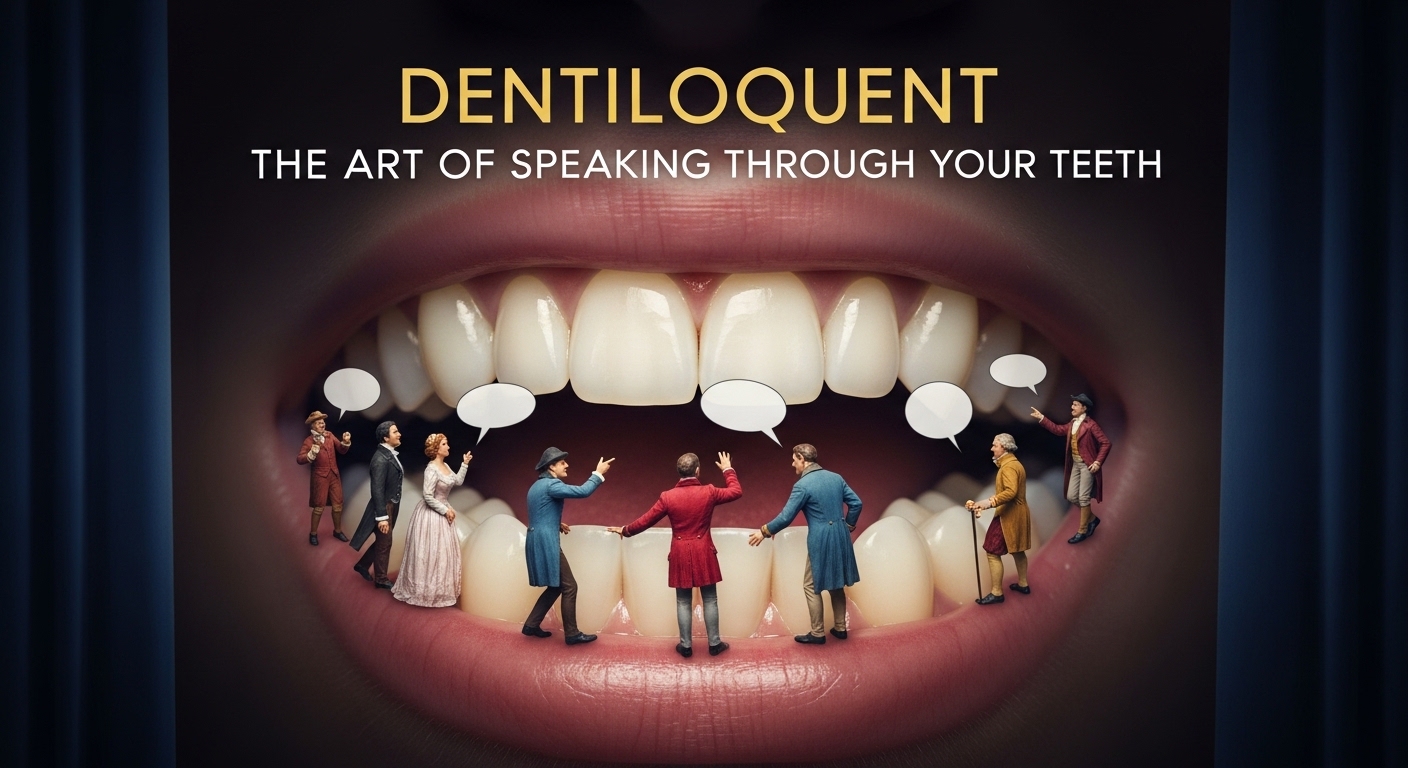
Have you ever thought about how much your teeth communicate without uttering a single word? Welcome to the fascinating world of dentiloquy—the art of speaking through your teeth. This unique form of communication transcends traditional verbal and nonverbal methods, offering an intriguing glimpse into our interactions. Whether it’s a subtle smile, a knowing grin, or even the way we position our lips when sharing secrets, our dental expressions play a pivotal role in conveying emotions and thoughts. Join us as we explore this captivating phenomenon that blends culture, history, and personal expression—unlocking the powerful language hidden right in our mouths!
The History of Dentiloquent Communication
Dentiloquy has roots that trace back to ancient civilizations. Early humans relied on their teeth for more than just eating; they used them as tools for expression.
In various cultures, gestures involving the mouth and teeth played a significant role in communication. For example, Native American tribes often incorporated tooth-based signals during social gatherings.
As languages developed, so did nonverbal cues associated with dental features. In some societies, showing one’s teeth was seen as a sign of strength or friendliness. Conversely, baring teeth might indicate aggression or warning.
The concept evolved through eras. Medieval courts embraced elaborate smiles as symbols of nobility and refinement. Over time, dentiloquent practices shifted from survival mechanisms to forms of artful dialogue.
This fascinating history highlights how deeply intertwined our communication styles are with physical attributes like our teeth.
How it Differs from Verbal and Nonverbal Communication
Dentiloquy sets itself apart from traditional verbal and nonverbal communication through its unique reliance on the dental structure. While verbal communication relies heavily on spoken words, dentiloquent expression utilizes subtle movements and positioning of the teeth to convey emotions or messages.
Unlike body language, which encompasses gestures and facial expressions, dentiloquy focuses specifically on oral mechanics. This form often involves slight adjustments in bite or lip placement that can evoke distinct meanings without uttering a single word.
The impact of this art form is profound; it taps into an instinctual understanding of human interaction. While other forms require context or clarity, dentiloquence speaks volumes with minimal effort. It’s an intimate dance between precision and interpretation that goes beyond mere sound—a silent yet expressive medium rooted within our very anatomy.
The Role of Teeth in Dentiloquy
Teeth play a pivotal role in the art of dentiloquy. They are not just tools for chewing; they can also convey complex emotions and messages.
The alignment, spacing, and condition of teeth influence how sounds resonate when we speak. A slight shift in position can change the way words come out, altering their meaning entirely.
Moreover, certain dental characteristics—like sharp canine teeth or prominent incisors—can amplify expressive qualities during communication. They add an element of personality to speech that is often overlooked.
In many cultures, healthy teeth symbolize beauty and vitality. This perception enhances their communicative power even further. When someone smiles widely with gleaming teeth while speaking, it attracts attention and fosters connection.
Thus, our dental health impacts not only physical well-being but also social interactions through dentiloquy.
Common Examples of Dentiloquent Communication
Dentiloquent communication often manifests in various playful and creative ways. One of the most recognizable examples is sticking your tongue out while speaking, which can convey cheekiness or mischief.
Another form involves using one’s teeth to create sounds—think whistling between clenched jawsor producing subtle clicks with the mouth. This technique adds an element of intrigue to conversations.
Some people employ their lips alongside their teeth, forming exaggerated expressions that emphasize emotions without words. These non-verbal cues can enhance storytelling or humor in social settings.
Additionally, there’s a fascinating trend where individuals mimic animal sounds through dental manipulation, showcasing creativity and entertainment.
These examples highlight how dentiloquent methods enrich interactions by providing depth beyond typical verbal exchanges.
The Significance of Dentiloquy in Different Cultures
Dentiloquy holds a unique place across various cultures, often reflecting societal values and norms. In some Indigenous tribes, the sound of teeth clicking together is used in storytelling, enhancing emotional connections between narrators and audiences.
In East Asian cultures, subtle movements of the jaw can convey respect or humility during communication. The way one speaks with their teeth may signal status within social hierarchies.
Conversely, in Western societies, dentiloquent expressions sometimes serve as playful forms of interaction among friends. Whistling through clenched teeth might indicate camaraderie or shared secrets.
Each culture brings its own flavor to this art form. It shapes how people relate to one another beyond spoken words. Dentiloquy creates a bridge that transcends language barriers while highlighting the importance of nonverbal cues in human connection.
Tips for Improving Your Dentiloquent Skills
To enhance your dentiloquent skills, start by experimenting with different sounds. Practice articulating letters and words while keeping your teeth partially closed.
Use a mirror to observe how your mouth moves. This visual feedback can sharpen your technique and increase confidence in delivery.
Next, incorporate playful exercises into your routine. Try delivering tongue twisters or quotes using dentiloquy. This will help you get comfortable with the nuances of speech through teeth.
Additionally, listen to experts or performers who excel in this art form. Analyzing their style can inspire new approaches and techniques.
Don’t shy away from recording yourself. Playback allows you to identify strengths and areas for improvement, paving the way for growth in this unique form of communication.
Conclusion: Embracing the Power of Dentiloquy
Dentiloquy opens up a world of communication that transcends mere words. It invites us to explore the unique relationship between our teeth and expressions, offering a rich avenue for social interaction. From subtle smiles to playful gestures, dentiloquent skills can enhance your ability to connect with others in meaningful ways.
As we look at various cultures, it’s clear that this form of expression plays a significant role in human connection across different societies. Each culture has its nuances and interpretations, adding depth to how we understand one another. By embracing these differences, we not only celebrate diversity but also enrich our personal experiences.
Improving your dentiloquent skills is both enjoyable and rewarding. Simple practices like being mindful of your facial expressions or experimenting with sounds can make a difference. As you become more aware of your own mouth movements, you’ll find new ways to express yourself effectively without relying solely on spoken language.
The art of speaking through your teeth encourages creativity and fosters connections that go beyond traditional means. Whether you’re engaging in casual conversations or navigating complex interactions, the power of dentiloquy can elevate how you communicate every day.
-

 Blog7 months ago
hanime1: The Ultimate Destination for Anime Lovers
-

 Entertainment9 months ago
Sflix: How It’s Changing the Way We Watch Movies and TV Shows
-

 Entertainment8 months ago
Crackstreams 2.0: The Future of Free Sports Streaming?
-

 Bills9 months ago
Why Does My Instagram Reel Stop Getting Views After One Hour? How to Fix It?
-

 Technology10 months ago
Simpcitt: The Rise of a Unique Online Community
-

 Blog7 months ago
Imginn: The Ultimate Tool to View Instagram Content Anonymously
-

 80s10 months ago
Favorite 100 Songs of the 80s: (#1) Michael Jackson – Billie Jean
-

 Blog10 months ago
Simpcitu: The New Age Trend Shaping Online Interactions