
Technology
Free VPS Servers for Data Analytics: Complete Setup Guide for Testing Environments

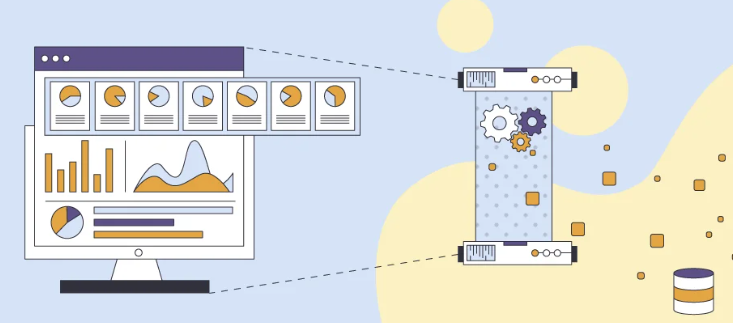
In the realm of data analytics, Virtual Private Servers (VPS) have revolutionized the way testing environments are set up and managed. A VPS acts as a secure and private hosting environment where you can execute analytics applications and scripts without the overhead of maintaining physical hardware. For those on a budget, free VPS offerings provide a valuable resource for setting up a preliminary environment. Throughout this guide, we will explore how to effectively utilize free VPS servers for your data analytics needs, describe their benefits, and provide a comprehensive blueprint for setup and optimization.
Unveiling Free VPS for Data Analytics
Key Benefits for Analysts
Free VPS servers come with a plethora of advantages that can significantly benefit data analysts. Firstly, they provide an isolated environment to test and deploy analytics tools without risking the main data infrastructure. This separation ensures that any erroneous scripts or applications can be debugged in a safe space.
Additionally, VPS free trial often include pre-installed software and frameworks conducive to data analysis, speeding up the setup process. You can experiment freely with different configurations, optimizing your processes without financial risk. A VPS fosters collaboration, enabling multiple analysts to work in a synchronized manner from varying locations.
Finally, with access to reliable hardware resources, free VPS providers typically offer around-the-clock support to address your queries and technical hurdles.
Cost-Effective Testing Solutions
Free VPS servers offer a unique advantage as a cost-effective solution for conducting testing within data analytics projects. Rather than investing heavily in infrastructure and hardware, analysts can utilize these cloud-based environments to run experiments and models without upfront financial commitments. This financial freedom allows small teams and individuals to innovate and test without constraints.
Moreover, these platforms typically come with no maintenance fees, eradicating the costs associated with hardware upkeep and upgrades. Free VPS services often include complementary features that otherwise might have incurred separate costs, such as basic security measures and backup solutions.
Another benefit is the ability to scale; while limitations exist, many free VPS options allow analysts to test scaling solutions in a controlled, risk-free environment before considering more costly upgrades.
Choosing the Best Free VPS for Testing
Criteria for Selection
When choosing a free VPS for testing your data analytics projects, several critical criteria should guide your decision. Firstly, consider the resources offered, such as CPU power, memory, and storage. These components are essential to ensure that the server can handle the workload of your analytics applications effectively.
Next, prioritize uptime reliability and customer support. A service with high uptime guarantees less interruption, while robust customer service ensures assistance is available when you need it. Also, it’s important to review any usage limitations or restrictions that may impact your project’s needs, like bandwidth caps or limited server features.
Security features are crucial; look for VPS providers that offer basic security measures like firewalls and encryption. Lastly, evaluate the ease of setup and user-friendliness; providers that offer comprehensive documentation or tutorials can save you valuable time during initial configuration.
Pros and Cons of Free VPS Options
Free VPS options come with a set of pros and cons that can significantly impact your data analytics projects. Understanding these can help you make informed decisions.
Pros:
- Cost-Free Access: Offers budget-friendly hosting solutions, making it a convenient choice for startups and small teams.
- Minimal Commitments: They allow testing and experimentation without long-term commitments, ideal for evolving projects.
- Learning Opportunity: Provides excellent platforms for learners and beginners to understand server management and deployment processes.
- Instant Scaling: Many providers offer easy upgrade paths to more substantial plans as your needs grow.
- Community Support: Access to forums and knowledge bases for troubleshooting and advice.
Cons:
- Resource Limitations: Often come with strict limits on resources like CPU usage, bandwidth, and storage, which can hinder large projects.
- Limited Support: Free tiers often do not include exhaustive customer support options, leaving you to solve issues independently.
Free VPS options are best suited for individuals, students, or small businesses looking to test applications and conduct preliminary data analysis without incurring costs. Users should be prepared to upgrade if their projects scale beyond the limits of free resources.
Setting Up Your Free VPS
Basic Installation Steps
Setting up your free VPS for data analytics involves several straightforward steps. By following these, you can quickly get your server up and running, ready for your analytic tasks.
- Sign Up with a Provider: Choose a free VPS provider that meets your needs. After registering, verify your account to access the server features.
- Select Your Server: Once logged in, choose the server specifications. For most analytics tasks, prioritize CPU power and RAM.
- Operating System Installation: Select and install the operating system. Linux distributions like Ubuntu are popular due to their robustness and support of many analytic tools.
- Access the Server: Use SSH to log into your server securely. This access method provides a command-line interface to manage the VPS.
- Install Necessary Software: Deploy essential software tools and libraries necessary for data analytics, such as Python or R. Use package managers to streamline the process.
These steps guide you through the initial setup phase, enabling you to prepare your VPS for data processing tasks efficiently.
Configuring the Environment for Data Analytics
Configuring your VPS for data analytics involves setting up the software and adjusting system parameters to ensure optimal performance. Here’s a concise guide to preparing your environment:
- Install Essential Packages: Begin with installing programming languages frequently used in analytics, such as Python and R. Use package managers like apt-get(for Ubuntu) to install necessary packages quickly.
- Set Up Libraries and Frameworks: Equip your VPS with vital libraries and frameworks for data manipulation and visualization, including pandas, NumPy, and Matplotlib for Python users. For machine learning projects, consider TensorFlow or PyTorch.
- Database Setup: Depending on your project requirements, install a database system like MySQL or MongoDB. This setup enables efficient data storage and retrieval.
- Configure the Network and Firewall: Ensure that your VPS is secure by configuring your firewall with tools such as ufwon Ubuntu to block unwanted traffic, while allowing necessary ports for SSH and database access.
- Optimize System Settings: Tweak system settings to improve performance. Adjust memory and CPU allocations as needed, and ensure you have enabled swap space for better resource management during high-demand processing tasks.
By following these configuration steps you can create a powerful, tailored environment on your VPS capable of handling complex data analytics tasks.
Common Troubleshooting Tips
When setting up and using a free VPS for data analytics, you might encounter a few common issues. Here are some troubleshooting tips to address these challenges effectively:
- Connection Issues: Ensure your SSH settings are correct if you encounter problems logging in. Verify that your network allows outbound traffic on port 22, commonly used for SSH, and check firewall settings to ensure accessibility.
- Resource Allocation Errors: If your VPS frequently runs out of resources, optimize your applications for better memory management. Consider upgrading your instance if your needs exceed the free tier capabilities.
- Software Conflicts: When software fails to operate correctly, check for dependency issues or mismatched library versions. Packages may need upgrading or reinstallation to resolve compatibility problems.
- Performance Bottlenecks: Monitor the VPS performance using tools like htopor top to identify processes consuming excess resources. Adjust priorities or terminate unnecessary processes to streamline performance.
- Security Warnings: Often, default VPS configurations are not fully secure. Double-check your firewall rules, ensure that software is up-to-date, and avoid using default usernames like “root” to mitigate security warnings.
Arming yourself with these troubleshooting tips can help you maintain a smooth and efficient VPS operation, enabling you to focus on analytics tasks without technical interruptions.
Performance Optimization Techniques
Enhancing Speed and Efficiency
Boosting the speed and efficiency of your free VPS is crucial for running data analytics tasks smoothly. Here’s how you can enhance performance:
- Resource Optimization: Begin by adjusting your VPS settings to prioritize CPU and memory usage. Allocate more resources to critical processes and minimize background services that consume unnecessary resources.
- Caching Strategies: Implement caching solutions to reduce load times. Tools like Varnish or Redis can significantly improve the speed by storing frequently accessed data in memory.
- Software Updates: Regularly update your system and installed software to leverage performance improvements and patches available in the latest versions.
- Utilize Lightweight Frameworks: When possible, choose lightweight frameworks and libraries tailored for efficiency. This choice can reduce the computational demand and speed up processing times.
- Network Optimization: Ensure optimized network configurations. This includes reducing latency by selecting servers that are geographically closer to your location and ensuring your internet connection is stable and fast.
By adopting these strategies, you can significantly enhance your VPS’s efficiency, making it more capable of handling intensive data analytics tasks.
Monitoring and Maintenance Strategies
Effective monitoring and maintenance are vital to ensure your VPS runs optimally for data analytics tasks. Here are some strategies to implement:
- Regular Monitoring Tools: Deploy monitoring solutions like Nagios or Zabbix to keep track of server performance metrics, including CPU, memory, and disk usage. These tools provide insights into system health and help pre-empt issues.
- Automated Alerts: Set up automated alerts for critical system thresholds. By receiving notifications for resource overuse or system faults, you can address issues promptly before they escalate.
- Scheduled Backups: Implement regular backup routines for your data. Utilizing automated solutions that schedule backups during low-usage periods ensures data safety without disrupting services.
- Software and Security Updates: Periodically review and update the server software and security patches. Keeping your VPS up-to-date mitigates vulnerabilities and enhances reliability.
- Log Analysis: Regularly analyze server logs to detect unusual activities or performance bottlenecks. Log analysis can highlight inefficiencies or security threats that need attention.
By following these monitoring and maintenance strategies, you assure a robust, reliable VPS ready to support your analytics endeavors.
Security Measures for Free VPS
Protecting Sensitive Data
Protecting sensitive data on your free VPS is paramount to maintaining security and privacy. Start by implementing encryption for all data at rest and in transit. Tools such as SSL/TLS certificates can secure data transmission, preventing interception during the data exchange process.
Implement strong, complex passwords and regularly update them to minimize the risk of unauthorized access. Utilize password management tools to generate and store these credentials securely.
Consider deploying a robust firewall solution and intrusion detection systems (IDS) to monitor and block suspicious activities. These tools can help you detect and respond to potential threats swiftly.
Access control policies are crucial; restrict access to only those who genuinely need it and implement multi-factor authentication (MFA) for an additional layer of security.
By adopting these measures, you’ll create a secure environment on your VPS, safeguarding sensitive data from potential breaches.
Implementing Access Controls
Implementing access controls on your free VPS is essential to ensure that only authorized users can manage and manipulate your data effectively. Start by establishing user-specific accounts with unique credentials, avoiding the use of generic accounts like “admin” or “root” for everyday tasks.
Leverage role-based access control (RBAC) to assign permissions based on the specific needs and duties of each user. This granularity ensures users only access what is necessary for their roles, minimizing the risk of accidental or malicious data manipulation.
Implement multi-factor authentication (MFA) to add an extra layer of security. This reduces the likelihood of breaches even if credentials are compromised, by requiring additional verification steps.
Regularly audit and review access logs to maintain oversight on who is accessing your system, and adjust permissions regularly to align with changing roles and responsibilities.
These practices will help secure your VPS, maintaining stringent control over who can access your data and systems.
Case Studies: Successful Deployments
Data Analytics in Action
In real-world scenarios, free VPS servers have been successfully leveraged to power innovative data analytics projects. Analysts often use these platforms to deploy and refine machine learning models, perform statistical analysis, and generate insightful visualizations, all without bearing heavy initial costs.
For instance, startups frequently employ free VPS resources to iterate over large datasets, uncover patterns, and drive data-informed decisions. These scenarios typically require running predictive analytics models which can dramatically benefit from the flexibility and scalability that a VPS offers.
Moreover, educational institutions have incorporated VPS solutions into their curricula, enabling students to gain hands-on experience with data analytics tools in a practical, real-world environment. Students learn how to process datasets, apply algorithms, and draw conclusions, preparing them for careers in data science.
By utilizing free VPS servers, organizations and individuals can execute advanced analytics projects efficiently, facilitating innovation and learning in an accessible manner.
Overcoming Challenges with Free VPS
While free VPS offers an excellent gateway into data analytics, challenges often arise that require strategic approaches to overcome. One of the primary issues is the limitation on resources like CPU and memory, which can restrict the scale and complexity of analytic tasks. To tackle this, efficient resource management becomes crucial. Optimizing code and prioritizing essential processes help make the most of available resources.
Another common challenge is the lack of dedicated support, which can leave users to troubleshoot issues independently. To mitigate this, tap into community forums and online resources. These platforms often provide solutions to common problems and foster collaborations that can enhance learning and problem-solving.
Security vulnerabilities are also a concern with free services. Implementing robust security measures, such as regular software updates and stringent firewall rules, can reduce potential threats.
By proactively addressing these challenges, users can maintain effective and efficient data analytics operations on their free VPS environments.
Should You Upgrade from Free to Paid VPS?
Signs It’s Time to Transition
Recognizing when it’s time to upgrade from a free to a paid VPS can ensure continued growth and performance enhancement for your data analytics tasks. Here are key signs indicating it’s time to make the transition:
- Resource Constraints: If your data tasks frequently hit resource limits, leading to bottlenecks or performance lags, an upgrade can provide the necessary CPU, RAM, and storage enhancements.
- Increased Downtime: Experiencing frequent server downtimes or reliability issues that disrupt your analytics processes is a clear signal that a more robust, paid solution is needed.
- Security Needs: As data sensitivity grows, so does the need for advanced security features and dedicated support, which free VPS options often lack.
- Scalability Requirements: When expanding projects require greater scalability than a free VPS can offer, transitioning ensures you can accommodate more users and data.
- Professional Support: Lacking access to professional technical support and customer service hampers troubleshooting efficiency, a gap often filled by paid services.
Transitioning to a paid VPS offers enhanced resources, reliability, and support, critical for advanced and expanding data analytics operations.
Benefits of Paid Options
Paid VPS options offer numerous advantages that significantly enhance your data analytics capabilities. These benefits are pivotal for organizations and individuals seeking robust, scalable, and secure solutions.
- Enhanced Resources: Enjoy increased CPU power, memory, and storage, which supports more extensive and complex data operations without performance degradation.
- Reliability and Uptime: Paid plans typically guarantee high uptime percentages, ensuring that your analytics environment is consistently available and reliable.
- Advanced Security: Access to premium security features, including comprehensive firewalls, DDoS protection, and regular security audits, safeguards sensitive data from breaches.
- Dedicated Support: Benefit from priority technical support and customer service to swiftly address issues, allowing uninterrupted focus on analytics projects.
- Scalability: Effortlessly scale your resources to meet growing analytical demands, accommodating more data and users without interruption.
By shifting to a paid VPS, you unlock a wealth of resources and features that empower you to conduct sophisticated analytics with confidence and ease.

In today’s competitive digital economy, organizations that want to grow, scale, and stay relevant must embrace modern technology. For businesses ready for digital transformation, the decision to implement SaaS solutions is no longer optional it is strategic.
If your organization is in the consideration stage, you are likely evaluating different platforms, comparing vendors, and identifying how software can streamline operations. This guide will walk you through how to successfully implement SaaS solutions in your business, avoid common pitfalls, and ensure long-term value from your investment.
Building a Culture of Continuous Improvement
The most forward-thinking organizations treat SaaS platforms as evolving systems that grow alongside their business. Encourage teams to regularly review workflows, identify bottlenecks, and suggest improvements. When employees feel empowered to refine processes, the software becomes a dynamic productivity tool rather than a static system.
Schedule quarterly performance reviews to evaluate whether the platform is meeting expectations. Analyze usage patterns, collect employee feedback, and identify underutilized features. Many SaaS platforms include automation tools and analytics capabilities that businesses overlook simply because they were not fully explored during onboarding. Unlocking these features can significantly improve operational efficiency without additional investment.
Measuring Long-Term Business Impact
Beyond immediate operational gains, SaaS implementation should deliver measurable strategic value. Track long-term indicators such as revenue growth, customer retention, faster project completion, and reduced administrative workload. These metrics demonstrate whether your decision to implement SaaS solutions is strengthening overall business performance.
When SaaS tools align with your strategic goals, they enhance collaboration, improve transparency, and support smarter decision-making across departments. Over time, this alignment creates a digitally mature organization—one that adapts quickly to change and stays competitive in an increasingly technology-driven marketplace.
Understanding What SaaS Really Means for Your Business
- HR management tools
- Accounting software
- Marketing automation tools
- Enterprise collaboration platforms
For organizations undergoing digital transformation, SaaS provides flexibility, scalability, cost efficiency, and remote accessibility. However, implementation requires more than simply subscribing to a tool.
To truly implement SaaS solutions successfully, you must align technology with business strategy.
Step 1: Define Clear Business Objectives
Before evaluating platforms, start with clarity.
Ask yourself:
- What operational problems are we solving?
- Are we trying to reduce manual processes?
- Do we need better data visibility?
- Are we aiming to improve collaboration?
- Do we want faster service delivery?
Technology should never be adopted because it is trending. It should support measurable outcomes.
For example, if your goal is to improve customer retention, a SaaS CRM system should enhance tracking, segmentation, and follow-ups not just store contact data.
Clear objectives guide every decision during implementation.
Step 2: Assess Your Current Infrastructure
Successful SaaS implementation begins with understanding your current digital ecosystem.
Evaluate:
- Existing software systems
- Data storage practices
- Security protocols
- Network reliability
- Integration capabilities
Many businesses struggle because they underestimate compatibility issues. If you’re existing ERP, CRM, or accounting systems cannot integrate smoothly, implementation may face delays.
Performing a technical audit before you implement SaaS solutions reduces risk and ensures smoother adoption.
Step 3: Choose the Right SaaS Vendor
1. Scalability
Can the platform grow with your business? Will it be helpful to increase users, data, and advanced features?
2. Security and Compliance
Data protection is critical. Ensure the provider follows industry standards like:
- Data encryption
- Multi-factor authentication
- Role-based control
3. Integration Capabilities
Your SaaS tool should connect with:
- CRM systems
- ERP platforms
- Accounting tools
- Marketing automation software
4. Customer Support
Step 4: Build a Strong Implementation Plan
Many SaaS projects fail because organizations skip structured planning.
A proper implementation plan should include:
- Defined project timeline
- Assigned responsibilities
- Budget allocation
- Risk assessment
- Data migration strategy
- Training roadmap
Divide implementation into phases:
- Pilot testing
- Department-level rollout
- Organization-wide adoption
- Performance monitoring
Phased deployment minimizes disruption and allows early feedback.
Step 5: Focus on Change Management
- Concerns about job roles
- Lack of technical confidence
Involve team leaders early and encourage feedback. When employees feel included, adoption improves dramatically.
Step 6: Plan Data Migration Carefully
Data migration is one of the most critical phases of SaaS implementation.
Common risks include:
- Data loss
- Data duplication
- Inconsistent formatting
- Security vulnerabilities
Best practices include:
- Backing up all data
- Cleaning outdated records
- Standardizing formats
- Testing migration in sandbox environments
A well-executed migration ensures accuracy and business continuity.
Step 7: Invest in Employee Training
No SaaS solution delivers value if employees do not use it effectively.
Provide:
- Live training sessions
- Recorded tutorials
- Documentation guides
- Hands-on workshops
Encourage ongoing learning rather than one-time sessions.
When users understand features deeply, they leverage automation tools, analytics dashboards, and collaboration features fully maximizing ROI.
Step 8: Monitor Performance and KPIs
Implementation does not end at deployment.
Track measurable indicators such as:
- Productivity improvements
- Reduction in manual processes
- Cost savings
- Customer response time
- User adoption rates
Compare these metrics to your original objectives.
Step 9: Ensure Strong Security Governance
As businesses transition to cloud-based tools, cyber security becomes a shared responsibility between provider and organization.
Establish:
- Access control policies
- Regular password updates
- Employee cybersecurity training
Security should not be reactive it should be proactive.
Step 10: Optimize for Long-Term Scalability
As your business grows, reassess:
- Subscription plans
- Storage needs
- Feature upgrades
- Integration expansions
1. Lack of Clear Strategy
Adopting tools without defined goals leads to wasted investment.
2. Ignoring Employee Feedback
End users understand workflow challenges best.
3. Underestimating Integration Complexity
Disconnected systems create inefficiency.
4. Skipping Training
Poor adoption reduces return on investment.
5. Choosing Based on Price Alone
Lower cost does not always equal higher value.
The Strategic Benefits of SaaS Implementation
When executed correctly, SaaS delivers measurable benefits:
1. Cost Efficiency
Subscription models reduce upfront infrastructure costs.
2. Remote Accessibility
Teams can collaborate from anywhere.
3. Automatic Updates
Software improvements happen without manual installations.
4. Real-Time Data Insights
Dashboards and analytics improve decision-making.
5.Aligning SaaS with Digital Transformation Goals
To successfully implement SaaS solutions, align each platform with broader goals such as:
- Customer experience enhancement
- Operational efficiency
- Revenue growth
- Data-driven strategy
- Innovation acceleration
Technology should empower teams, simplify workflows, and enhance visibility across departments.
Final Thoughts
For businesses ready for digital transformation, the decision to implement SaaS solutions represents a major step toward modernization. However, success depends on strategy, planning, leadership alignment, and continuous optimization.
SaaS implementation is not simply about adopting software it is about redesigning processes, empowering teams, and building a scalable foundation for growth.
By defining clear objectives, selecting the right vendor, planning carefully, training employees, and monitoring performance, your organization can unlock the full value of cloud-based tools.
If you approach SaaS implementation with clarity, structure, and long-term vision, you will not only improve efficiency but also position your organization for sustained innovation and competitive advantage in the years ahead.
Successfully deciding to implement SaaS solutions is a defining moment for any organization that is serious about digital transformation.
Strategy, alignment, leadership commitment, and continuous optimization determine whether SaaS becomes a growth engine or just another subscription expense.
Devsinc is a global technology company that helps businesses plan, deploy, and optimize scalable digital solutions tailored to real operational needs. Their team focuses on aligning cloud platforms with long-term business strategy rather than offering one-size-fits-all systems. You can explore more about their services at and learn about their SaaS expertise.

In today’s digital economy, your website is far more than a marketing tool it is the foundation of your business growth. It’s often the first place customers interact with your brand, learn about your services, compare competitors, and make purchasing decisions. In many cases, your website works harder than your entire sales team because it is without breaks. Because of this, we choose web development agencies not only for design decisions we choose it for strategic investment too many business faster the processes. They choose the lowest bid or the most attractive design mockups, only to realize later that the website doesn’t convert visitors, doesn’t scale with growth, or becomes expensive to maintain the result? Lost revenue and a costly rebuild.
So how do you avoid this mistake and choose the right partner the first time? Let’s break down every factor you should consider before hiring a web development agency — in a clear, practical, and business-focused way.
Start with Clear Business Goals
Before hiring an agency we must know what to discuss with the agency. What success matters for your business? Many companies simply say, “We need a new website,” but that statement is too broad. Without clear goals, agencies can only guess what you want.
Instead, think of outcomes.
Do you want more leads each month? Higher online sales? Better customer education? Stronger brand authority? Faster operations?
When you set measurable objectives, your website becomes a solution, not just a design project. A good agency will use those goals to plan everything layout, content, features, and integrations around achieving results.
The best web development agency always begins with strategy and purpose. Because technology without direction is just decoration.
Understand Your Customers First website
is not just defining you it’s for your customers as well. If an agency doesn’t understand who your audience is, they cannot design the right experience. Different types of users behave differently online. Some want quick answers. Others want detailed research. Some browse only on mobile devices, while others prefer desktops.
A professional agency studies your customers deeply. They try to understand what problems your users face, what motivates them, what makes them hesitate, and what finally convinces them to take action.
This insight shapes everything: messaging, navigation, design flow, and calls-to-action. When an agency truly understands your customers, your website feels intuitive. Visitors find information faster, trust your brand more, and convert more easily. Without understanding, even a visually looking stunning website sometime fails to deliver results.
Analyze Your Buying Cycle Every Business Has a Different Buying Journey
Some purchases happen within minutes. Others require weeks or months of decision-making. Your website structure must match that behavior. If you run an e-commerce store selling low-cost products, customers expect fast checkout, simple navigation, and minimal steps.
But if you offer enterprise services or complex solutions, customers need more information — case studies, testimonials, blogs, and demos before they commit.
An experienced agency designs your website around this journey. They guide visitors step by step instead of rushing them. This approach builds trust and reduces friction. It ensures that your website supports how people naturally buy rather than forcing them into a one-size-fits-all flow.
Discuss Your Business Challenges Openly
Many companies focus only on what they want built, but they forget to talk about the problems they’re facing. That’s a missed opportunity. Maybe your current website loads slowly. Maybe you’re losing leads. Maybe your team manually handles tasks that should be automated. Or maybe you’re struggling to scale your systems.
A strong agency listens to these challenges carefully. Instead of simply delivering what you request, they suggest smarter solutions. They might recommend automation, integrations, or performance upgrades that dramatically improve efficiency.
When an agency understands your pain points, they design technology that solves real business problems not just adds features.
Don’t Ignore Compliance and Security
Isn’t optional anymore. It’s essential. Data breaches, privacy laws, and compliance regulations have made websites more complex than ever. Industries like healthcare, finance, and enterprise sectors must follow strict rules to protect customer’s data and information.
A professional web development partner builds security into the foundation. They make sure encrypted data handling; hosting environments are secure, access controls, and compliance with relevant regulations.
If you ignore the issues it may lead to serious problems, financial penalties, and you may lose customer trust.
Evaluate Technical Expertise Carefully
Behind every great website is strong technical architecture. Your site may need integrations with CRMs, payment gateways, analytics tools, or third-party systems. It must load fast, scale easily, and remain reliable under heavy traffic. That’s why technical knowledge matters just as much as design. A skilled agency explains their technology choices clearly. They focus on scalability, flexibility, and long-term maintainability. They avoid shortcuts that might save time today but cause problems later. They ensure your business growth instead of holding it back Review
Their Portfolio the Smart Way
Don’t just glance at screenshots. Actually, use the websites they’ve built. Test them on your phone. Check their speed. Notice how smooth the navigation feels. Try completing actions like signing up or purchasing. A great portfolio should demonstrate real-world performance, not just visual appeal. Functionality always matters more than looks.
Check Their Process and Workflow
Professional agencies follow planned procedures. They design, plan, develop, test and plan. This approach reduces confusion and keeps projects on track. Without are view Their Portfolio the Smart Way clear workflow, projects often face delays, budget overruns, and miscommunication. When an agency explains their process clearly, it shows maturity and experience. It means they know how to manage projects efficiently and deliver on time.
Communication and Collaboration Matter
Even the most talented developers can become frustrating partners if communication is poor. You need regular updates, honest timelines, and quick responses. You will feel that listen your ideas with concentration and gives you a solution to your issues. During early conversations, notice how they interact. Do they listen carefully? Do they ask thoughtful questions? Or do they just push sales pitches? Great partnerships are built on collaboration and trust, not pressure.
Ensure Long-Term Support
A website is never truly finished. After launch, you’ll need updates, improvements, bug fixes, and security patches. Without ongoing maintenance, even the best website becomes outdated. Choose an agency that offers you a long-term support and partnership. This ensures your digital presence stays modern and competitive for years.
Why Businesses Choose Devsinc
If you are looking for a right partner and experienced team don’t forget to choose devsinc many organizations trust devsinc for their web development needs and for the best With a strategy-first mindset, certified engineers, and scalable solutions, they focus on building websites that drive measurable business outcomes — not just attractive designs.
You can explore their expertise here their structured approach, strong technical capabilities, and long-term support model make them a strong contender for businesses searching for the best web development agency.
Final Thoughts
Communication and Collaboration Matter Even the most talented developers can become frustrating partners if communication is poor. You need regular updates, honest timelines, and quick responses. You should feel like your ideas are heard and valued. During early conversations, notice how they interact. Do they listen carefully? Do they ask questions related to your project or they just push sales pitches .Great partnerships collaborate with you they build up trust and not pressurize you?
Ensure Long-Term Support
A website is never truly finished. Ensure Long-Term Support A website is never truly finished. After launch, you’ll need updates, improvements, bug fixes, and security patches. Without ongoing maintenance, even the best website becomes outdated.
Choose an agency that offers long-term support and partnership. This ensures your digital presence stays modern and competitive for years. Why Businesses Choose Devsinc If you’re looking for a reliable and experienced partner, many organizations trust Devsinc for their web development needs. their structured approach, strong technical capabilities, and long-term support model make them a strong contender for businesses searching for the best web development agency. After launch, you’ll need updates, improvements, bug fixes, and security patches. Without ongoing maintenance, even the best website becomes outdated. Choose an agency that offers long-term support It is very important to choose the right developer for your business if you want your business to be present and exist successfully in today’s digital world The right agency doesn’t just build pages. They understand your customers.

CNC machining is a cornerstone of modern manufacturing, with innovation constantly pushing boundaries and redefining what is possible. In recent years, the integration of smart technologies has transformed CNC systems from mechanical workhorses into intelligent, efficient, and adaptive solutions. Companies like Phantom CNC Systems are leading this transition by incorporating next-generation automation and advancement into everyday manufacturing.
Modern CNC machining is not limited to simply increasing output or speeding up processes. At its core, the field is about combining precision with flexibility, harnessing digital advancements to decrease waste and improve product quality. Today’s CNC machines analyze real-time data, simulate processes virtually, and adapt to new materials or designs faster than ever before. As these capabilities expand, manufacturers of all sizes gain the agility needed to compete in a rapidly evolving market.
AI and Machine Learning Integration
Artificial Intelligence (AI) and Machine Learning (ML) are quickly becoming indispensable to modern CNC machining. With these technologies, machines can process large amounts of operational data to optimize tool paths and production strategies. For instance, by monitoring vibration and tool load in real time, AI can adjust feed rates or spindle speeds instantly, preventing defects and ensuring optimal surface finishes. Predictive maintenance is another game-changer, as ML models can anticipate equipment wear, prompting timely maintenance and minimizing unplanned downtime. This approach not only makes shops more efficient but also extends the lifespan of critical assets. Research published by Machine Design highlights how AI is empowering operators to deliver higher-quality results while reducing human error.
Automation and Robotics
Automation, particularly through robotics, is reshaping manufacturing floors worldwide. By delegating repetitive and physically demanding tasks—like loading raw stock or unloading finished parts to robots, companies greatly reduce human error and safety incidents. Robotic arms can execute precise manipulations across multiple shifts without fatigue, supporting the vision of “lights-out” or autonomous manufacturing where machines operate around the clock. The latest collaborative robots, or “cobots,” are designed to work side by side with human operators, bringing flexibility to environments where fully automated solutions may not be viable. According to Forbes, businesses that employ advanced robotics report significant increases in throughput and resource utilization.
Digital Twin Technology
One of the most transformative recent advancements is Digital Twin technology. By building a virtual replica of a physical CNC machine or an entire production line, manufacturers can simulate every aspect of the machining process before metal is ever cut. These digital models allow engineers to test and refine tool paths, predict material behavior, and experiment with new setups in a risk-free environment. When these virtual models are linked to the real machines, real-time data feeds back into the simulation, enabling continual process improvements and rapid troubleshooting. This synergy helps reduce trial-and-error on the shop floor and shorten time-to-market for new products. Digital Twins are now recognized as a key enabler of Industry 4.0 transformation, helping manufacturers stay competitive and resilient.
Multi-Axis Machining
The development of advanced multi-axis CNC machines has been pivotal, particularly for sectors that require extreme precision and complexity. Traditional 3-axis systems are limited in their ability to machine complex surfaces, often requiring multiple setups. Five-axis and beyond machines, in contrast, can approach the workpiece from virtually any angle, producing sophisticated geometries in a single setup. This not only shortens lead times but also eliminates cumulative errors that can arise from repositioning parts. Multi-axis capabilities are critical for producing aerospace and medical components, where each part must meet uncompromising standards. Multi-axis machines also support the trend toward miniaturization and lightweighting in modern design.
Software Innovations
Software advancements are making CNC machining more user-friendly and accessible than ever. Intuitive interfaces, cloud-based CAM platforms, and AI-driven process-optimization features enable both novice and expert users to design, simulate, and manufacture intricate parts with confidence. Some platforms now support direct sketch-based fabrication, seamlessly translating drawings into machine code for physical materials. Additionally, software-only solutions have enabled sophisticated features, such as indexed rotary machining, on affordable desktop CNC systems, removing the need for significant hardware upgrades. The democratization of powerful software tools is opening up opportunities for start-ups, small manufacturers, and educational institutions.
Final Thoughts
The rapid evolution of CNC machining is enabling manufacturers to achieve new heights in efficiency, accuracy, and creativity. By embracing AI and machine learning, automation and robotics, digital twin technology, multi-axis machining, and innovative software, businesses are well-positioned to thrive in the competitive landscape of advanced manufacturing. Staying informed about these trends is essential for industry leaders and newcomers alike as they navigate a future defined by speed, adaptability, and heightened expectations for quality.
-

 Blog7 months ago
hanime1: The Ultimate Destination for Anime Lovers
-

 Entertainment9 months ago
Sflix: How It’s Changing the Way We Watch Movies and TV Shows
-

 Entertainment8 months ago
Crackstreams 2.0: The Future of Free Sports Streaming?
-

 Bills9 months ago
Why Does My Instagram Reel Stop Getting Views After One Hour? How to Fix It?
-

 Technology10 months ago
Simpcitt: The Rise of a Unique Online Community
-

 Blog7 months ago
Imginn: The Ultimate Tool to View Instagram Content Anonymously
-

 80s10 months ago
Favorite 100 Songs of the 80s: (#1) Michael Jackson – Billie Jean
-

 Blog10 months ago
Simpcitu: The New Age Trend Shaping Online Interactions