
Blog
AI Automation Tools: Revolutionizing Software Development &Testing


Artificial intelligence (AI) is revolutionizing the way websites and applications are developed, tested, and maintained. Modern AI automation tools bring intelligence into the software development and testing process, making it not just faster, but certainly smarter. By integrating AI, teams can deliver higher digital experiences, lessen repetitive tasks, and discover bugs in advance.
For developers and QA experts, the actual question isn’t whether or not to use AI, but which device will make their work easier and provide actual benefits. Beyond just saving time, the right AI automation tool unlocks new tiers of innovation, sparks new ideas, and assists in delivering seamless user experiences.
What Are AI Automation Tools?
AI automation tools are software solutions that combine artificial intelligence (AI) and machine learning (ML). They can be defined as intelligent assistants that simplify tasks, reduce manual effort, and provide data-driven insights. They are much more flexible than conventional automation technologies, which are based on a fixed set of rules. They are also capable of responding to changing conditions, learning from experience, and even processing unstructured information with ease.
Why Do We Need AI Automation Testing Tools?
AI automation testing tools are becoming essential because they solve some of the biggest challenges in modern software development. Here’s why they matter:
- Rapid testing, low manual efforts:Automating repetitive test cases reduces the time and effort teams usually spend on regular testing tasks, resulting in rapid testing and less manual labor.
- Smarter bug detection:AI can identify problems early in the development cycle by examining patterns and anomalies, which helps to prevent expensive errors later.
- Improved coverage and accuracy: creates and runs more test cases than humans could, guaranteeing greater coverage and fewer errors that are overlooked.
- Predictive insights: By predicting possible risks or failures based on historical data, they assist teams in remaining proactive.
Scalability for complex applications: AI tools can scale and adapt without losing consistency, whether testing a small feature or an enterprise-scale application.
Top 10 AI Automation Tools
To ensure smooth workflow and high-quality release, here are some of the best AI automation tools that you can trust:
KaneAI
Lambdatest KaneAI is a Generative AI testing tool designed to simplify and speed up software testing for engineering teams. This enables developers and testers to create, debug, and improve testing cases using natural language. This makes AI-driven test automation easy and accessible to all, regardless of their skills.
KaneAI streamlines testing execution, optimizes the test data handling, and improves overall software quality. It works well with tools such as JIRA and can export code to various programming languages to support smooth collaboration and flexible automation in development workflows.
Key Features:
- Natural Language Test Creation:writes test cases in plain English, eliminating the need for programming expertise
- AI-Native Test Execution:KaneAI understands user commands and runs tests in real-time, adapting to application changes dynamically.
- Automated Debugging:it detects errors in test scripts, provides recommendations for fixing them, and automatically adjusts locators when there are changes in an application.
- Seamless API Integration:Integrates API calls seamlessly into your test cases to expand coverage and flexibility.
- Multi-Language Code Export:converts your tests into popular programming languages and frameworks so that they can be directly integrated into existing workflows.
- HyperExecute Cloud:Automates end-to-end testing 70% quicker than traditional cloud grids, speeding up test runs and feedback loops.
SeaLights
SeaLights is a quality management platform powered by artificial intelligence. By using machine learning and analytics, it tracks every code change and test run. This gives developers and testers a clear view of potential quality risks throughout the delivery pipeline.
Instead of wasting time on unnecessary tests, engineering teams can prioritize the most effective tests, improve test execution, and release high-quality software confidently. With easy-to-read dashboards and useful insights, SeaLights supports continuous integration and delivery (CI/CD) workflows.
Key Features:
- AI-Powered Test Optimization:Automatically chooses and runs only the critical tests tied to the changed code, cutting unnecessary runs.
- Proof of Testing for Release: Blocks code changes that haven’t been sufficiently tested and provides evidence of test coverage across various test types.
- Quality & Coverage Insights:Offers a deep look into trends, uncovered methods, and coverage at the level of user stories or modules.
- Test Gap Analysis:Determines which tests are needed based on recent code changes to prevent untested code from reaching production.
Worksoft Certify
Worksoft Certify is an intelligent platform designed for automating tests across complex applications such as SAP, Oracle, and Salesforce. It is designed to ensure critical business processes run smoothly. By using AI for things like process discovery, automatically fixing broken tests, and test optimization, Worksoft helps organizations automate their testing more efficiently, reduce risks, and speed up digital transformation.
Its codeless automation and natural language test authoring allow teams to simplify their workflows, accelerate release cycles, and maintain high-quality standards for all their applications, no matter how big they are.
Key Features:
- Model-Based Testing: keeps the interface from business logic separate, so that tests are stable and easier to maintain, even when applications change.
- LiveTouch Test Editing: Allows users to create, modify, and update tests graphically without coding, so teams can adopt automation faster.
- Business Process Certification:Ensures that core business processes across enterprise apps are captured, validated, and consistently working as intended.
- Integrated Test Repository and Execution: provides a Central Storage for all test cases, automates execution with ease, and tracks test results and coverage in one place.
OpenText UFT
OpenText UFT One is an AI-powered functional testing tool designed to speed up test automation across desktop, web, mobile, mainframe, composite, and packaged enterprise-grade applications.
Built on the foundation of what was once Micro Focus UFT and QuickTest, it offers flexibility for every type of team with both keyword and scripting interfaces. By bringing together AI, machine learning, and advanced OCR, UFT One helps teams to build smarter tests, optimize every run, and provide high-quality software delivery across multiple platforms.
Key Features:
- AI-Driven Object Recognition: recognises and works with even the most complex interface elements using AI, machine learning, and OCR, adapting easily when designs change.
- Natural Language Script creation:Write and edit test scripts in plain language, no heavy coding required.
- Predictive Test Execution: Runs tests based on past performance data to maximize coverage while saving time.
- AI Insights & Recommendations: Offers clear suggestions to identify potential risks and guide smarter test decisions.
- Multilingual Support:Supports testing and communication in multiple languages, thus making collaboration easier for global teams.
ACCELQ
ACCELQ is an AI-powered, codeless testing platform that is absolutely changing the game for enterprise software development. It ensures reliable, high-quality releases by means of automating the testing process from start to finish. Using AI, ACCELQ automatically discovers, creates, and maintains tests across web, mobile, API, and desktop applications. It generates smart test cases, provides self-healing automation, and offers real-time insights. This approach speeds up development cycles and reduces bugs in production. Because it’s codeless and AI-assisted, it is accessible for both technical and non-technical teams. This promotes smoother collaboration within DevOps and Agile teams.
Key features:
- Codeless Test Automation: makes it easier for anyone on the team to contribute because it creates automated tests without needing programming skills.
- AI-Powered Self-Healing: Automatically adapts tests when applications change, like when UI elements shift or text updates, helping reduce test failures.
- Seamless CI/CD Integration:fits smoothly into development pipelines, running tests automatically when new code is pushed.
- Governance & Version Control:Allows collaboration and built-in versioning, so teams can safely manage test assets and keep track of changes.
iHarmony
iHarmony is an open source, AI-powered platform that is designed to facilitate the whole process, whether you are working on modern software development, cloud apps, or connected devices. With its codeless, self-healing test automation,iHarmony works seamlessly across various platforms from web and mobile to APIs and even mainframes.
For developers and testers, this means a boost to efficiency. You may have a quicker release cycle, extensive test coverage, and low maintenance costs. It is designed to improve collaboration and streamline your workflow, making it suitable for any DevOps or Agile environment.
Key Features:
- Self-Healing Tests: Automatically adjusts when software changes to keep tests running smoothly, so scripts remain functional.
- AI-Powered Insights: Provides clear analytics and dashboards for decision-making, tracks system health, and manages executions.
- AI-Powered Test Generation:Automatically generates test cases using patterns in the code and past testing results.
- Self-Learning Capabilities:Continuously expands test coverage over time by learning from historical test data.
- Development Support: Helps developers find issues early and integrate testing seamlessly into the CI/CD pipeline.
Aqua ALM
Aqua ALM is a low-code, AI-driven test management platform designed to simplify software testing by making it smarter and much less manual. It can generate test cases directly from requirements, adapt tests automatically as applications evolve, and focus execution on the most important areas. Throughout development, it gives teams full visibility and actionable insight that promotes productivity and software quality.
Key Features:
- Duplicate Test Detection & Cleanup:Identifies duplicate or overlapping tests and allows teams to delete them with one click.
- Smart Test Case Generation: Translates requirements or even voice input into immediately usable test cases.
- Adaptive Test Maintenance: keeps test cases in sync with application changes without regular manual maintenance.
- Seamless Tool Integrations: Integrate seamlessly with Selenium, Jenkins, JUnit, Jira, and others via APIs or built-in connectors.
- Rich Dashboards & Reporting: Offers clear, visual reports on coverage, execution status, and areas where attention is needed.
Parasoft
Parasoft is a strong, AI-powered test automation platform that helps teams deliver safe, compliant, and high-quality software. It provides comprehensive solutions for everything. From functional testing and API testing to service virtualization that automates the testing of modern microservices and cloud apps. Its intelligent analytics support both testers and developers, making it easier to maintain automation as the software evolves, and ensuring that new releases are reliable and fast.
Key Features:
- Smart Test Creation:There is no need to spend hours writing and fixing scripts, as it automatically builds and updates test cases for you.
- Self-Healing Tests: If your app changes, Parasoft keeps automation stable by adjusting tests on its own instead of letting them break.
- Focused Testing:Targets only the areas impacted by code changes, helping teams save both time and resources.
- Service Virtualization: makes it possible to test even when some services or systems aren’t ready by simulating them.
- Full Development Support:Works across static code analysis, unit testing, and integration testing so teams get fast feedback throughout the development
Ranorex
Ranorex is a complete test automation platform designed for desktop, web, and mobile applications. It is adaptable to various testing requirements because it supports emulators, browsers, and actual devices. It bridges the gap between testers and developers.
Ranorex integrates codeless automation, predictive analytics, and intelligent object recognition. As a result, it makes it easier for teams to handle changes in complex applications and expand test coverage.
Key Features:
- Codeless Test Creation:Create tests quickly with an easy drag-and-drop interface, no coding skills required
- Reliable Object Recognition:Uses tools like Ranorex Spy and RanorexXPath to identify dynamic UI elements accurately.
- Business-Friendly Syntax:writes tests in plain English with Gherkin, making them easy to understand by developers, QA teams, and business stakeholders.
- Seamless Integration:Works with CI/CD pipelines and connects smoothly with tools like Jira and TestRail.
Katalon
Katalon is an all-in-one quality management platform that uses AI to help teams test and deliver software faster. Its features, such as self-healing locator and smart test generation, reduce maintenance work, improve test accuracy, and increase software quality.
The built-in TestOps provide teams with real-time insight into test execution, release readiness, and requirement coverage. This converts raw testing data into useful information.
Key Features:
- StudioAssist:Uses AI to convert plain text into test scripts and easily explain existing ones, simplifying collaboration.
- AI-Powered API Test Generation:Automatically generates API test cases from OpenAPI(Swagger) specifications, eliminating manual setup.
- Visual Testing:Uses AI to detect UI layout and content differences, reducing false positives and ensuring visual consistency.
- Flakiness Detection:Identifies flaky tests early, keeping CI pipelines clean and reliable.
Conclusion
AI automation tools are reshaping software development and testing by cutting manual efforts, improving accuracy, and scaling easily. From smart bug detection to self-healing tests, these tools free teams to focus on innovation. In today’s dynamic digital world, adopting AI-powered test automation can promote overall productivity and ensure frequent, high-quality software releases.

Introductory pricing in hosting is marketing. Every provider does it. The number that matters is the renewal rate, because that is the price you pay for the life of your hosting account after the first billing cycle.
SiteGround’s 3 shared hosting tiers renew at $17.99, $29.99, and $44.99 per month. The entry-level StartUp plan gives you 10GB of storage and allows 1 website. GrowBig opens up 20GB and adds staging tools. GoGeek pushes to 40GB with Git integration and priority support.
GreenGeeks renews at $12.95, $17.95, and $29.95 per month across its 3 plans. The Lite plan comes in at $2.95/mo on the first term and renews at $12.95. The Pro plan starts at $4.95/mo and renews at $17.95. The Premium tier begins at $8.95/mo with a $29.95 renewal.
The gap is notable. GreenGeeks’ top-tier plan renews at the same price as SiteGround’s mid-tier GrowBig plan. For someone running a small business site or a content-heavy WordPress blog, that difference adds up over 12 or 24 months. Both providers offer 30-day money-back guarantees on shared hosting, so there is a safety net on either side.
The Technology Running Under the Hood
SiteGround and GreenGeeks run fundamentally different server stacks, and this is where the comparison gets interesting.
SiteGround’s Google Cloud Setup
SiteGround migrated all of its domains to Google Cloud infrastructure in 2020. Every plan runs on SSD persistent storage through Google’s platform, and SiteGround operates 11 data centers spread across North America, Asia, Australia, and Europe. In the US, those locations include Ashburn (Virginia), Council Bluffs (Iowa), Dallas (Texas), and Los Angeles (California). Their CDN pushes content through 170+ global edge locations.
On the software side, SiteGround uses a multi-level caching system built on NGINX Direct Delivery, dynamic caching, and Memcached. They pre-install their Speed Optimizer plugin on WordPress sites and run custom MySQL configurations that they say reduce slow queries by 10 to 20 times compared to default settings.
GreenGeeks and LiteSpeed
GreenGeeks builds its entire hosting stack around LiteSpeed Web Server technology. Every plan, including the $2.95/mo Lite tier, runs on LiteSpeed. That matters because LiteSpeed Technologies’ own data shows their server processed requests 12 times faster than NGINX and 84 times faster than Apache. Independent testing backed this up, with LiteSpeed handling 5,100 requests per second compared to 2,200 for NGINX and 900 for Apache.
The LiteSpeed Cache plugin comes pre-installed on all new WordPress sites hosted at GreenGeeks, and their internal testing shows WordPress page load times improving by up to 120% with this caching layer active. GreenGeeks also runs MariaDB 10.5 for better database performance and supports HTTP/3 through the QUIC transport protocol.
On the hardware side, all GreenGeeks servers use Intel Xeon processors with a minimum of 128GB of ECC-registered memory. This applies to every tier, so even the entry-level plan sits on the same hardware as the premium one.
Real Speed Numbers from Third-Party Tests
Benchmark data from outside sources gives a more grounded picture than any marketing claim.
SiteGround’s Tested Performance
WPBeginner tested a live WordPress demo site on SiteGround using GTmetrix. The fully loaded time came in at 592 milliseconds, with a Largest SContentful Paint of 498ms and a First Contentful Paint of 336ms. Cybernews confirmed after 4 months of testing that SiteGround ranks among the fastest and most reliable hosts in 2026. These are strong numbers, particularly the sub-600ms full load time.
GreenGeeks’ Tested Performance
Cybernews measured GreenGeeks’ Largest Contentful Paint at 1.2 seconds and the fully loaded time at 1.6 seconds. Other independent tests returned different figures: First Contentful Paint at 0.6 seconds and Largest Contentful Paint at 0.8 seconds, with test sites earning an A+ for global speed. GreenGeeks hit a 395-millisecond time-to-first-byte in performance testing, with response times around 23 milliseconds from the East Coast.
Under stress testing, GreenGeeks handled 250 virtual users in 1 minute, generating 250 successful responses with zero HTTP failures and maintaining response times of 26 milliseconds. That kind of consistency under load is where LiteSpeed’s architecture shows its strength.
Both providers perform well above industry averages. SiteGround’s WPBeginner-tested numbers are faster on paper for full page loads, while GreenGeeks posts very competitive TTFB and stress-test numbers that point to reliable performance when traffic spikes.
Uptime: The Metric Nobody Thinks About Until It Fails
Both providers guarantee 99.9% uptime. The measured figures tell a tighter story.
Cybernews monitoring recorded GreenGeeks at 99.98% uptime. Independent testing from 2025 measured GreenGeeks between 99.98% and 100%, with some tracking periods showing zero outages. Over a full year, GreenGeeks logged 99.97% uptime with a total downtime of roughly 2 hours. SiteGround has been confirmed by Cybernews as one of the most reliable hosts after months of monitoring, though specific uptime percentages were less granular in the available data.
Both providers deliver on their guarantees. GreenGeeks has a slightly more documented track record through third-party uptime monitoring with specific percentages attached.
How Their Support Teams Compare
SiteGround’s Support Reputation
SiteGround has 5 stars on Trustpilot from 27,070 reviews, with over 92% of reviewers rating the company as “excellent.” SiteGround reports a 99% customer satisfaction rate for support interactions. GoGeek plan holders get priority support, meaning their tickets go to the most senior agents first. The volume of positive reviews here is hard to argue with, and SiteGround’s support team has built one of the strongest reputations in shared hosting.
GreenGeeks’ Support Performance
GreenGeeks holds a 4.6 out of 5 on Trustpilot from 1,547 reviews, with more than 80% of those being 5-star ratings. Third-party benchmark testing from June 2025 found average live chat wait times under 1 minute and phone wait times below 2 minutes. Support runs 24/7 across live chat, email, and a ticketing system, with a well-stocked knowledge base covering common questions.
SiteGround has the edge in sheer volume of positive reviews. GreenGeeks holds its own with fast response times and strong satisfaction ratings, and the sub-1-minute chat wait time is a practical advantage for anyone who needs a quick answer without sitting in a queue.
WordPress-Specific Features
SiteGround offers its proprietary SG Optimizer plugin, WordPress staging on GrowBig and GoGeek plans, and Ultrafast PHP on mid-tier plans. GreenGeeks includes 1-click WordPress installation, the LiteSpeed Cache plugin pre-installed, automatic WordPress core and plugin updates, and free site migration. In January 2025, GreenGeeks also introduced an AI-powered WordPress website builder tool.
Both providers handle WordPress well. GreenGeeks has a slight practical advantage in that LiteSpeed caching is built into the server architecture itself, so the performance benefits apply at the server level before any plugin-level optimization even kicks in.
GreenGeeks and the Environmental Factor
GreenGeeks operates as a 300% green energy host. For every kilowatt of electricity their servers pull from the power grid, they return 3 kilowatts in the form of wind and solar energy through renewable energy certificates purchased from the Bonneville Environmental Foundation. GreenGeeks is a recognized Environmental Protection Agency Green Power Partner, and only 3 EPA Green Power Partner companies replace a higher percentage of total electrical use. They also plant a tree for every new hosting account.
SiteGround does not have a comparable environmental program. For businesses or site owners who factor sustainability into their purchasing decisions, GreenGeeks is the only option between these two that addresses that concern in a verifiable, third-party-recognized way.
Which One to Go With
SiteGround delivers premium speed results on Google Cloud infrastructure and has a support reputation backed by tens of thousands of reviews. The tradeoff is higher renewal pricing across all tiers.
GreenGeeks runs a LiteSpeed-powered stack that posts strong benchmark numbers, particularly under load, while keeping renewal prices $5 to $15 lower per month depending on the tier. The environmental program is verified by the EPA and is unique at this scale in the hosting industry.
For most readers comparing these two providers, GreenGeeks offers the better overall value. The speed is competitive, the support is fast, the renewal pricing is friendlier, and the environmental commitment is a genuine differentiator with third-party verification behind it. SiteGround is a strong host with earned credibility, but GreenGeeks covers the same ground at a lower cost with a few extras that are hard to match.

After an accident, many individuals expect the insurance process to be straightforward: file a claim, submit documentation, and receive fair compensation. However, insurance companies are businesses with a responsibility to manage risk and control costs. As a result, claim evaluations often involve detailed reviews, strict documentation requirements, and strategic negotiation tactics. Adjusters may scrutinize medical records, question the severity of injuries, or interpret policy language narrowly to limit payouts. Understanding these practices can help claimants better prepare for what can sometimes become a complex and time-consuming process.
Being informed about common claim-reduction strategies allows individuals to respond thoughtfully and protect their interests. Delays, low initial settlement offers, or requests for recorded statements are not unusual. Reviewing reliable legal resources, such as those available at chamlinlaw.com, can provide general insight into how personal injury claims are assessed and disputed. Access to balanced information helps claimants make informed decisions as they navigate discussions with insurers and other involved professionals at different stages of the process.
Common Tactics Used by Insurance Companies
Delaying the Claims Process
Insurance companies frequently delay claims by asking for unnecessary paperwork or additional evidence, which extends the process for weeks or months. This causes frustration for claimants, who feel pressured to accept lower settlements, particularly when facing medical bills or lost wages. Insurers take advantage of these delays to push for quick settlements.
Disputing Liability
Adjusters often attempt to blame claimants, asserting they caused or contributed to the accident. This strategy can decrease the insurer’s liability and payment. Some states use comparative negligence, which reduces damages based on the claimant’s percentage of fault; if they are 30% at fault, they receive 70% of the damages. Understanding local laws is crucial because policies differ across regions.
Undervaluing Injury Claims
Insurers frequently downplay injuries, arguing they are pre-existing, overstated, or minor. Adjusters examine medical records carefully, question whether treatments are necessary, or suggest that claimants delayed care to reduce damages. They also use gaps in treatment or late reports to justify lower settlements. These strategies are designed to save money, often at the expense of accurately representing how the injury affects the claimant’s daily life and long-term health.
Offering Quick, Low Settlements
Many adjusters present quick, modest settlement offers early in the process, aiming for claimants to accept before they fully understand the true value of their claim. These offers are often made before all injuries have healed or long-term effects are clear. The main goal is to achieve a fast resolution and reduce expenses. However, accepting such offers can prevent claimants from pursuing further compensation, leaving them responsible for ongoing costs and potential complications. After signing a release, filing additional claims is typically not possible, even if the claimant’s condition worsens or new issues arise.
Additional Methods Insurance Companies Use
Requesting Recorded Statements
In the aftermath of an accident, insurance adjusters may request a recorded statement from the injured party. They can use these statements to find inconsistencies or admissions that harm the case. Claimants might accidentally downplay their injuries, admit partial fault, or misspeak under stress. Even small discrepancies between what is said and what appears in medical reports or accident documentation can be used as leverage by the insurance company. It is often advised to consult an attorney before providing any detailed account to the insurer, to ensure answers are accurate and do not inadvertently harm the case.
Surveillance and Social Media Monitoring
Insurance investigators may legally observe claimants to check for activity inconsistent with reported injuries. Physical surveillance sometimes includes monitoring the claimant’s home, workplace, or public spaces to observe behaviors such as lifting heavy objects, exercising, or engaging in activities that suggest a lesser degree of injury. In addition, they may also monitor social media posts for photos or status updates that can be used to discredit a claim. Something as innocent as a smiling selfie or a vacation photo might be interpreted as evidence that the injury is not severe. Privacy precautions are important when a claim is ongoing, and claimants should carefully limit their online activity during this time.
Best Ways to Protect Yourself During a Personal Injury Claim
Keeping thorough documentation is essential, including medical records, accident reports, witness statements, and insurance correspondence. These records support your claim and provide a clear timeline of events. Refrain from discussing your case on social media or with anyone outside your legal team, as this information can be used against you. It’s crucial to consult a qualified personal injury attorney to protect your rights and manage interactions with the insurance company. They can assist you in gathering evidence, calculating damages, and negotiating for a fair resolution, especially against lowball offers and aggressive tactics.
Conclusion
Insurance companies use various tactics to minimize personal injury payouts, including delays, disputed liability, low settlement offers, requests for recorded statements, and even surveillance. Knowing how insurers operate and the steps you can take to counteract them is essential to protecting your rights. Those who are proactive in gathering evidence, cautious in their communications, and backed by legal expertise tend to fare better in collecting fair compensation. Prompt action, careful documentation, legal representation, and awareness of your entitlements are vital elements for achieving a fair settlement after an injury. By educating yourself and seeking support, you can protect your interests and improve your chances of a positive outcome in your personal injury claim.

So far, virtual characters have transformed the way brands, educators, and creators connect with audiences. With artificial intelligence advancing so quickly, creating fairly realistic avatars is no longer the privilege of professional animators or big studios. With the rise of the ai avatars creators, almost anyone can make and present virtual characters that look, talk, and act almost like real people. This is a game changer in digital marketing, education, and storytelling.
Audience Engagement with AI
Oftentimes, audiences abstract from the information presented and therefore, engaging and interactive avatars are a good way to increase audience participation. Implementing avatars in video customer support, social media, and explainer videos, AI gives owners a personified, interactive, and elevated touch to videos that generally helps citizens see content multiple times. AI avatars are reshaping digital marketing by offering owners of non-engaging content a way to be competitive.
How AI Avatar Creation Tools are Changing Video Creation
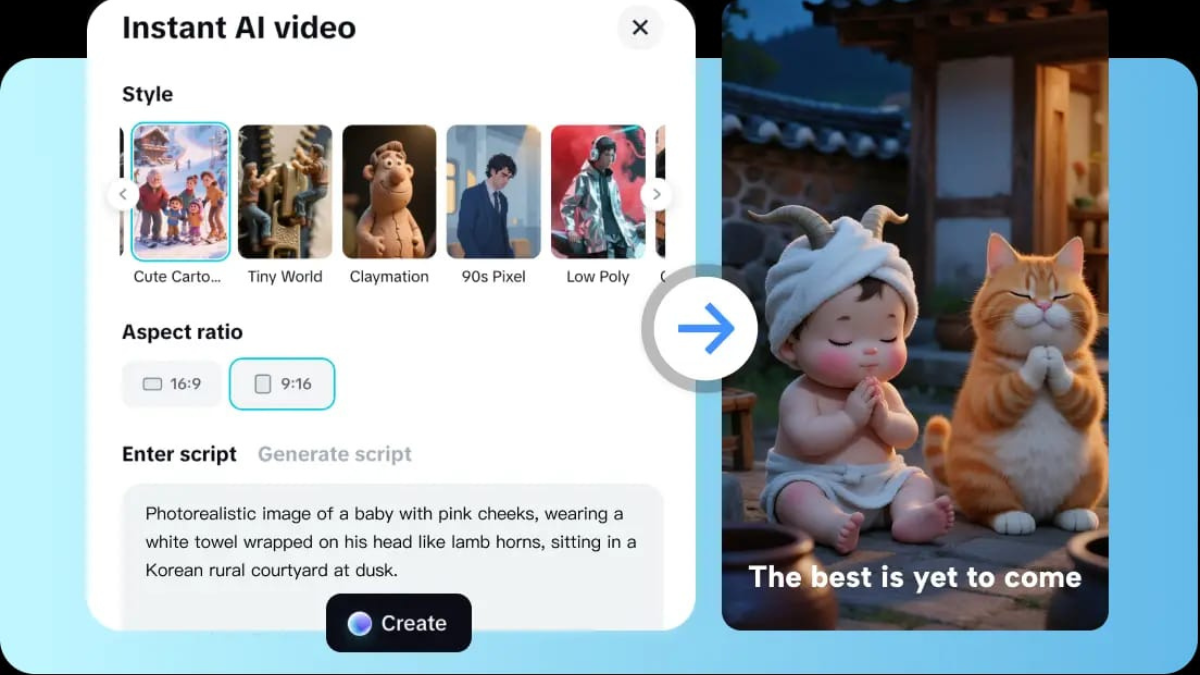
AI avatar creation tools are making video production a lot easier. Sophisticated machine learning and facial animation technologies create avatars with realistic facial expressions and movements, talk, and do so in an effortless manner. Developers can create videos at a fraction of the expense of hiring actors or animating and video. This allows companies to create videos at an affordable price for video marketing at scale.
Custom and Personalized AI Video Avatar Generators
The customizability offered by the generators aid developers to manipulate avatars to reach a marketing goal. Users can modify facial features, hair styles, clothing, voice timbre, and even modify avatars to project certain personality traits. Developers can use video AI tools to create content in a selected language and or modify the speech to create an avatar to close the marketing gap to make the content relevant to the audience.
The Role of AI Avatars in Marketing
Businesses can utilize AI avatars in their marketing campaigns for benefits such as consistency, scalability, and flexibility. Companies can utilize avatars as digital spokespeople in marketing campaigns, how-to guides, and utilize them as social media spokespeople. Compared to traditional marketing which requires the scheduling and payment of spokespersons as well as marketing production, AI avatars are much more cost-effective. AI avatars, because of their tech-based nature, help companies keep their messaging on brand and appropriate to the audience. A balanced messaging strategy along with the use of AI avatars will help build trust with consumers.
AI Avatars for Video and their Role in Engagement and Accessibility
AI avatars can also be used when creating videos to give the content a more human feel. The ai for video creation applications can use avatars to create a more friendly and engaging atmosphere and can also use their avatars to provide video explanations for complicated concepts. These applications can also help create text to speech, closed captions, and support multiple languages, which can be very beneficial when considering content accessibility. This applies to many schools and businesses because they usually create content for a diverse audience.
Ethics and Considerations for the Future
There are positive reasons to consider using the AI avatar generator, however, the ethics of the situation have to be taken into account. Trust from the audience must be maintained by being clear about the use of the virtual characters. Responsible use of AI avatar generators means no misinformation could be presented nor should the avatars be used to misrepresent real people. With further advancement in AI technology, the promises illustrate the ability of AI avatars to show more real and emotionally intelligent and interactive AI avatars. AI will help further develop more interactive AI avatars in virtual worlds for customer service and real-world applications including AI driven environments.
Final Thoughts
The development of AI avatar generators has made for easy and efficient generation of high-quality and personalized videos. The simplicity of the generation of high-quality videos, makes it possible for more videos to be made with less technical understanding. The humanizing of communication and the improvement of accessibility are the primary reasons for the growing significance of AI avatars. With more sophisticated technology for videos being produced, virtual characters will continue to shape the communication, connection, and storytelling of the digital world.
-

 Blog7 months ago
hanime1: The Ultimate Destination for Anime Lovers
-

 Entertainment9 months ago
Sflix: How It’s Changing the Way We Watch Movies and TV Shows
-

 Entertainment8 months ago
Crackstreams 2.0: The Future of Free Sports Streaming?
-

 Bills9 months ago
Why Does My Instagram Reel Stop Getting Views After One Hour? How to Fix It?
-

 Technology10 months ago
Simpcitt: The Rise of a Unique Online Community
-

 Blog7 months ago
Imginn: The Ultimate Tool to View Instagram Content Anonymously
-

 80s10 months ago
Favorite 100 Songs of the 80s: (#1) Michael Jackson – Billie Jean
-

 Blog9 months ago
Simpcitu: The New Age Trend Shaping Online Interactions