
BUSINESS
Why Custom Software and AI Automation Are Becoming Essential for Small Businesses


Small businesses are under more pressure than ever to move faster, serve customers better, reduce manual work, and compete with larger companies that already use advanced digital systems. A few years ago, many small businesses could survive with spreadsheets, basic websites, manual follow-ups, and separate software tools. Today, those systems are often not enough.
Customers expect fast responses, simple booking, mobile access, online payments, order updates, self-service portals, and personalized communication. Employees expect better internal tools that help them complete work without repeating the same tasks every day. Business owners want clearer reporting, lower operational costs, and systems that can grow without creating more confusion.
This is why custom software and AI automation are becoming essential for small businesses. They are no longer only for large enterprises. A small company can now use custom platforms, mobile apps, AI agents, automated workflows, dashboards, and cloud-based systems to operate with more speed and control.
The goal is not to replace every existing tool or automate every human role. The goal is to build smarter systems that reduce repetitive work, improve customer experience, and give business owners more visibility into daily operations.
The Problem with Generic Software
Most small businesses begin with ready-made tools. These tools are useful because they are affordable, quick to set up, and easy to test. A business might use one tool for customer relationship management, another for invoicing, another for project management, another for customer support, and another for reporting.
This works in the early stage. But as the business grows, the limitations become clear.
Teams start copying the same data from one tool to another. Managers depend on manual reports. Customers wait longer for updates. Employees create workarounds because the software does not match the real workflow. Important data becomes scattered across different platforms. Business owners cannot see a complete picture of sales, operations, customer service, and delivery performance.
Generic software is built for a wide market. It cannot always match the exact process of a delivery company, healthcare startup, ecommerce business, logistics firm, financial service provider, restaurant chain, or local service company. At some point, the business needs software that follows its own workflow instead of forcing the team to adjust to a generic tool.
What Custom Software Gives Small Businesses
Custom software is built around the needs of a specific business. It can include mobile apps, web dashboards, customer portals, internal admin panels, inventory systems, booking platforms, payment workflows, reporting tools, AI features, and integrations with existing software.
For example, a food delivery business may need customer ordering apps, restaurant dashboards, driver tracking, order status updates, payment integration, promotion management, and admin reporting. A healthcare business may need appointment scheduling, patient communication, staff coordination, secure records, and analytics. A logistics company may need fleet tracking, route planning, proof of delivery, warehouse updates, and customer notifications.
Instead of using ten disconnected tools, custom software can bring important operations into one connected system. That makes the business easier to manage and easier to scale. A reliable custom software development partner can help small businesses identify the right features, design the workflow, build the platform, integrate existing tools, and improve the system over time.
Why AI Automation Is Becoming More Important
AI automation is growing because many small businesses still spend too much time on repetitive tasks. These tasks may include answering common customer questions, confirming bookings, updating order status, qualifying leads, creating reports, sending reminders, processing documents, assigning support tickets, or checking information across multiple systems.
When these tasks are handled manually, the business becomes slower. Customers wait longer. Employees get overloaded. Mistakes happen. Managers spend time checking small details instead of focusing on growth.
AI automation can help by handling simple and repetitive work while leaving complex decisions to humans. For example, an AI customer support agent can answer common questions, collect customer details, check order information, and create support tickets. An AI sales assistant can qualify leads, ask basic questions, and send details to the sales team. An AI appointment assistant can check availability, book meetings, and send reminders.
For many growing companies, working with an experienced AI automation agency can make the process easier because the agency can identify repetitive workflows, connect AI with business tools, and build automation that supports real operations instead of only answering basic questions.
The strongest AI automation systems are not just basic chatbots. They are connected workflows. They can understand a request, check business data, update a system, trigger a notification, and involve a human when needed.
Custom Software and AI Work Better Together
AI automation becomes more useful when it is connected to custom software. If AI is only added as a separate chatbot, it may answer simple questions but it cannot always complete real business tasks. When AI is connected to a company’s database, CRM, order system, booking platform, dashboard, or mobile app, it becomes much more powerful.
For example, a delivery company can use AI to answer customer questions about order status only if the AI can access the order management system. A clinic can use AI to help with appointment reminders only if it connects with the booking system. A real estate company can use AI to qualify leads only if it connects with the CRM. An ecommerce company can use AI to recommend products only if it understands inventory, customer behavior, and purchase history.
This is why small businesses should not think about AI automation separately from software development. The best results come when AI is designed as part of the overall business system.
Key Benefits for Small Businesses
1. Less Manual Work
Manual work slows down growth. When employees repeat the same tasks every day, the business loses time and energy. Custom software and AI automation reduce the need for repetitive data entry, manual follow-ups, repeated customer replies, spreadsheet updates, and manual reporting.
This does not mean people become unnecessary. It means people can focus on higher-value work such as customer relationships, strategy, sales, quality control, and business improvement.
2. Better Customer Experience
Customers want quick answers and smooth digital experiences. They do not want to call multiple times for an update or wait hours for a basic response. Custom portals, mobile apps, automated notifications, AI support agents, and self-service dashboards can make the customer experience faster and more professional.
A good customer experience can directly improve trust. When customers can book, order, pay, track, and communicate easily, they are more likely to return.
3. Better Business Visibility
Many small business owners make decisions based on incomplete information. Sales data may be in one tool, customer data in another, delivery data in another, and financial data somewhere else. This makes it hard to understand what is really happening.
Custom dashboards can bring key information together. Business owners can see performance, customer activity, order status, revenue trends, team productivity, and operational bottlenecks in one place. Better visibility leads to better decisions.
4. More Scalable Operations
A business that depends heavily on manual processes becomes harder to scale. Every new customer adds more admin work. Every new order creates more coordination. Every new location increases complexity.
Custom software and automation make scaling easier because systems can handle more work without the same level of manual effort. A business can serve more customers, manage more orders, and support more employees with a stronger operational foundation.
5. Stronger Competitive Advantage
Small businesses often compete with larger companies that already have better technology. Custom software helps smaller companies close that gap. A small business with a smooth app, automated support, clear reporting, and fast operations can compete more effectively in its market.
Technology does not guarantee success, but it gives businesses better tools to execute their strategy.
Examples of Where Small Businesses Can Use Custom Software and AI
Food and Grocery Delivery
Food and grocery businesses can use custom mobile apps for ordering, delivery tracking, driver management, product catalogs, promotions, online payments, and customer support. AI can help answer order questions, recommend products, handle common support requests, and automate customer follow-ups.
Healthcare
Healthcare businesses can use custom systems for appointment booking, patient communication, staff scheduling, digital forms, reporting, and secure portals. AI can help with reminders, basic patient guidance, document processing, and administrative workflows.
Logistics and Delivery
Logistics companies can use dispatch dashboards, route planning, driver apps, proof of delivery, customer tracking links, and performance reports. AI can help with route suggestions, support queries, delivery status updates, and operational alerts.
Ecommerce
Ecommerce companies can use custom apps, inventory systems, loyalty programs, personalized product experiences, order management, and admin dashboards. AI can help with product recommendations, customer support, abandoned cart recovery, and demand insights.
Professional Services
Agencies, consultants, accountants, law firms, and service providers can use client portals, project dashboards, automated onboarding, document workflows, appointment booking, and CRM integrations. AI can help qualify leads, summarize client requests, generate reports, and automate reminders.
What Small Businesses Should Build First
Not every business needs a large custom platform on day one. The best approach is to start with the highest-impact problem.
For some businesses, that may be a customer-facing mobile app. For others, it may be an internal dashboard, CRM integration, AI support agent, delivery management system, booking platform, or reporting tool.
A good first step is to identify the tasks that waste the most time or create the most customer friction. These are usually the best areas for custom software or automation.
Business owners should ask:
- Which tasks are repeated every day?
- Where do customers face delays?
- Which tools are not connected?
- Where do employees copy data manually?
- Which reports take too long to prepare?
- Which process becomes difficult when order volume increases?
The answers can help define the first software or AI automation project.
Common Mistakes to Avoid
Building Too Many Features at Once
Small businesses should avoid trying to build every possible feature in the first version. A better approach is to launch a focused version, test it with real users, collect feedback, and improve step by step.
Automating Without Understanding the Workflow
AI automation works best when the business process is clear. If the workflow is messy, automation can make the mess faster. Before adding AI, businesses should map the process and decide which steps should be automated and which should stay human-controlled.
Ignoring Integrations
Custom software should not operate in isolation. It may need to connect with payment systems, CRMs, email tools, accounting software, inventory systems, maps, analytics, support tools, or third-party APIs. Planning integrations early prevents problems later.
Choosing the Cheapest Option Only
Cost matters, but the cheapest software development option is not always the best. Poor planning, weak architecture, bad user experience, and low-quality code can become expensive later. Small businesses should choose partners based on understanding, communication, technical ability, and long-term support.
How to Choose the Right Software and AI Partner
The right partner should understand both technology and business operations. They should not only write code. They should help identify the business problem, suggest a practical roadmap, design a clear user experience, build scalable architecture, and support the product after launch.
Before hiring a software or AI automation partner, small businesses should review their experience, communication style, technical process, project planning method, and ability to build for long-term growth.
A strong partner should be able to explain what should be built first, what can wait, how the system will scale, what integrations are needed, and how success will be measured.
The Future Belongs to More Automated Small Businesses
Small businesses do not need to become technology companies, but they do need better technology to compete. Custom software and AI automation give them the ability to move faster, serve customers better, reduce manual work, and make decisions with clearer data.
The businesses that adopt these systems early will have a stronger foundation for growth. They will be able to manage more customers, improve team productivity, reduce operational pressure, and create better digital experiences.
In 2026 and beyond, custom software and AI automation will not be optional for serious small businesses. They will become part of the basic growth infrastructure, just like accounting, marketing, sales, and customer service.
Final Thoughts
Custom software helps small businesses build systems around their real workflow. AI automation helps them reduce repetitive work and respond faster. Together, they create a more scalable, efficient, and customer-friendly business.
For small businesses that want to grow without losing control of operations, now is the right time to explore where custom software and AI can create the most impact.

A leadership workshop can create energy, introduce useful language, and give people a fresh perspective. But enthusiasm alone rarely changes how a team runs meetings, handles conflict, gives feedback, or makes decisions the next morning. Lasting improvement requires employees to practice a small set of behaviors in real work, receive feedback, and see leaders reinforce those expectations over time.
Organizations planning events can explore speaking engagements through Pauldine Enterprises LLC, whose contact page offers a starting point for discussing leadership-focused event support. The firm’s work in speaking, leadership development, and consulting can help organizations connect an event’s message to practical team routines, manager reinforcement, and broader organizational alignment.
Why Leadership Events Often Lose Momentum
A strong keynote or workshop can be valuable, but its lessons can fade when employees return to crowded calendars and familiar pressures. A broad instruction such as “communicate better” does not tell people what to do differently in their next one-on-one meeting. The same problem appears when managers are not included in the follow-up process or when the organization continues to reward speed, silence, or individual problem-solving over the behavior discussed in training.
Leadership development also needs consistent support. Recent reporting on leadership development gaps highlights that many managers see room for improvement in training, internal talent development, mentorship, and executive involvement. That context makes follow-through especially important. An event can introduce an idea, but the workplace system determines whether the idea becomes routine.
Start With One Clear Leadership Behavior
Choose one behavior that team members can see and describe. “Become a better leader” is an aspiration. “End every project meeting by confirming the decision, owner, and due date” is a practice. A clear behavior makes expectations easier to explain, observe, and improve.
Examples of visible leadership behaviors
- Ask two clarifying questions before offering a solution.
- Set the team’s top priorities at the beginning of each week.
- Give timely, specific feedback during one-on-one conversations.
- Recognize a useful contribution close to the moment it occurs.
- Close meetings with an owner, next step, and deadline.
Select the behavior based on a real team need. If meetings regularly end with uncertainty, focus on clarity and accountability. If employees hesitate to raise concerns, focus on listening and follow-up. A smaller target makes practice realistic and gives the team a better chance to notice progress.
Build a Simple 30-Day Follow-Up Plan
Follow-up should begin immediately after the event, while the topic is still familiar. The plan does not need to be complicated. It needs a defined behavior, a place to practice it, and a regular point for reflection.
- Choose one behavior. Identify the skill most connected to the team’s current work.
- Define the signal. Describe exactly what people should say or do differently.
- Set a practice date. Use an upcoming meeting, project review, customer conversation, or one-on-one.
- Ask for feedback. Invite short, specific observations from peers, managers, or employees.
- Review and adjust. Keep the habit, refine it, or select a new practice based on what happened.
Use Managers as Reinforcement Points
Direct managers turn leadership concepts into expectations. They can mention the week’s behavior in team meetings, model it in their own conversations, and ask questions that help employees reflect. For example, a manager might ask, “What decision needs clearer ownership?” or “Where could you ask before you advise?” These prompts make leadership development part of the work rather than an extra activity.
Managers also need room to report what is difficult. Resistance may signal that a behavior is unclear, poorly timed, or blocked by a process problem. At Red River Army Depot, a process-based leadership implementation has emphasized continued education, support, resourcing, clear expectations, and action tracking, illustrating why sustained systems matter alongside training content.
Turn Lessons Into Team Routines
Habits become more durable when they are attached to existing routines. Rather than launching a separate initiative, build the leadership behavior into the team’s normal operating rhythm.
- Add one coaching question to weekly one-on-one meetings.
- Begin staff meetings by naming the week’s highest priority.
- Use a brief reflection after a major project or difficult customer issue.
- Confirm decisions, owners, and dates before ending meetings.
- Review one leadership behavior during monthly manager meetings.
These routines should remain brief. The goal is not to turn every meeting into a training session. It is to create repeated opportunities for people to use a skill when the stakes are real.
Measure Behavior, Not Just Attendance
Attendance, event ratings, and completion records can show participation, but they do not show whether leadership behavior changed. Look for practical signs in daily work, such as clearer meeting outcomes, more consistent feedback, completed follow-up actions, faster problem escalation, and employee comments on manager communication.
Use a short recurring check-in rather than a burdensome survey. Ask team members what behavior they noticed, where it helped, and what obstacle remains. Review the answers alongside team goals, project delivery, and meeting effectiveness. The purpose is not to prove perfection. It is to determine whether the new practice is becoming the norm.
Match the Event Format to the Goal
- Keynote: Best for building shared language, attention, and motivation around a leadership theme.
- Workshop: Best for discussion, role-play, feedback, and practice.
- Leadership program: Best for development that needs repeated sessions over weeks or months.
- Consulting support: Best when behavior change also requires adjustments to systems, responsibilities, processes, or accountability.
Common Mistakes to Avoid
- Trying to change several leadership behaviors at once.
- Using goals that cannot be observed in real work.
- Relying on a single follow-up email after the event.
- Leaving direct managers out of the reinforcement process.
- Ignoring workload, incentives, and process barriers.
- Collecting opinions without checking for changed behavior.
A 30-Day Leadership Habit Checklist
- Day 1: Select one leadership behavior and explain why it matters.
- Days 2 through 7: Show a clear example and identify where the team will practice it.
- Week 2: Use the behavior during a real conversation, meeting, or project decision.
- Week 3: Gather brief feedback from employees or peers.
- Week 4: Review results, remove obstacles, and decide what to continue.
Make the Event the Starting Point
Leadership growth does not depend on a single memorable speech or a single busy training day. It appears when useful ideas become visible actions, shared routines, and steady expectations. By choosing one behavior, giving people a place to practice, and asking managers to reinforce the work, organizations can turn a leadership event into clearer communication, stronger accountability, and better day-to-day leadership.

Small businesses generate valuable data every day, from website visits and customer inquiries to sales transactions and marketing campaign results. However, collecting information is only the first step. The real advantage comes from understanding what that information means and using it to make better business decisions. Businesses can explore Team4Solution for additional technology and digital solutions resources.
Data analytics helps businesses identify customer preferences, measure performance, recognize emerging problems, and discover opportunities for growth. Even companies with limited budgets can use affordable digital tools to make decisions based on evidence rather than assumptions. For practical ideas on adopting technology, see digital transformation trends.
What Is Data Analytics in Business?
Data analytics is the process of collecting, organizing, and examining information to identify patterns and support decision-making. Businesses can use it to understand which products perform best, where website visitors come from, how customers interact with their services, and which marketing activities generate results.
For example, an online store might discover that visitors frequently view a particular product but rarely complete a purchase. By examining product prices, shipping costs, customer feedback, and checkout behavior, the business can investigate the reasons behind the problem. Instead of immediately spending more money on advertising, the company can use the available evidence to improve its existing sales process.
Why Data Analytics Matters for Small Businesses
1. Understanding Customer Behavior
Customer behavior provides important clues about what people need and expect from a business. Website analytics, customer surveys, purchase histories, and support requests can reveal common interests and recurring problems. Businesses can use these insights to improve their services, create more relevant content, and offer products that better match customer needs.
For instance, a service provider might discover that most inquiries concern one particular service. That information could help the company improve its service page, publish a detailed guide, or make the inquiry process easier.
2. Improving Marketing Performance
Marketing campaigns should be evaluated according to meaningful outcomes rather than impressions alone. A campaign may attract thousands of visitors but generate very few inquiries or sales. Businesses should monitor metrics such as:
- Website traffic and traffic sources.
- Conversion rates and completed purchases.
- Cost per lead or customer acquisition.
- Email engagement and returning visitors.
- Revenue generated by individual campaigns.
Google Analytics can help website owners understand how people discover and interact with their websites. By reviewing the results regularly, businesses can identify which channels deserve more attention and which campaigns need improvement. The objective is not simply to attract more visitors. It is to attract relevant visitors and help them complete useful actions.
3. Making Better Financial Decisions
Financial analytics helps business owners understand expenses, revenue trends, profit margins, and cash flow. These insights can support more realistic budgets and reduce unnecessary spending.
For example, a company may experience rising revenue while its profit margins continue to decline. Reviewing operating expenses, supplier costs, advertising expenditure, and product-level profitability can help identify the underlying issue. A simple monthly spreadsheet can be enough to begin tracking these indicators. As the business grows, more advanced reporting tools can combine information from different departments.
4. Identifying Problems Before They Grow
Regular performance monitoring can help businesses identify unusual changes before they become serious problems. A sudden decline in website conversions, an increase in customer complaints, or a rise in operating costs may indicate an issue that requires investigation.
The important step is to establish a baseline, compare current results with previous periods, and determine whether the change is temporary or persistent. Businesses should also investigate external factors, such as seasonality, pricing changes, and shifts in customer demand, before making major decisions.
Essential Data Analytics Tools for Small Businesses
Choosing the right tools depends on the company’s size, objectives, technical skills, and budget. Businesses should start with a few reliable tools rather than investing in multiple platforms that perform overlapping functions.
| Tool or resource | Primary purpose |
| Google Analytics | Understanding website traffic and visitor behavior |
| Google Search Console | Monitoring search visibility, clicks, and indexing information |
| Microsoft Excel or Google Sheets | Organizing data and creating basic reports |
| Customer relationship management software | Tracking leads, sales opportunities, and customer interactions |
| Business intelligence platforms | Combining data and creating interactive dashboards |
Not every business needs every tool. A small service company might begin with a spreadsheet, website analytics, and a customer inquiry tracker. An online retailer may require additional reporting for orders, returns, inventory, and marketing expenditure. The best setup is one that answers important business questions accurately and consistently.
Businesses can also use Google Search Console to monitor search performance, clicks, impressions, and indexing information.
How to Build a Practical Data Analytics Strategy
Step 1: Define Clear Business Objectives
Start by identifying the problem you want to solve. Examples include increasing online sales, reducing customer acquisition costs, improving customer retention, or understanding why website traffic has declined. Each objective should connect to a measurable outcome. Without a clear goal, businesses can easily collect large amounts of information without knowing what to do with it.
Step 2: Select Relevant Metrics
Choose a small set of indicators that directly relate to your objective. If the goal is to improve online sales, monitor product views, add-to-cart activity, completed purchases, and conversion rates. If the goal is to generate more leads, track qualified inquiries, landing-page conversions, and the cost of acquiring each lead. Avoid measuring every available metric simply because a dashboard displays it.
Step 3: Collect Reliable Data
Accurate decisions depend on accurate information. Check that website tracking works correctly, sales records are complete, and duplicate entries do not distort your results. Where possible, use consistent definitions across reporting periods. For example, everyone responsible for reporting should understand what qualifies as a lead, a conversion, or a returning customer.
Businesses should also collect only the information they genuinely need and handle personal data responsibly.
Step 4: Turn Findings Into Action
Reports become valuable when they lead to practical improvements. If a landing page receives substantial traffic but few inquiries, review its message, loading speed, mobile experience, and call to action. If customers repeatedly abandon their shopping carts, investigate shipping charges, payment options, and checkout complexity.
Businesses looking to modernize their operations can explore these digital transformation trends to understand how technology can improve efficiency and support better business decisions.
Change one or two important factors at a time when practical. This makes it easier to understand which adjustments contributed to an improvement.
Step 5: Review Results Regularly
Create a simple reporting schedule. Weekly reviews can help identify operational problems, while monthly reviews are often more useful for evaluating wider performance trends. Record the changes you make and compare results before and after implementation. This creates a learning process in which future decisions are informed by previous outcomes.
The Role of Artificial Intelligence in Data Analytics
Artificial intelligence is making data analysis more accessible by helping users identify patterns, summarize reports, categorize feedback, and automate repetitive tasks. For example, a business might use AI to group customer reviews by recurring themes or summarize monthly sales performance. These capabilities can save time and help teams investigate issues more efficiently.
However, AI-generated conclusions should not automatically be treated as facts. Incorrect input data, missing context, and flawed assumptions can lead to misleading recommendations. Human review remains important, particularly when decisions affect finances, customers, or business strategy. Companies should also avoid entering confidential customer or financial information into AI services without checking their privacy and data-handling terms.
Common Data Analytics Mistakes to Avoid
- Focusing on vanity metrics: High traffic or social media engagement does not necessarily mean the business is generating profit.
- Using incomplete data: Missing transactions, broken tracking, or duplicate records can produce inaccurate conclusions.
- Ignoring context: A decline in sales during a seasonal period may not indicate a permanent business problem.
- Collecting too much information: Unnecessary data increases complexity and can create privacy risks.
- Failing to act: Producing reports without testing improvements limits the practical value of analytics.
- Expecting immediate results: Reliable conclusions often require consistent measurement over time.
Avoiding these mistakes helps businesses build a more disciplined approach to decision-making.
Conclusion
Data analytics gives small businesses a practical way to understand performance, respond to customer needs, and use limited resources more effectively. By defining clear objectives, selecting relevant metrics, collecting reliable information, and reviewing results regularly, companies can make better-informed decisions without necessarily investing in expensive systems.
The most effective approach is to start small, focus on a specific business problem, and turn each useful finding into a measurable action. As the business develops, its analytics processes can become more advanced, supporting sustainable growth through better evidence and more informed planning.
About the Publisher
For additional guidance on technology, software, and digital solutions, businesses can explore the resources available at Team4Solution.

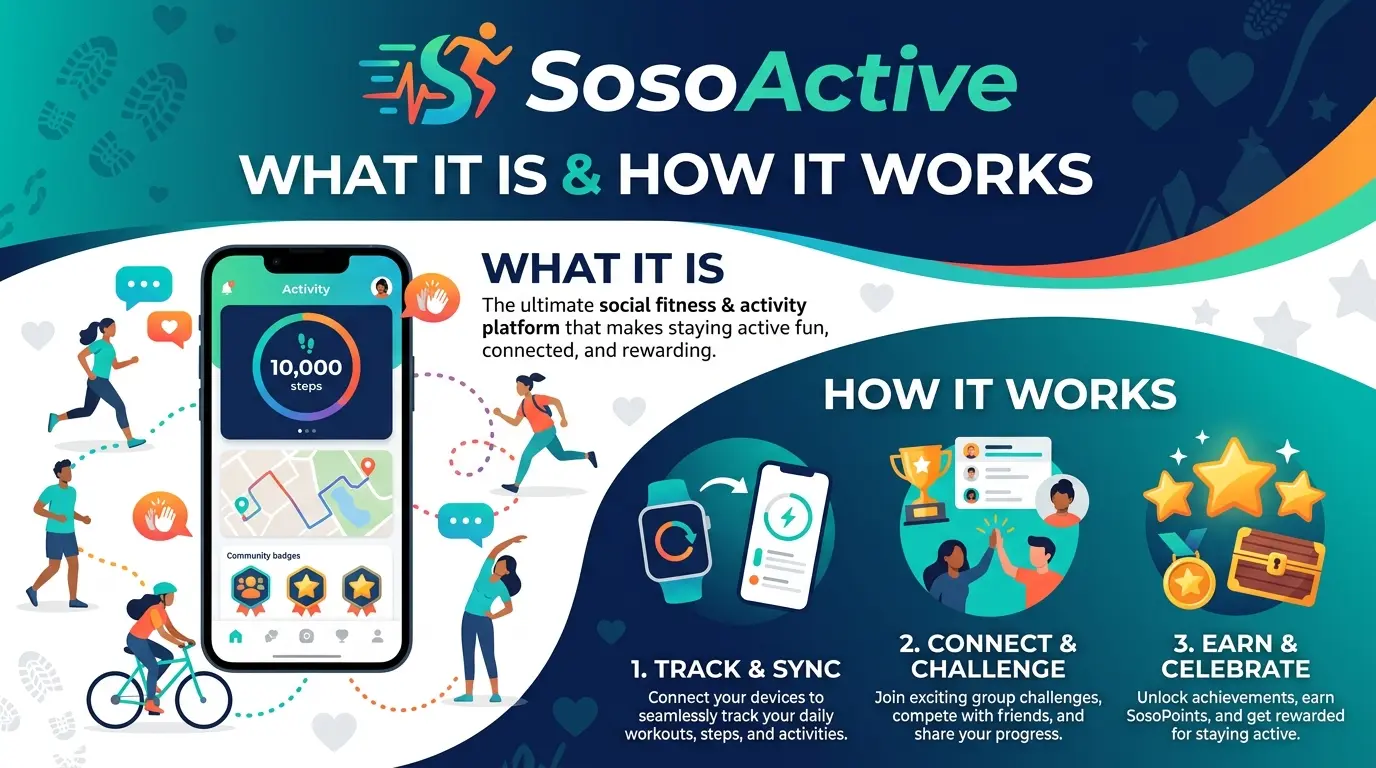
SosoActive is a name that can appear in searches related to digital media, online publishing, lifestyle content, and business-related websites. Because the name has been used across different online properties, it is important to look at the specific SosoActive website or platform being discussed rather than assuming they are all the same business.
For someone researching the term, understanding its online presence, content focus, and purpose is a useful starting point.
What Is SosoActive?
SosoActive is an online name associated with digital content and web publishing. Depending on the website or context, the term may refer to a publication, content platform, or website offering information across several categories.
This is why a search for SosoActive can produce different types of results. The exact domain matters when trying to determine what a particular SosoActive website does.
What Type of Content Can You Find?
SosoActive-related websites can cover a broad range of subjects rather than focusing on a single narrow topic.
Common areas associated with the name include:
- Lifestyle
- Business
- Technology
- Marketing
- Fashion
- Entertainment
- Online trends
- General informational content
The mix of categories can change over time as a website develops its editorial direction.
Why Does SosoActive Appear in Online Searches?
Names such as SosoActive can appear in search results for several reasons. A website may publish new articles regularly, target different informational topics, or build visibility through references from other websites.
Search visibility also depends on factors such as content quality, technical SEO, website structure, backlinks, and how closely individual pages match what people are searching for.
For this reason, simply finding a website in Google does not automatically indicate its overall authority or credibility.
SosoActive and Digital Publishing
The broader SosoActive name is particularly interesting from a digital publishing perspective because online publications can use multiple categories to attract readers with different interests.
A well-organized publishing website typically benefits from:
- Clear categories
- Useful original content
- Consistent publishing
- Descriptive page titles
- Easy navigation
- Strong internal linking
- A clear editorial purpose
These fundamentals can help a site build a stronger organic search presence over time.
Is SosoActive a Single Website?
Not necessarily.
One of the most important things to remember when researching SosoActive is that the name can be associated with different online properties. A domain such as SosoActive.com should not automatically be treated as identical to another website using the SosoActive name.
Checking the exact domain, current content, About page, authorship, and website history can help avoid confusion.
How to Research SosoActive
If you are evaluating a SosoActive website for business, publishing, or SEO purposes, start with the basics.
1. Check the Exact Domain
The domain is the first thing to verify. Similar names can belong to completely different websites.
2. Review Recent Content
Look at the latest articles and identify which topics the website is actually publishing.
3. Examine Website Categories
Categories can reveal whether the site has a focused editorial direction or covers many unrelated subjects.
4. Check Authors and About Information
Author pages and About sections can provide useful context about who operates the website and how it presents itself.
5. Look at Its Search Presence
Search the domain and individual article titles to see how consistently the website appears in search results.
Final Thoughts
SosoActive is an online name that can refer to different digital properties, making the exact website important when researching the term. Rather than judging the name alone, look at the domain, content, categories, authorship, and overall website activity.
For SEO or publishing research, this approach provides a more accurate picture than relying on the name or search ranking alone.
-

 BLOG1 year ago
hanime1: The Ultimate Destination for Anime Lovers
-

 Technology1 year ago
GLAADVoice.com: How You Can Get Involved and Make a Difference
-

 BLOG1 year ago
Imginn: The Ultimate Tool to View Instagram Content Anonymously
-

 BILLS1 year ago
Why Does My Instagram Reel Stop Getting Views After One Hour? How to Fix It?
-

 ENTERTAINMENT1 year ago
Crackstreams 2.0: The Future of Free Sports Streaming?
-

 BLOG1 year ago
ThisVid: What Makes It Stand Out in the World of Online Videos
-

 ENTERTAINMENT1 year ago
Sflix: How It’s Changing the Way We Watch Movies and TV Shows
-

 BLOG1 year ago
NHentai.nef: Understanding the Popular Hentai Archive