
BLOG
Remove Text & Watermarks from Photos & Videos in 2026


Got a great photo or video that’s just ruined by distracting text or a watermark? It’s a common problem. Maybe it’s a date stamp on an old family picture, a logo on a stock image you have rights to, or text you added years ago that you now want gone. Whatever the reason, you need a clean, professional-looking result without a trace of the original text.
Fortunately, technology has made this task easier than ever. Modern AI tools can analyze your images and videos, intelligently remove unwanted elements, and fill in the background seamlessly. This guide will walk you through the best methods and tools available today to get your visuals looking perfect.
Top Tools for Removing Unwanted Text
When it comes to getting rid of text or watermarks, the tool you choose makes all the difference. You need something powerful enough to deliver a clean result but simple enough for anyone to use. Here are the top choices that stand out for their performance and ease of use.
#1: EZRemove.AI for Photos (Top Choice)
For still images, finding a reliable tool is key. You want a solution that removes text without leaving behind blurry smudges or weird-looking artifacts. This is where a specialized AI-powered tool shines. An advanced AI text remover can intelligently rebuild the background behind the letters, making it look like the text was never there in the first place. This process, often called inpainting, requires sophisticated algorithms to produce a natural result, which is why choosing a high-quality tool is so important for your photos.
These tools are designed for simplicity. You typically just need to upload your picture, use a brush to highlight the text you want to erase, and let the AI handle the rest. The software analyzes the surrounding pixels to make an educated guess about what the background should look like, giving you a clean image in seconds.
#2: EZRemove.AI for Videos (Top Choice)
Video adds another layer of complexity. A watermark or text overlay is present across hundreds or thousands of frames, and removing it requires tracking its position as the video plays. Doing this manually is nearly impossible, but a dedicated Video Watermark Remover automates the entire process. It identifies the static or moving watermark, removes it from each frame, and fills in the space with background data from surrounding frames.
The best video tools work quickly and maintain the original video quality. They save you countless hours of tedious editing work. You simply upload your video, select the watermark area, and the software processes the file for you. The result is a clean video clip ready for you to use in your presentations, social media posts, or personal projects without any distracting overlays.
Why You Might Need to Remove Text or Watermarks
There are plenty of valid reasons why you might need to clean up a photo or video. Understanding the “why” helps you choose the right approach.
Personal Photo Restoration
Old scanned photos often come with date stamps printed in the corner. While nostalgic for some, they can distract from the main subject. Removing these stamps can help restore the photo to its original glory, making it perfect for printing or sharing with family.
Repurposing Marketing Content
Let’s say you have the rights to use a promotional video or stock image, but it has a text overlay with an old slogan or outdated information. Instead of starting from scratch, you can remove the text and add new, relevant messaging. This saves time and resources while allowing you to keep your marketing materials fresh.
Cleaning Up User-Generated Content
If you run a campaign that involves photos or videos from customers, they might come with usernames, captions, or other text embedded in them. To create a consistent look for your brand’s social media feed or website, you may need to remove this text before reposting the content (with permission, of course).
Removing Distractions for Creative Projects
As a creative professional, you might find an image or clip that’s perfect for your project, but it contains a distracting logo or signature. If you have the license to modify the work, removing these elements allows you to integrate it seamlessly into your own creative vision.
How to Remove Text from Images: A Step-by-Step Guide
Using a modern AI tool is surprisingly straightforward. Here’s a general process you can follow to remove unwanted text from your pictures.
Step 1: Choose the Right Tool
Select a reputable, AI-powered remover known for quality results. Tools that specialize in object removal often work best, as they are trained to handle complex backgrounds and textures.
Step 2: Upload Your Image
Open the tool and upload the image file you want to edit. Most web-based platforms support common formats like JPG, PNG, and WebP.
Step 3: Select the Text Area
Once your image is loaded, you’ll typically be given a brush or a selection tool. Carefully paint over the text you want to remove. For the best results, try to cover the entire text without selecting too much of the surrounding background.
Step 4: Process and Download
After selecting the text, click the “Remove” or “Erase” button. The AI will process the image in just a few seconds. It will analyze the selected area and reconstruct the background. Once you are happy with the preview, you can download the clean image to your device.
How to Erase Watermarks from Videos: Key Techniques
Removing watermarks from video follows a similar logic but is applied across multiple frames.
Step 1: Upload Your Video File
Start by uploading your video to a dedicated video watermark removal tool. These tools are often browser-based, so you don’t need to install any heavy software. They support popular formats like MP4, MOV, and AVI.
Step 2: Mark the Watermark
A timeline or preview of your video will appear. Use the provided selection box to draw a rectangle around the watermark. If the watermark moves, some advanced tools allow you to track its path, but most are designed for static logos and text overlays.
Step 3: Let the AI Work
Once you’ve marked the area, start the removal process. The tool will go through the video frame by frame, erasing the watermark and filling in the background. This can take a few minutes, depending on the length and resolution of your video.
Step 4: Preview and Export
After the processing is complete, you’ll be able to preview the final video. Check a few different spots to make sure the removal looks clean and natural. If everything looks good, you can export and download the watermark-free video file.
What to Look for in a Watermark Removal Tool
Not all tools are created equal. Here are a few key features to consider when choosing a solution.
* Quality of Results: Does the tool leave behind blurry patches or artifacts? The best tools use advanced AI to make the edited area look completely natural.
* Ease of Use: You shouldn’t need a degree in graphic design to use it. Look for a simple, intuitive interface with clear instructions.
* Speed: Time is valuable. A good tool should be able to process your images or videos quickly without making you wait around.
* File Format Support: Ensure the tool supports the file types you work with, whether it’s PNGs and JPGs for images or MP4s for videos.
* Security: If you’re uploading personal or sensitive files, make sure the service has a clear privacy policy and uses secure connections.
Legal and Ethical Considerations
It’s important to touch on the legal and ethical side of removing watermarks. A watermark signifies ownership, and you should only remove one from a photo or video if you have the legal right to do so.
This includes content you created yourself, images or videos you have purchased a license for that permits modification, or content that is in the public domain. Never remove a watermark from a photographer’s or artist’s work with the intent to steal it or pass it off as your own. Always respect copyright and intellectual property rights.
Final Thoughts
Removing unwanted text and watermarks is no longer a task reserved for editing experts. Thanks to powerful and accessible AI tools, anyone can clean up their photos and videos in just a few clicks. By choosing the right tool, you can restore old memories, repurpose content, and ensure your visuals look exactly the way you want them to. Just remember to always be mindful of copyright and use these tools responsibly.

Every tissue in the human body is constantly in a state of negotiation. Damaged cells signal for reinforcements, neighbouring cells adjust their behaviour, immune sentinels assess the severity of the injury, and stem cells receive directives to differentiate and fill the gap. Cell-to-cell communication is essential for growth, development, differentiation, tissue and organ formation, maintenance, and physiological regulation — and it encompasses two fundamental processes: the generation and intercellular transmission of signals, and the reception and processing of those signals within the receiving cell.
This article examines how that communication network operates, what happens when it degrades with age, and how targeted peptide support can help restore the signalling fidelity that tissue repair depends on.
Four Channels Through Which Cells Communicate
Cells do not communicate through a single mechanism. Depending on the distance between sender and receiver, the urgency of the signal, and the specificity required, different channels come into use simultaneously. The main types of intercellular signalling are:
- direct contact signalling, where membrane-bound molecules on adjacent cells bind to one another — used for fate determination and local tissue patterning;
- paracrine signalling, where molecules are released into the extracellular space and act on nearby target cells — critical for wound responses and immune coordination;
- endocrine signalling, where hormones travel through the bloodstream to reach distant targets — governing systemic responses to injury and recovery;
- autocrine signalling, where cells produce and respond to their own chemical messages — used to amplify or sustain responses already underway.
The Notch signalling pathway illustrates the precision of direct contact communication: it is initiated by the binding of the Notch receptor on one cell’s surface to a ligand on a neighbouring cell’s surface, a mechanism that requires physical proximity and governs cell fate determination, embryonic development, and tissue regeneration.Each channel has distinct advantages and limitations, and tissue repair typically draws on all four in a coordinated sequence.
How Ageing Disrupts Cellular Signalling Networks
The efficiency of cellular communication declines with age in ways that directly undermine the body’s regenerative capacity. Gene expression changes, protein synthesis slows, and the molecular signals that coordinate repair lose both their amplitude and their precision. Ageing is characterised by a peptide-dependent downward spiral: changes in gene expression accompanied by decreased endogenous peptide production lead to disorders in protein synthesis, causing structural and functional deterioration of various organs — the pineal gland, liver, pancreas, thymus, retina, and the nervous, immune, and endocrine systems — that result in further ageing and age-related disease.
The consequence is not simply slower healing. It is a degradation of the signalling infrastructure itself — a gradual reduction in the body’s ability to generate the molecular directives that tell stem cells to divide, tell immune cells to withdraw after inflammation resolves, and tell fibroblasts to lay down collagen in the correct orientation. Tissues repaired under these conditions carry more scar, less function, and a reduced capacity to withstand subsequent injury.
The pineal gland sits at an important junction within this network, producing melatonin and peptide compounds that influence gene activity across multiple organ systems. Professor Khavinson analysed over 15,000 genes in mouse heart and brain tissue before and after the injection of various peptide extracts, identifying a mechanism of peptide regulation of genetic activity whereby each peptide interacts with DNA to regulate particular genes in particular tissues — activating protein synthesis and inducing cell proliferation and differentiation, with resulting tissue repair and restoration of organ function.

Epithalamin Peptide and the Restoration of Cellular Signalling
Research into pineal-derived peptides has produced a body of evidence linking these compounds to the restoration of cellular communication at the genetic level. The natural polypeptide Epithalamin, isolated from the bovine pineal gland, gave rise to its synthetic equivalent — the tetrapeptide Ala-Glu-Asp-Gly, known as Epitalon. Epithalamin increases melatonin production by the pineal gland, improves immunological parameters, produces anticarcinogenic effects in experimental models, stimulates antioxidant defences, and restores reproductive function in aged animals — with many of these effects reproduced in clinical trials demonstrating geroprotective activity in humans.
Studies have shown that epitalon can increase the lifespan and longevity of mammalian cells through the activation of telomerase, which results in telomere length extension.Telomeres are the protective sequences at the ends of chromosomes that shorten with each cell division. When telomerase activity declines, cells exhaust their replicative capacity sooner, and the population of functional cells available to carry out tissue repair diminishes. Epithalon has been found to reactivate telomerase, an enzyme that rebuilds telomeres and potentially resets the cellular ageing clock.
The Epitide peptide complex acts as an epigenetic switch, triggering protein synthesis in the pineal gland — and this restoration of pineal activity can lead to a cascade of effects including normalisation of melatonin production, immune system enhancement, and telomerase activation. Those looking to support these pathways can find the epithalamin peptide in the form of chewable sublingual tablets, which allow the active compound to dissolve directly in the mouth for absorption without passing through the digestive tract.
Understanding cellular communication has direct consequences for how regenerative health is approached in practice. The signalling networks that govern repair cannot be addressed by any single intervention — they require support across multiple levels simultaneously. The most evidence-supported approaches include:
The capacity for cellular repair does not collapse suddenly — it erodes incrementally as the signalling network that coordinates it loses fidelity. Supporting that network at the biological level, rather than simply managing symptoms, is the most direct path toward sustained regenerative function across a longer healthspan.


Randavü is an intriguing term that invites exploration of how language, social interaction, and digital culture intersect. Unfamiliar expressions often attract attention because they appear distinctive, carry possible cultural associations, or encourage people to investigate their meaning. In an increasingly connected world, randavü provides an opportunity to examine how people encounter new words, interpret unfamiliar ideas, and search for information online.
The spelling resembles rendezvous, a word commonly associated with planned meetings, gatherings, and encounters. However, this resemblance alone does not establish the precise origin or intended meaning of randavü. Its interpretation depends on the context in which it appears and the evidence available to explain its use.
Exploring this term therefore involves more than offering a quick definition. It also means considering how distinctive expressions gain recognition, how online searches influence discovery, and why meaningful communication continues to matter in modern life.
What Makes Randavü Worth Exploring?
Words can attract attention for several reasons. Some have an established dictionary definition, while others emerge through creative projects, social communities, branding, or informal communication. A distinctive spelling can make an expression memorable even when its meaning is not immediately clear.
Randavü belongs to the kind of term that encourages further investigation. Readers may encounter it in a search result, a digital publication, a social media post, or a conversation and want to understand its intended meaning.
The first step is to examine the surrounding context. If the word appears alongside information about meetings or social experiences, that context may offer useful clues. If it appears as a business name or website identity, its meaning may instead reflect the creator’s branding choices.
This distinction matters because a word’s appearance does not automatically confirm its definition, history, or official identity. Responsible interpretation begins with evidence rather than assumptions.
Randavü and the Meaning of Modern Encounters
The resemblance between randavü and the familiar word rendezvous creates an interesting connection to the idea of meeting or coming together. A rendezvous can describe a planned meeting between friends, a professional appointment, or an encounter at an agreed location.
How Randavü relates to personal connections
Meaningful encounters remain important despite changes in communication technology. Friends arrange gatherings through messaging applications, colleagues coordinate meetings through digital calendars, and families use video calls to stay connected across long distances.
These interactions demonstrate that communication involves more than exchanging information. Timing, shared expectations, and mutual understanding help people build stronger relationships.
If randavü is used creatively to evoke the idea of an encounter, its appeal may come from this familiar concept expressed through an unusual spelling. However, the intended meaning should be confirmed through the source using the term rather than inferred from its appearance alone.
Why the idea of meeting still matters
Modern technology has made arranging meetings easier, but meaningful interaction still depends on human attention. A scheduled conversation can strengthen a friendship, resolve a workplace problem, or introduce people to new perspectives.
Digital tools provide convenience, while the quality of an encounter depends on how participants communicate and engage with one another.
This broader idea helps explain why words associated with meetings, connection, and shared experiences continue to attract interest.
Randavü in Digital Culture
Digital culture changes how people discover and interpret language. A word can appear in a username, a creative project, a website address, or an online community before its purpose becomes clear to a wider audience.
The role of distinctive spelling
Unusual spelling can help a term stand out in a crowded digital environment. Businesses and creators sometimes develop distinctive names to make their projects easier to recognize or distinguish from existing alternatives.
Randavü has a visually distinctive form, particularly because of its final character. Such details may encourage readers to investigate the term, although spelling alone cannot establish that it belongs to a particular company or platform.
Anyone researching the word should consider its original source, the surrounding text, and whether multiple credible references use it consistently.
How online communities influence interpretation
Online communities frequently create their own expressions, abbreviations, and naming conventions. A term that seems unfamiliar to the general public may have a specific meaning within a smaller group.
As expressions move between communities, their meanings can change or become less precise. This makes context especially important when researching unfamiliar language.
Rather than assuming that every reference uses randavü identically, readers should examine each source independently and distinguish established definitions from creative interpretations.
Randavü and Search Engine Optimization
Search engine optimization, or SEO, helps publishers organize information so that search engines can understand its subject and connect it with relevant queries.
Understanding search intent
People searching for randavü may want to understand its meaning, identify a website, investigate a possible brand, or learn where the expression originated.
These intentions require different answers. A dictionary-style query calls for linguistic evidence, while a brand-related query requires reliable information about the organization or project involved.
An effective article should address what readers are trying to discover without presenting uncertain information as fact.
Using Randavü naturally in content
Including a target keyword in a title, introduction, and relevant headings helps clarify the subject of a page. However, repeating it excessively can make an article feel unnatural.
Supporting phrases such as digital culture, meaningful encounters, online discovery, and modern communication can provide useful context without forcing the target term into every paragraph.
Strong SEO content prioritizes clarity, relevance, and reader satisfaction. Keyword density can be monitored, but it should not replace careful research or natural writing.
How to Research Randavü Accurately
When a term has an unclear background, a systematic research process can help establish what is known.
Start with the original source
Search for the exact spelling and examine where the term appears. An original website, published document, or verified social profile may provide clues about its intended use.
If the term appears in several unrelated contexts, avoid assuming that all references describe the same subject.
Verify its meaning and background
Consult reliable dictionaries or linguistic references when investigating a possible word or variant. If the term appears to identify a business, look for official documentation and independent reporting.
A resemblance to another word can suggest a research direction, but it is not proof of shared origins.
Separate evidence from interpretation
Some details may be confirmed, while others remain uncertain. A trustworthy explanation makes this distinction clear and avoids turning a plausible interpretation into an established fact.
This method helps readers understand unfamiliar terminology while protecting them from inaccurate online claims.
The Future of Distinctive Expressions Like Randavü
Language continues to evolve through technology, travel, social interaction, and creative expression. New terms emerge as people develop products, form communities, and experiment with ways to communicate.
Some expressions eventually gain widespread recognition, while others remain connected to a particular project or audience. Their long-term relevance depends on actual usage, cultural context, and the usefulness of the ideas they communicate.
Randavü illustrates why unfamiliar terms deserve careful examination. Its potential associations can encourage exploration, but reliable sources remain necessary to establish its specific identity and meaning.
For writers and website owners, this creates an opportunity to publish informative content that answers genuine questions. The most useful approach combines curiosity with accuracy rather than relying on invented background stories.
Conclusion
Randavü offers an interesting starting point for exploring language, personal encounters, and digital discovery. Its distinctive spelling invites questions about meaning and context, while its resemblance to rendezvous suggests a possible connection to the familiar idea of meeting.
Nevertheless, that resemblance does not establish a definitive origin or official meaning. Understanding the term requires examining where it appears and consulting credible sources.
For readers, this approach encourages thoughtful online research. For publishers, it demonstrates the value of creating SEO-friendly content that answers questions naturally without sacrificing accuracy.
Ultimately, the significance of randavü depends on how the term is used and the evidence available to explain it. In a digital environment filled with unfamiliar expressions, clear context and reliable information remain essential.
Frequently Asked Questions
1. What does randavü mean?
Its exact meaning has not been established here. The spelling resembles rendezvous, but a reliable source is needed to confirm its intended definition.
2. Is randavü related to rendezvous?
The words look similar, and both may invite associations with meetings or encounters. However, visual similarity alone does not prove a linguistic relationship.
3. Is randavü a website or a brand?
The term alone does not establish that it identifies a specific website, company, or product. Its original context should be checked.
4. Why might people search for randavü?
People may encounter the expression online and want to understand its meaning, origin, or connection to a particular project.
5. Can randavü be used as an SEO keyword?
Yes. It can serve as a target keyword when an article provides relevant, well-researched information and uses the term naturally.
6. How can I verify information about randavü?
Check the original source, consult credible linguistic references where appropriate, compare independent sources, and distinguish confirmed facts from interpretation.
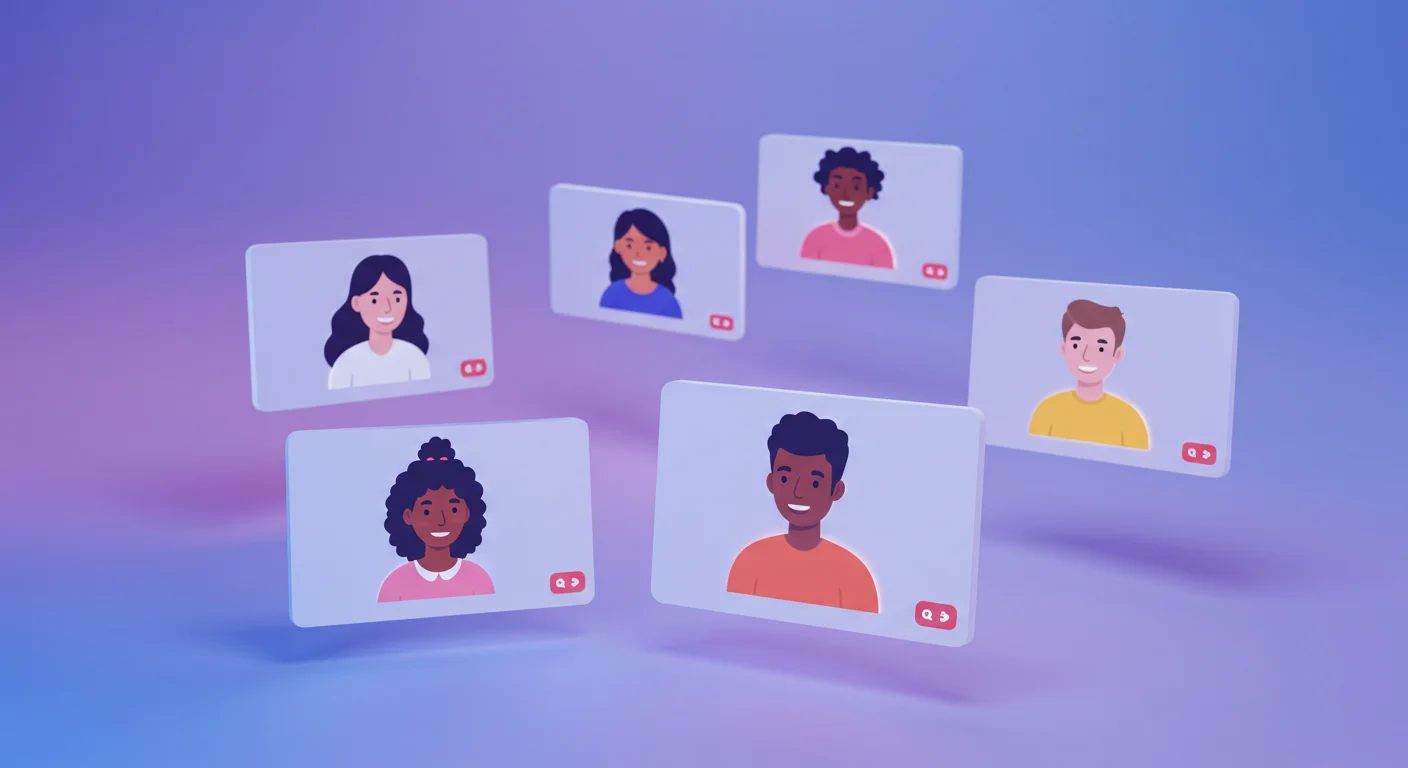
Xmegle is an intriguing search term associated with the broader interest in online communication, internet communities, and digital social discovery. As people continue looking for new ways to meet others through the internet, unfamiliar names can attract attention from users seeking information about chat platforms and online interaction. Understanding xmegle requires examining the wider digital environment in which people discover communication tools, evaluate unfamiliar services, and decide which platforms deserve their trust.
Online conversations have changed considerably over the past two decades. Social networks, messaging applications, video calls, and community forums have made it possible to communicate with people across geographical boundaries. Random chat services have also attracted interest by introducing conversations with unfamiliar individuals.
However, a name alone does not establish a platform’s identity, features, ownership, or safety standards. Readers researching xmegle should verify its current identity through reliable sources before assuming it provides a particular service. The wider subject still offers valuable insights into online communication, privacy, and responsible digital participation.
What Is Xmegle and Why Does It Attract Interest?
The exact identity and current functionality of xmegle cannot be established from the keyword alone. It is therefore important to distinguish the search term from verified information about any specific website or application.
People searching for unfamiliar digital names often want straightforward answers. They may be looking for a platform’s purpose, its available features, its relationship with other services, or information about whether it is safe to use.
This behavior reflects a common pattern in internet culture. Users frequently discover new names through search results, online discussions, social media posts, and recommendations from other people.
When researching xmegle, readers should begin by identifying an official website or other reliable source. They can then examine the service’s stated purpose, terms of use, privacy policy, and contact information.
Taking these steps helps prevent confusion between similarly named services and reduces the likelihood of relying on misleading descriptions.
Xmegle and the Popularity of Random Chat Culture
Random chat services introduced a different approach to online communication by allowing people to interact with strangers rather than communicating exclusively with existing contacts.
Why people enjoy meeting strangers online
Some users enjoy spontaneous conversations because they offer opportunities to encounter different perspectives, cultures, and interests. Unlike traditional social networks, which often center on established relationships, random chat environments can introduce people who might never otherwise meet.
Others use online conversations to practise languages, discuss hobbies, or explore subjects outside their usual social circles.
The appeal often comes from unpredictability. A conversation might introduce a new idea, provide an opportunity to practise communication skills, or simply offer an entertaining exchange.
Nevertheless, not every interaction will be positive. People may encounter unwanted messages, offensive behavior, misleading identities, or attempts to obtain personal information. Recognizing these possibilities is an important part of participating responsibly.
How digital communication continues to evolve
Communication platforms have developed from basic text-based chat rooms into services that may include video, audio, group discussions, and interest-based communities.
These developments have made online interaction more accessible, but they have also increased the importance of privacy controls and moderation.
Anyone investigating xmegle should verify which features, if any, are actually offered by the specific service they find. Assumptions based on another platform’s functionality can create unrealistic expectations.
Xmegle and the Importance of Online Privacy
Privacy is one of the most important considerations when using unfamiliar communication services. A conversation may appear temporary, but information shared online can sometimes be copied, recorded, or distributed without permission.
Protecting personal information
Users should avoid sharing their home addresses, telephone numbers, financial details, passwords, or other sensitive information with strangers.
It is also wise to avoid displaying identifying details in video calls. Documents, mail, workplace information, and recognizable surroundings can reveal more than a person intends to disclose.
A username should not automatically be considered anonymous. Reusing the same username across several services can make it easier for strangers to connect separate online profiles.
Understanding privacy policies
Before using a service associated with xmegle, review its privacy policy and terms of use. Look for explanations of data collection, retention, sharing, and account deletion.
Check whether the service explains how it handles reports, abusive behavior, and requests concerning personal information.
If the operator, ownership, or data practices cannot be verified, exercising caution is sensible. Users should not assume that a service is secure merely because it has a professional-looking website.
Safety Considerations When Exploring Xmegle
Online communication can be enjoyable, but unfamiliar platforms deserve careful evaluation.
First, check whether the service clearly identifies its operator and provides accessible safety information. A trustworthy service should explain its rules and offer a way to report inappropriate conduct.
Second, be cautious about external links sent by strangers. Such links may lead to phishing pages, deceptive downloads, or websites designed to collect personal information.
Third, leave conversations that become threatening, manipulative, or uncomfortable. Blocking and reporting tools can help, when available, but users should also preserve relevant evidence if serious harassment occurs.
Parents and guardians should take additional care when considering communication services for younger users. Age restrictions, moderation practices, and exposure to strangers are particularly important considerations.
If a website’s age requirements or safety arrangements are unclear, it is better to avoid using it until reliable information becomes available.
Potential Benefits and Drawbacks of Online Chat Platforms
Online chat services can provide opportunities for social interaction, but their benefits depend on how the services operate and how people use them.
Potential benefits include meeting people with different perspectives, practising another language, discovering shared interests, and participating in conversations without geographical limitations.
However, there are also meaningful disadvantages. Anonymous interactions may encourage inappropriate behavior, while limited identity verification can make impersonation more difficult to detect. Poor moderation may allow harassment or unwanted content to persist.
Privacy risks can also arise when users disclose information too quickly or assume that conversations cannot be saved.
These considerations are relevant when evaluating xmegle or any similar service. A balanced assessment should consider the platform’s verified features, moderation standards, privacy practices, and suitability for the intended audience.
How to Evaluate Xmegle Before Using It
Anyone considering a service connected with this keyword can follow a simple evaluation process.
- Verify the website. Confirm the exact domain and look for credible information identifying its operator.
- Read its policies. Examine privacy terms, age restrictions, and community guidelines.
- Check security indicators. An encrypted connection is useful, but HTTPS alone does not prove that a service is trustworthy.
- Review available controls. Look for blocking, reporting, and other tools for handling inappropriate behavior.
- Limit personal disclosure. Avoid sharing sensitive information, regardless of how friendly another person appears.
- Trust your judgment. Leave immediately if an interaction feels unsafe or manipulative.
These precautions provide a practical foundation for evaluating unfamiliar online services without assuming that every platform offers the same protections.
The Future of Xmegle and Online Social Discovery
Digital communication continues to evolve as developers experiment with new ways to connect people. Artificial intelligence, improved moderation systems, interest-based matching, and changing privacy expectations are influencing the development of online communities.
Users increasingly expect communication services to provide convenient experiences alongside meaningful safety protections. Clear privacy policies, effective reporting systems, and transparent ownership can help establish trust.
For a search term such as xmegle, the first priority remains establishing what the name actually refers to. Reliable information about its identity and features is necessary before drawing conclusions about its role in the wider communication industry.
More broadly, the future of online social discovery will depend on balancing accessibility with responsible design. Technology can make conversations easier to start, but respectful behavior and sensible privacy practices remain essential.
Conclusion
Xmegle provides a starting point for exploring online social interaction, random chat culture, and the questions people ask when discovering unfamiliar digital services. Although its exact identity cannot be confirmed from the keyword alone, the wider subject highlights the opportunities and challenges associated with meeting strangers online.
Spontaneous conversations can introduce new perspectives and help people explore shared interests. At the same time, privacy risks, impersonation, harassment, and misleading websites require careful attention.
Before using any unfamiliar communication service, verify its identity, examine its policies, and understand the safety controls available. Avoid disclosing sensitive information and leave interactions that make you uncomfortable.
Ultimately, successful online communication depends on more than finding a new platform. It requires informed decisions, respect for others, and a clear understanding of the risks involved in sharing information digitally.
Frequently Asked Questions
1. What is xmegle?
The exact identity of xmegle cannot be confirmed from the keyword alone. Readers should consult reliable sources to establish whether it refers to a particular website, application, or online service.
2. Is xmegle a random video chat platform?
That functionality has not been independently established here. Verify the specific service’s official description before assuming it provides random text or video conversations.
3. Is xmegle safe to use?
Safety depends on the identity of the service, its privacy practices, and its moderation systems. Verify these details before sharing information or starting conversations.
4. How can users protect their privacy on chat websites?
Avoid sharing sensitive personal details, use distinct usernames, be cautious with external links, and review the website’s privacy policy.
5. What should users do if a conversation becomes inappropriate?
End the interaction, block the other person if the option is available, and report abusive conduct through the service’s reporting tools.
6. How can I verify information about xmegle?
Look for an official website, identifiable ownership, current documentation, and credible independent sources. Do not treat search rankings or repeated claims as proof of legitimacy.
-

 BLOG1 year ago
hanime1: The Ultimate Destination for Anime Lovers
-

 Technology1 year ago
GLAADVoice.com: How You Can Get Involved and Make a Difference
-

 BILLS1 year ago
Why Does My Instagram Reel Stop Getting Views After One Hour? How to Fix It?
-

 BLOG1 year ago
Imginn: The Ultimate Tool to View Instagram Content Anonymously
-

 ENTERTAINMENT1 year ago
Crackstreams 2.0: The Future of Free Sports Streaming?
-

 BLOG1 year ago
ThisVid: What Makes It Stand Out in the World of Online Videos
-

 ENTERTAINMENT1 year ago
Sflix: How It’s Changing the Way We Watch Movies and TV Shows
-

 BLOG1 year ago
NHentai.nef: Understanding the Popular Hentai Archive