
BLOG
How to Summarize a Video: Turning a Transcript Into a Clean Outline


Video content carries ideas at speed, yet long recordings often hide their real value. A clear outline pulls meaning to the surface and saves hours of replay. Summarizing a video through its transcript helps writers, students, marketers, and researchers work faster with better focus. The goal is clarity, not compression alone. A strong outline keeps logic intact while removing noise. The sections below explain how to move from raw transcript to a structured outline that supports articles, reports, lessons, or presentations.
Why video summaries matter for real work
Video summaries support focus and accuracy when time matters. Watching full recordings again and again slows progress and increases the risk of missing key points. A transcript summary creates a reference that is easy to scan and easy to verify.
Clear outlines also improve collaboration. Team members can review structure without sitting through the same content. Writers gain a solid base for articles. Educators extract lessons without distraction. Researchers track arguments without filler.
A strong summary also improves content quality.
- Key ideas remain visible without repetition
• Supporting points sit near the claims they explain
• Transitions become easier to spot and refine
• Editing becomes faster and more consistent
Summaries are not shortcuts. They are tools for precision. When done well, they reveal the real shape of the message and protect the original intent.
Preparing the transcript before outlining
A transcript is only useful when it is readable. Automated transcripts often contain filler words, repeated phrases, and timing artifacts that interrupt logic. Cleaning the transcript first prevents confusion later.
Start by removing verbal noise such as repeated confirmations, false starts, and off topic comments. Keep sentences intact even if spoken language feels informal. Do not rewrite yet. Focus on clarity and flow.
In the early stage, many people prefer to summarize large blocks quickly before shaping structure and keeping meaning intact. Tools that help summarize long transcripts can speed this phase when used carefully.
After cleanup, divide the transcript into logical chunks. Each chunk should express one idea or argument clearly.
Finding the underlying structure in spoken content
Spoken content rarely follows clean written logic. Speakers circle ideas, jump back, or add examples mid thought. Your task is to locate the underlying structure beneath that surface.
Read the transcript once without editing. Mark repeated themes and recurring phrases. Pay attention to shifts in tone or pacing. Those moments often signal transitions between ideas.
Look for natural groupings.
- Definitions or explanations
• Examples or stories
• Evidence or data references
• Conclusions or calls to action
Group similar content together even if it appears in different parts of the transcript. Keep original meaning but reorganize order when needed. Structure should reflect logic, not time order. A good outline mirrors how the message should be understood, not how it was spoken.
Turning transcript sections into a clean outline
Once structure is visible, convert each section into outline points. Each heading should express a single idea in simple language. Avoid full sentences where possible. Clarity beats clever wording.
Under each heading, list supporting points in logical order. Remove repetition. Merge similar ideas. Keep examples only when they add value.
Effective outlines usually include three layers.
- Main idea or section title
• Supporting arguments or steps
• Optional examples or notes
Spacing matters. White space helps the eye follow logic. Short lines keep attention high. The outline should be readable in minutes.
If a section feels crowded, split it. If a section feels thin, merge it with a related point. Balance matters more than symmetry. The outline must guide understanding without overwhelming the reader.
Choosing what to keep and what to cut
Not every spoken word deserves space in an outline. Decisions here define quality. Focus on relevance and contribution to the main goal.
Use a simple test. Ask whether a point supports the main message or advances understanding. If not, remove it. Side stories, jokes, and repeated emphasis often belong in live delivery, not summaries.
The table below shows a practical filter for content decisions.
| Content type | Keep in outline | Reason |
| Core argument | Yes | Defines purpose |
| Key example | Yes | Clarifies concept |
| Repetition | No | Adds noise |
| Tangent | No | Breaks focus |
After trimming, review flow again. Each section should connect naturally to the next. Reading the outline should feel smooth and intentional.
Common mistakes when summarizing video transcripts
Many summaries fail due to speed or overconfidence. Avoiding common errors improves results quickly.
One mistake is copying transcript sentences directly. Spoken language rarely reads well. Rewrite ideas in neutral, clear phrasing.
Another issue is over summarizing. Removing too much detail can flatten meaning. Balance matters. Key context must stay.
Watch out for hidden assumptions.
- Cutting examples that explain complex ideas
• Keeping quotes without explanation
• Preserving original order when logic suffers
A useful reminder helps guide judgment.
A good summary reduces length while increasing clarity and meaning.
Check tone at the end. The outline should feel calm, focused, and informative. If it feels rushed or fragmented, revise structure before editing language further.
Workflow tips for consistent results
Consistency improves speed and confidence. A repeatable workflow prevents errors and saves mental energy.
Start with a clear goal. Decide whether the outline supports writing, study, or presentation. Purpose shapes depth.
Work in passes.
- First pass for cleanup
• Second pass for structure
• Third pass for clarity
Pause between passes when possible. Distance improves judgment.
Did you know that people process structured outlines faster than paragraphs when scanning for meaning. Research on reading behavior shows that clear hierarchy improves recall and reduces cognitive load.
Finish by reading the outline aloud. If it sounds logical and complete, the structure works. If not, adjust section order or wording until it flows naturally.
Conclusion
Summarizing a video through its transcript transforms scattered speech into usable knowledge. A clean outline saves time, improves accuracy, and supports better writing and learning. The process rewards patience and structure more than speed. With practice, each transcript becomes easier to shape. Clear summaries do not erase the speaker voice. They reveal it with purpose and precision.

Originality matters when you create academic, professional, or online content. You need to know if your writing contains wording that closely matches existing material.
A plagiarism checker can help you identify potential similarities. The tool compares your text against available sources and highlights matching sections.
However, you should understand what the results mean. A similarity match does not automatically prove plagiarism. You need to review the context and source before making changes.
What Is a Plagiarism Checker?
A plagiarism checker is a software tool that compares submitted text with other content. The comparison can include websites, publications, academic documents, and other indexed sources.
The system looks for similarities between your writing and material in its database. It can then highlight matching phrases or passages.
You can use the results during the editing process. The report can help you identify areas that may need better citations or stronger paraphrasing.
How Does a Plagiarism Checker Find Similar Text?
A plagiarism checker typically breaks your content into smaller sections. It then compares those sections against content available in its search or reference database.
The system can identify matching words and phrases. More advanced systems can also detect similarities in sentence structure or wording.
You may see several highlighted sections in a report. Each section can point to one or more possible sources.
The exact detection process depends on the tool. Different systems use different databases and comparison methods.
What Sources Can It Compare?
Source coverage depends on the plagiarism checker you use. Some tools focus heavily on online content. Others also provide access to academic papers, journals, and publications.
A tool with broader source coverage can provide more useful results for certain types of content.
Students may need academic sources for research papers. Website owners may care more about online articles and indexed pages.
You should therefore choose a tool that matches your content type.
How Does Text Matching Work?
Text matching can identify exact or closely related phrases. The system compares your submitted content with stored or indexed material.
For example, a sentence that appears word-for-word on another website may create an obvious match.
A paraphrased sentence may also produce a similarity result when the structure and wording remain close to the original.
You should review each match carefully. A report can identify similarity, but it cannot always determine why that similarity exists.
Can It Detect Paraphrased Content?
Some plagiarism detection systems can identify similarities beyond exact word matches. They may compare sentence structures and related wording.
You should not assume that changing a few words makes copied material original. Proper paraphrasing requires you to understand the source and express the idea in your own language.
A plagiarism checker can help identify passages that remain too close to their sources.
You should still cite the original source when you use another person’s ideas.
What Does a Similarity Score Mean?
A similarity score represents the amount of text that matches other sources according to the tool’s system.
You should not treat the score as a direct measure of plagiarism. Quotes, references, common phrases, and properly cited material can also create matches.
A plagiarism checker report becomes more useful when you examine individual results.
You should ask several questions. What source produced the match? Is the passage properly cited? Is the wording too close to the original?
The answers can help you decide what action to take.
How Are Matching Sources Shown?
Many tools provide a detailed report after checking your content. The report can highlight matching passages and identify possible sources.
You can use those details to compare your writing with the original material.
For example, you may find that a paragraph needs a citation. Another section may require better paraphrasing.
Clear source information can make the review process easier. You can quickly locate the original material instead of searching manually.
Can a Plagiarism Checker Detect Every Match?
No tool can guarantee that it will identify every possible similarity.
The result depends on the sources available to the system. Content that has not been indexed or included in its database may not appear in the results.
Different tools can therefore produce different similarity reports for the same document.
You should use the report as a review aid rather than treating it as an absolute measurement of originality.
How Should You Review a Similarity Report?
You should start by examining the highlighted passages. Then, check the sources connected to each match.
Next, decide why the similarity exists. You may have used a direct quotation, a common phrase, or information from a source.
You should add or correct citations when necessary. You can also rewrite passages that follow the original source too closely.
Finally, read the complete document again. Make sure the revised version remains clear and accurate.
Why Is Context Important?
A matching phrase does not always indicate improper copying. Academic writing often contains standard terminology and common expressions.
For example, a technical definition may use specific wording because the concept has an established meaning.
A plagiarism checker can identify the similarity, but you need to determine its significance.
You should therefore focus on the context of each match instead of changing every highlighted section automatically.
How Can You Reduce Unnecessary Similarity?
You can reduce accidental similarity by developing stronger writing habits. Start by understanding your sources before writing about them.
Take notes using your own words. Then write your explanation without copying the source sentence structure.
You should also cite ideas that come from other authors. Direct quotations should receive the appropriate quotation formatting and citation.
A plagiarism checker can help you review the final draft and find sections that still need attention.
Conclusion:
A plagiarism checker detects similar content by comparing your writing with sources available in its database. It can identify matching words, phrases, and sometimes similar sentence structures.
However, a similarity result does not automatically mean that plagiarism has occurred. You should examine each match and consider the source, context, citation, and wording.
You can use plagiarism detection as part of your editing process. Careful paraphrasing, proper citations, and original explanations can help you create stronger and more responsible content.

AI tools can help you create articles, emails, reports, and other types of content quickly. However, the first draft may not always sound natural. You may notice repeated wording, predictable sentence patterns, or a tone that does not fit your audience.
A Humanizer can help you revise AI-generated text. It can change sentence structures and wording while keeping the main ideas intact.
However, you should still review the result yourself. Good writing needs accuracy, context, and a clear purpose.
What Is a Humanizer?
A Humanizer is a tool that helps revise AI-generated text. It can change how sentences are structured and how ideas are expressed.
You can use one when an AI draft feels too repetitive or mechanical. The tool can provide a revised version that may feel more natural.
You should compare the result with your original draft. Automated rewriting can sometimes change the meaning of a sentence.
Why Does AI Text Need More Natural Writing?
AI-generated content can be useful for creating an initial draft. However, readers may notice repetitive patterns when similar AI writing appears across multiple sections.
A Humanizer can help vary sentence structures and word choices. You can then edit the result to match your preferred style.
Natural writing also depends on the audience. A blog post may need a friendly tone. A business report may require a more professional approach.
You should therefore treat rewriting as part of a wider editing process.
How Can a Humanizer Change AI-Generated Text?
A Humanizer can modify sentence structures and replace repetitive wording. It can also provide alternative ways to express an idea.
You can use the tool on selected paragraphs instead of processing an entire document at once. That approach can give you more control over the final result.
You should check each revised section for meaning. A different sentence structure should still communicate the same idea.
Manual editing can also improve the final output. You can remove unnecessary words and add details that match your audience.
Can It Improve Sentence Variety?
Sentence variety can make an article easier to read. Repeated structures can make even useful information feel monotonous.
A Humanizer can provide alternative sentence patterns. You can then choose the versions that sound appropriate for your content.
You should not change every repeated word automatically. Some terms need to remain consistent because they describe the main topic.
The goal should be better flow rather than constant variation.
Can It Help With AI-Assisted Blog Writing?
Blog writers often use AI tools to create initial drafts. However, the first version may need considerable editing.
You can use a Humanizer to revise sections that sound repetitive. You can then add examples, explanations, and personal insights.
A blog should provide useful information to readers. Rewriting alone cannot make weak content valuable.
You should also review the article structure. Each section should support the main topic and answer relevant reader questions.
How Can It Support SEO Content?
SEO content needs clear information and natural language. Search engines also consider the usefulness and relevance of content.
A Humanizer can help you revise AI-assisted text that feels repetitive. You can then check keyword placement and readability manually.
You should avoid adding the same keyword to every sentence. Natural wording should remain the priority.
You should also review headings, internal links, factual claims, and search intent before publishing.
Can It Preserve the Original Meaning?
Meaning preservation is important when you rewrite content. A sentence can look better while accidentally changing the original idea.
You should compare the revised version with your original draft. Check important facts, numbers, names, and technical information.
A Humanizer can assist with wording, but you remain responsible for the final message.
You should pay extra attention to specialized content. Small changes can affect the meaning of technical or professional information.
What Should You Check After Humanizing Text?
You should review the complete document after processing it. Start with the main message.
Next, check the facts and supporting information. Make sure the revised content does not contain unsupported claims.
You should also examine the tone. Does the content sound appropriate for your intended readers?
Finally, read the article from beginning to end. Look for awkward transitions, repeated ideas, and unnecessary phrases.
A final manual edit can make a significant difference.
What Are the Limitations of a Humanizer?
A Humanizer cannot replace a skilled editor. Automated rewriting can sometimes create unusual wording or alter the intended meaning.
You may need more editing for professional, technical, or academic content. Such writing often requires precise language.
You should also remember that rewriting does not replace research. Accurate information still requires reliable sources and careful fact-checking.
The tool should support your writing process rather than become the only editing step.
How Can You Add a Humanizer to Your Workflow?
You can start by creating your initial draft. Next, review the ideas and remove information that does not support your topic.
You can then identify sections that sound repetitive. Use the tool to create alternative versions of those passages.
Afterward, review the revised content manually. Add your own examples and adjust the tone for your readers.
A simple workflow can include these steps:
- Create the first draft.
- Review the ideas and structure.
- Identify repetitive sections.
- Rewrite selected passages.
- Check meaning and accuracy.
- Adjust the tone.
- Proofread the final version.
You can change the process based on your content needs.
Can Natural Writing Improve Reader Engagement?
Readers usually want content that is clear and useful. Natural wording can make information easier to understand.
A Humanizer can help reduce mechanical sentence patterns. You can then make the content more engaging by adding relevant examples and useful explanations.
You should focus on the reader during the entire editing process. Ask if each paragraph provides useful information.
Clear writing can help readers understand your message without unnecessary complexity.
Conclusion:
A Humanizer can help transform AI-generated text into writing that feels more natural. It can provide alternative wording, improve sentence variety, and reduce repetitive patterns.
However, automated rewriting should remain part of a broader editing process. You should review the final text for accuracy, meaning, tone, structure, and readability.
When you combine AI assistance with thoughtful human editing, you can create content that communicates ideas clearly and provides a better reading experience.
BLOG
When Your Fort Mill, South Carolina, Home Has Outgrown Its Electrical Capacity: A Practical Safety Guide
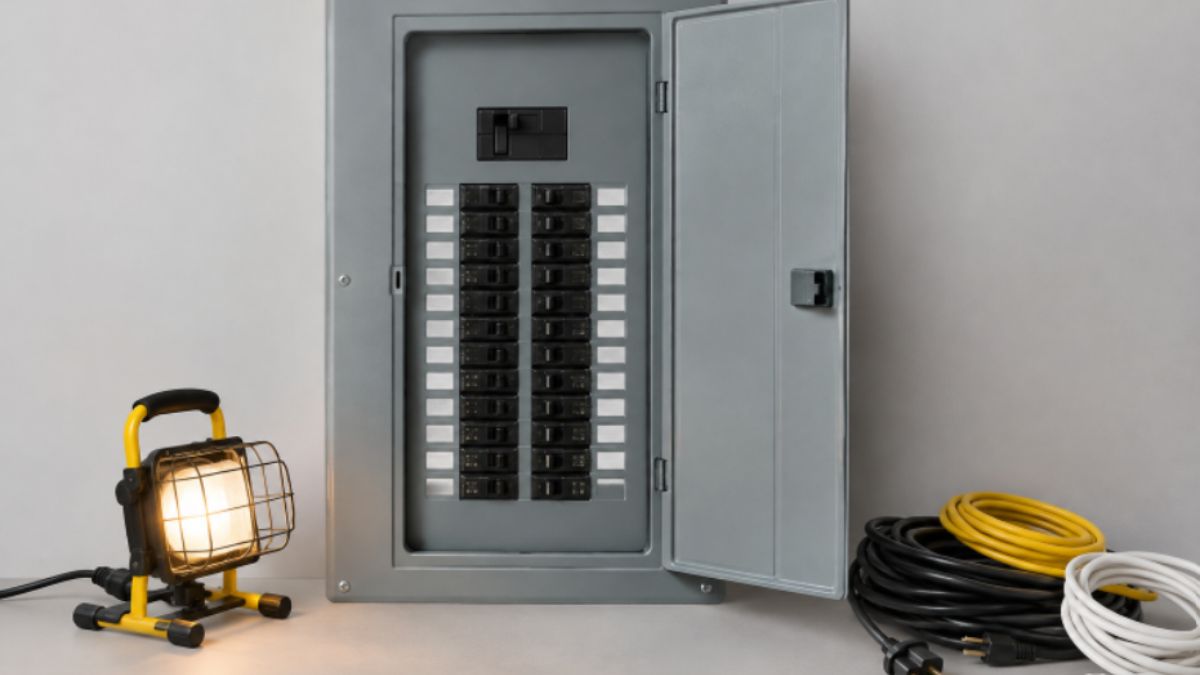
Fort Mill homeowners are adding more technology to their everyday lives, from home office equipment and kitchen upgrades to electric vehicles and high-efficiency heating systems. When a home’s electrical system was installed years ago, it may not have been designed around those newer demands. Planning electrical panel upgrades in Fort Mill starts with understanding how the home uses power now, not simply choosing the largest panel available.
That matters in a community where many households are balancing established homes, new construction, renovations, garage conversions, and growing family needs. Fort Mill’s hot, humid summers can also make reliable cooling equipment especially important, so electrical planning should account for periods when air conditioning, cooking appliances, laundry equipment, and other major loads may operate simultaneously.
Why Electrical Capacity Matters
A modern home may need to support an EV charger, a heat pump, an induction range, an electric dryer, a water heater, a battery system, computers, and entertainment equipment. Yet higher demand does not automatically mean the entire service must be replaced. A proper load calculation and equipment review should come first.
Recent national research on electrical panel capacity found that many single-family homes may have room for added electrical loads even when a panel replacement is not necessary. The same research found that at least 20 percent of panels across all sizes had no available breaker space, showing why physical space and total electrical capacity are separate questions.
When an aging panel shows signs of damage, worn components, or performance issues, timely electrical panel repairs in Fort Mill can be an important part of protecting the system before adding new circuits or equipment.
Warning Signs Your Home May Need More Capacity
Electrical strain can show up through small clues before it becomes a larger disruption. Repeated breaker trips when several appliances run, lights that dim when major equipment starts, a crowded panel with no open spaces, or a reliance on extension cords as permanent wiring all deserve attention.
Other warning signs include breakers that are difficult to reset, unusual buzzing or crackling near electrical equipment, visible corrosion, heat damage, or a sharp burning odor. These signs do not prove that a capacity upgrade is required, but they do call for prompt professional evaluation. Do not remove the panel cover or attempt to tighten connections yourself.
Household Changes That Increase Electrical Demand
A Fort Mill home can work well for years, then face a very different electrical profile after several improvements. Common sources of added demand include:
- Level 2 electric vehicle charging in a garage or driveway.
- Heat pumps, electric resistance heat, and upgraded HVAC equipment.
- Induction cooktops, wall ovens, electric dryers, and electric water heaters.
- Finished basements, additions, workshops, and detached structures.
- Solar equipment, battery storage, or standby power systems.
An EV charger, a kitchen remodel, and a heat pump installation may each seem manageable as separate projects. Together, however, they can significantly change the load calculation. The U.S. Department of Energy notes that an electrician can help determine whether a home has adequate electrical capacity for charging electric vehicles through its guidance on home charging.
Panel Space Versus Overall Service Capacity
“My panel has an empty slot” is not the same as “my home can safely supply another large appliance.” These terms describe different parts of the system:
- Breaker space: An available location in the panel for another breaker.
- Panel rating: The amount of current the panel is designed to handle.
- Service capacity: The electrical supply available to the property.
- Load calculation: A structured review of expected household demand.
A qualified review looks beyond open slots and considers existing circuits, equipment ratings, anticipated simultaneous use, and future plans for the property.
A Safe Home Electrical Check
Homeowners can gather useful information without opening electrical equipment. Create a list of major appliances, note planned purchases within the next two years, record when breakers trip, and observe whether lights flicker when cooling or heating equipment starts. Also, check whether the panel directory is readable and current, and write down the listed panel rating if it is visible from the exterior.
From a safe distance, look for obvious damage around the panel area. Never remove the dead-front cover, touch internal wiring, install a breaker, or attempt a repair as part of a household inspection.
Possible Ways To Handle Higher Demand
The best solution depends on the condition of the equipment and the results of the load review. Options may include repairing a damaged component, reorganizing circuits, adding a properly sized subpanel, using load-management equipment, replacing an aging panel, or increasing service capacity when truly needed.
In some cases, scheduling major loads at different times can also reduce overlap. A larger panel is not automatically the right answer. Careful planning can prevent unnecessary work while still preparing the home for future changes.
When To Request A Professional Review
Request an assessment before installing an EV charger, replacing gas appliances with electric models, building an addition, adding a workshop, or connecting solar and battery equipment. A review is also appropriate when breakers trip repeatedly, equipment shows corrosion or heat damage, or a house has wiring from several renovation eras.
Questions To Ask Before Electrical Work
- Does the current system have adequate capacity for the planned equipment?
- Is the concern breaker space, panel condition, service capacity, or a combination?
- Could a subpanel or load-management device address the need?
- Will permits, inspections, or utility coordination be required?
- Which circuits will be interrupted during the work?
- How will the finished system be labeled and documented?
When comparing estimates, consider the complete scope, including permits, materials, testing, cleanup, labeling, and any utility-related work. The lowest price is not always the clearest picture of what the project includes.
Conclusion
Fort Mill, South Carolina, homes should have electrical systems that fit how residents live today and the improvements they expect tomorrow. Flickering lights, recurring breaker trips, panel damage, and crowded circuits should not be ignored. At the same time, a careful assessment may show that a full-service replacement is unnecessary. The goal is a safe, practical solution that supports the home’s real electrical needs.
-

 BLOG1 year ago
hanime1: The Ultimate Destination for Anime Lovers
-

 Technology1 year ago
GLAADVoice.com: How You Can Get Involved and Make a Difference
-

 BILLS1 year ago
Why Does My Instagram Reel Stop Getting Views After One Hour? How to Fix It?
-

 ENTERTAINMENT1 year ago
Crackstreams 2.0: The Future of Free Sports Streaming?
-

 ENTERTAINMENT1 year ago
Sflix: How It’s Changing the Way We Watch Movies and TV Shows
-

 BLOG1 year ago
NHentai.nef: Understanding the Popular Hentai Archive
-

 BLOG1 year ago
ThisVid: What Makes It Stand Out in the World of Online Videos
-

 BLOG1 year ago
Imginn: The Ultimate Tool to View Instagram Content Anonymously