
BLOG
Top 5 PST Repair Tools – Desktop vs Online Compared


My Outlook PST file stopped opening this week, right in the middle of a busy workday. No warning, just an error and a mailbox I suddenly couldn’t get into. First thing I did was check for a recent backup to restore from, since that’s always the safest fix if you have one. I didn’t have a current copy, so I went looking for something free and easy to repair the file myself before spending money on anything.
Here’s what I found after testing a few options: 5 tools that actually fix a corrupt PST, from Microsoft’s free built-in utility to paid desktop and online services for when the damage is more serious. Below is a quick comparison table, what each tool asks you to do, its pros and cons, and my take on whether online or desktop repair makes more sense for a work mailbox.
Quick Comparison Table
| Tool | Type | Cost | File Size Limit | Installation Needed | Best For |
| Stellar Repair for Outlook | Desktop software | Paid (plans start from $79/yr) | No limit | Yes | Severe corruption, large business mailboxes |
| ScanPST.exe | Desktop, built into Outlook | Free | No hard limit, but weak on large/severe cases | Already installed | Minor corruption |
| Stellar Online PST Repair | Online | Free | Up to 5 GB | No | Quick fixes without installing software |
| Recovery Toolbox Online PST Repair | Online | Paid | No, priced by size | No | Minor corruption |
| DataNumen PST Repair | Desktop software | Paid | No limit | Yes | Worst-case corruption |
Stellar Repair for Outlook is a third-party tool used to fix severely corrupted or damaged PST files when Microsoft’s built-in ScanPST tool isn’t enough. It scans the damaged file, recovers emails, contacts, calendars, notes, and attachments, and lets you preview items before saving them.
How to use it:
- Download and install Stellar Repair for Outlook on your PC
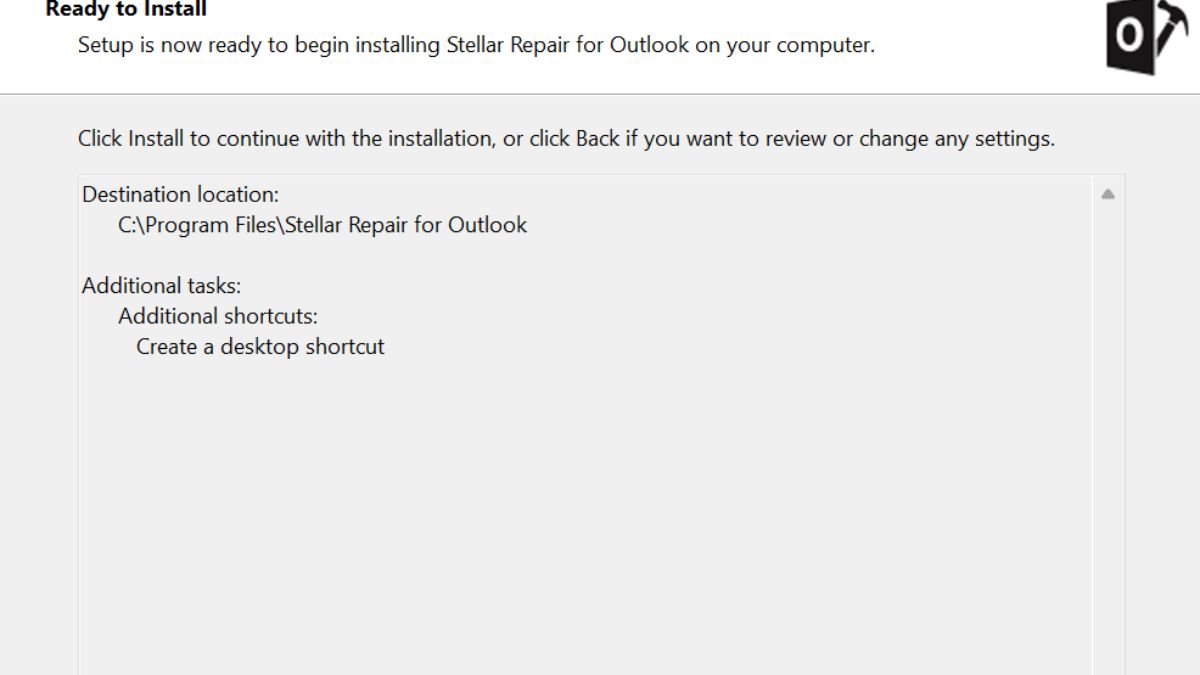
- Open Stellar Repair for Outlook
- Click Browse(or Search to auto-locate PST files) and select the corrupted PST file
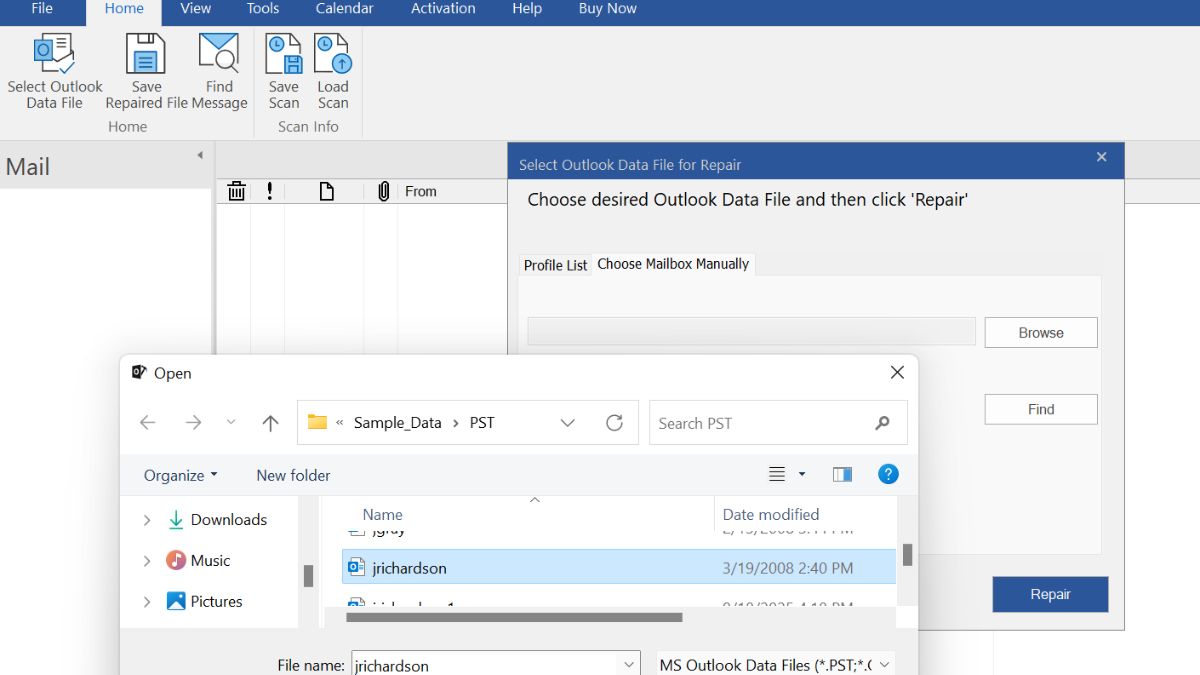
- Click Repair to start scanning the file
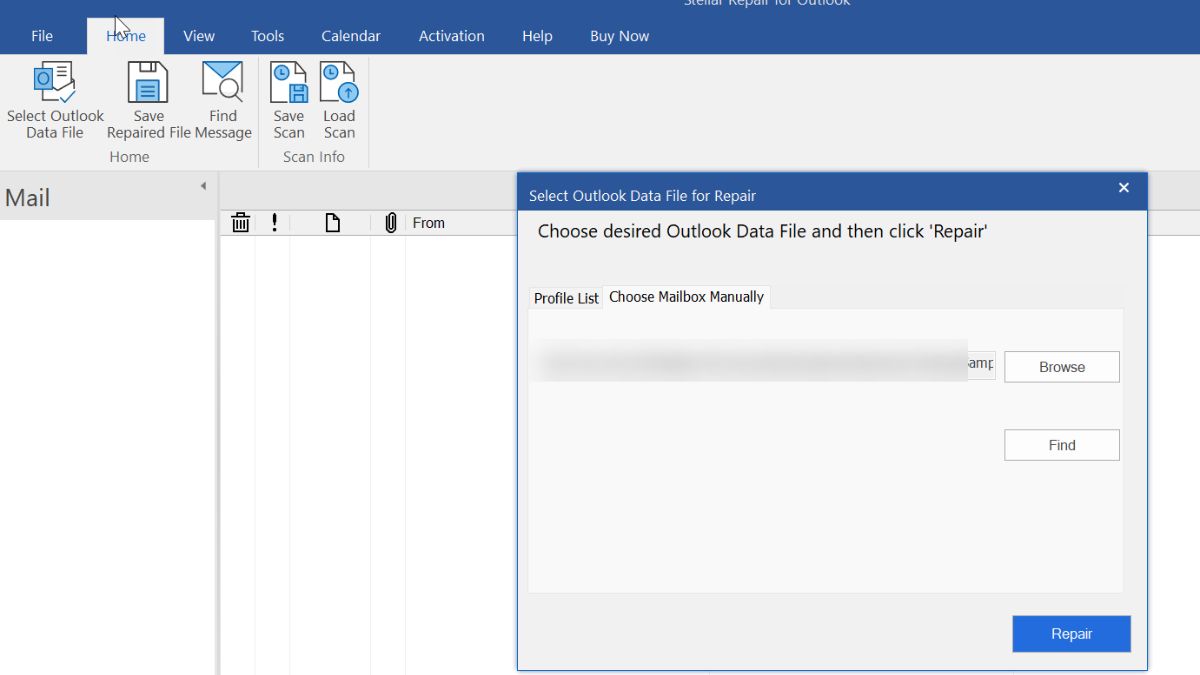
- Once scanning is done, preview the recovered emails, contacts, and folders in the results window
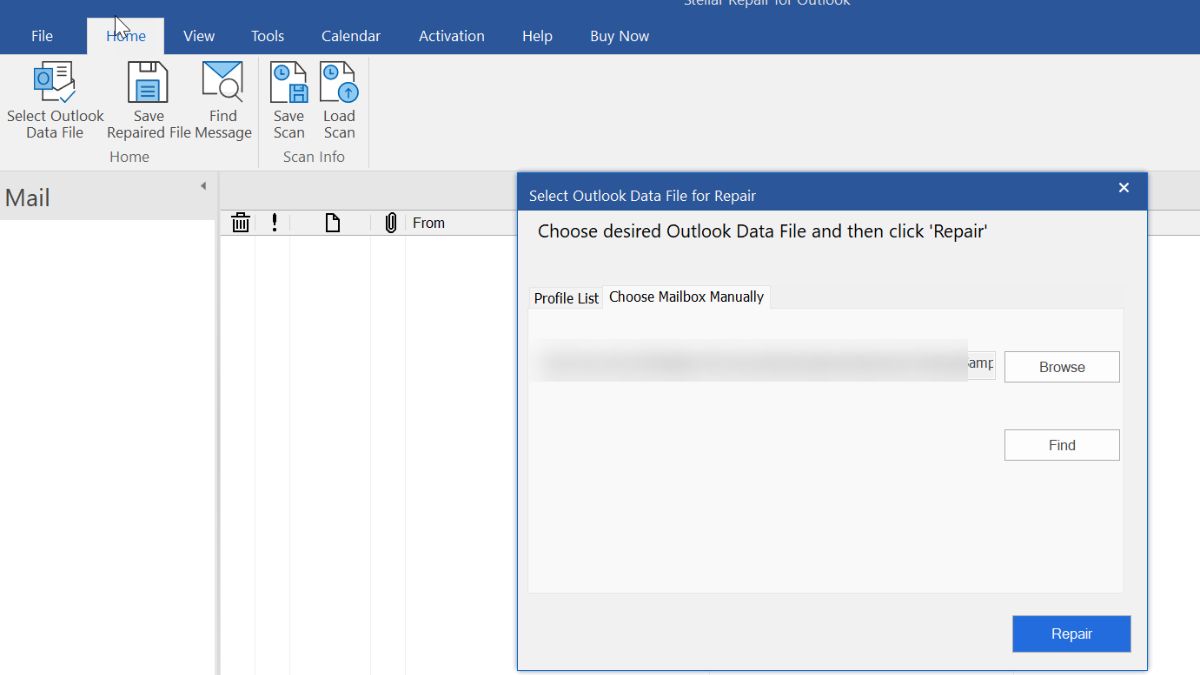
- Select the items/folders you want to recover
- Click Save Repaired File
- Choose the output format — PST, MSG, EML, RTF, PDF, or HTML
- Choose the destination folder and click Save
- Open the saved file in Outlook to confirm your data is restored
Pros:
- Shows preview of data before saving, so you know it worked
- Handles both minor and severely damaged files
- Several export format options
- Free technical support – 24/5
- Completely free software update till license validity
- Provides free video tutorials for quick learning
- Works entirely offline once installed, so nothing leaves your machine
Cons:
- You need a paid plan to actually repair and save your file
- Larger PST files take longer time
Limitations:
- Requires installation and enough free disk space to work with large files
- Runs on Windows only
This one’s already sitting on your computer. It comes bundled with every Outlook install, and it is the first thing worth trying before spending money on any 3rd party repair software.
How to use it:
- Close Outlook completely
- Search “scanpst” in the Start menu, or find it manually under C:\Program Files\Microsoft Office\root\Office16(path varies slightly by Outlook version)
- Open the tool and click Browse to select your PST file
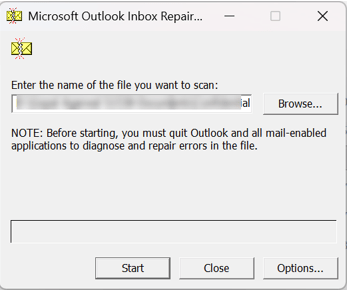
- Click Start to scan for errors
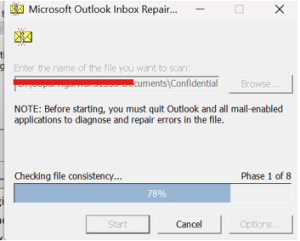
- Tick the box to back up the file before repairing

- Click Repair and let it run
- Run it again a few times if it keeps finding errors (this is normal)
Pros:
- Completely free
- Already installed, no download needed
Cons:
- Struggles with severely damaged files
- Often needs several repair passes before it actually clears all errors
- No preview feature before repair
Limitations:
- Not reliable on PST files close to the 50 GB size ceiling
- Can permanently strip out unrecoverable items with no warning of exactly what was lost
- Stellar Online PST Repair
This is the browser-based version developed by Stellar Data Recovery Inc. It is completely free online service to repair corrupt PST files. There is no any download & installation required to recover your email items. You just need to upload the corrupt file through a webpage and let it do the work.
How to use it:
- Go to Stellar’s online PST repair page in your browser
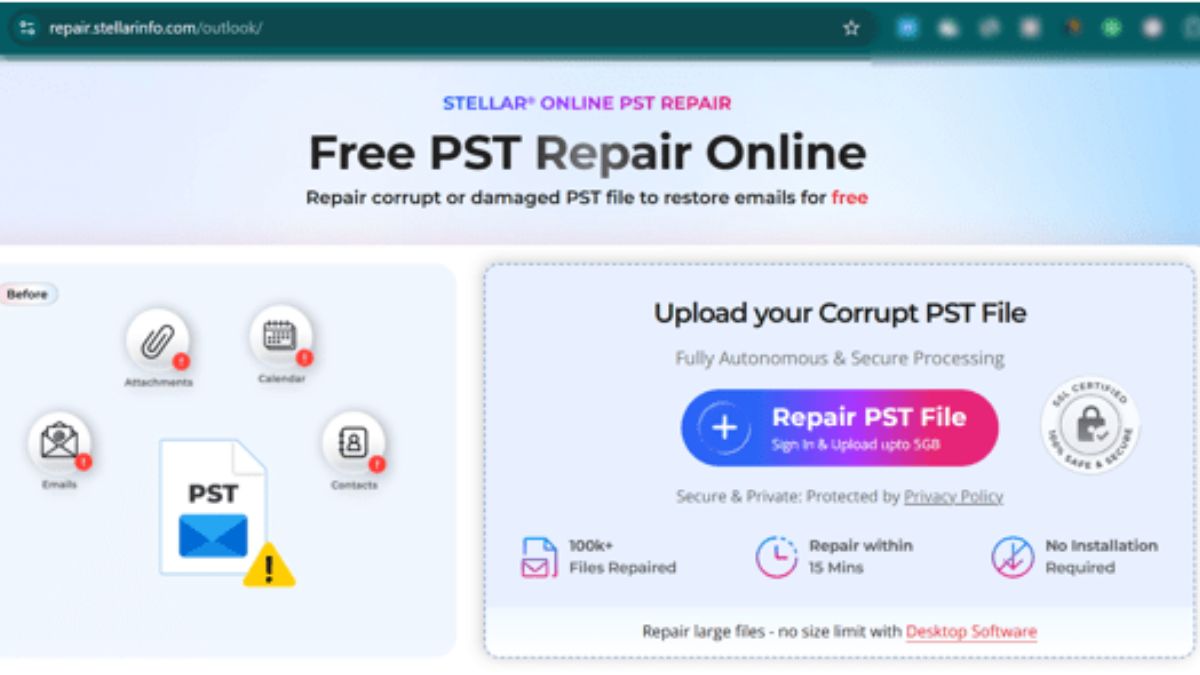
- Upload your damaged PST file directly through the site
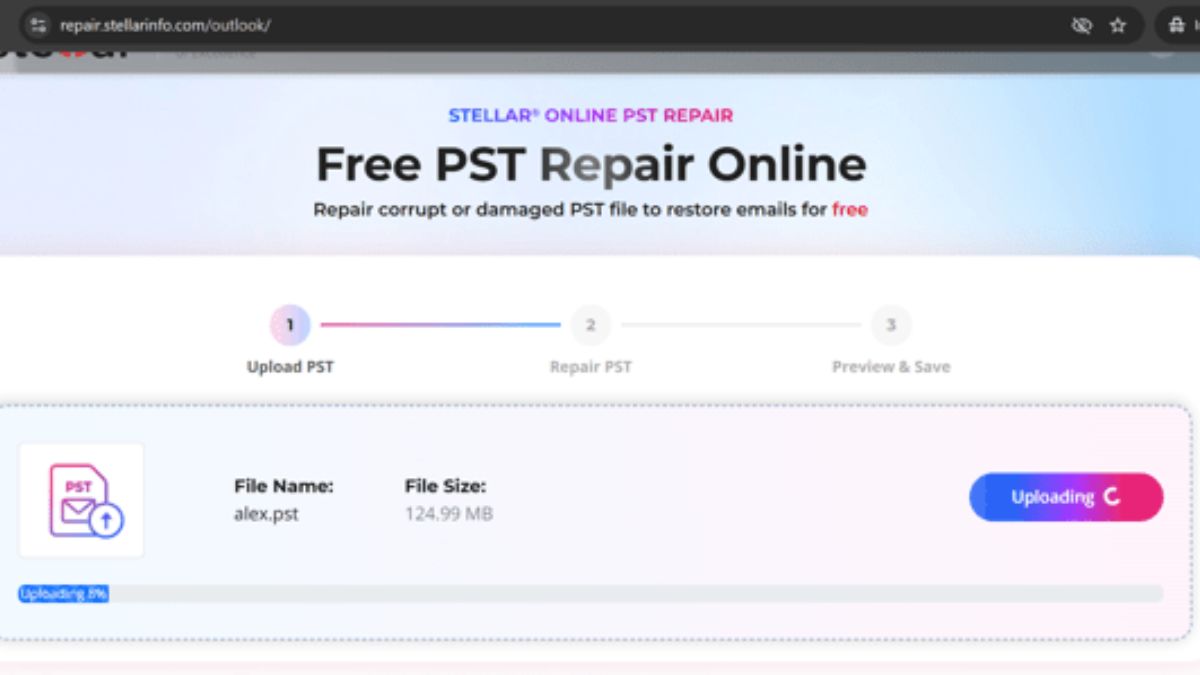
- Wait while it uploads and scans the file automatically
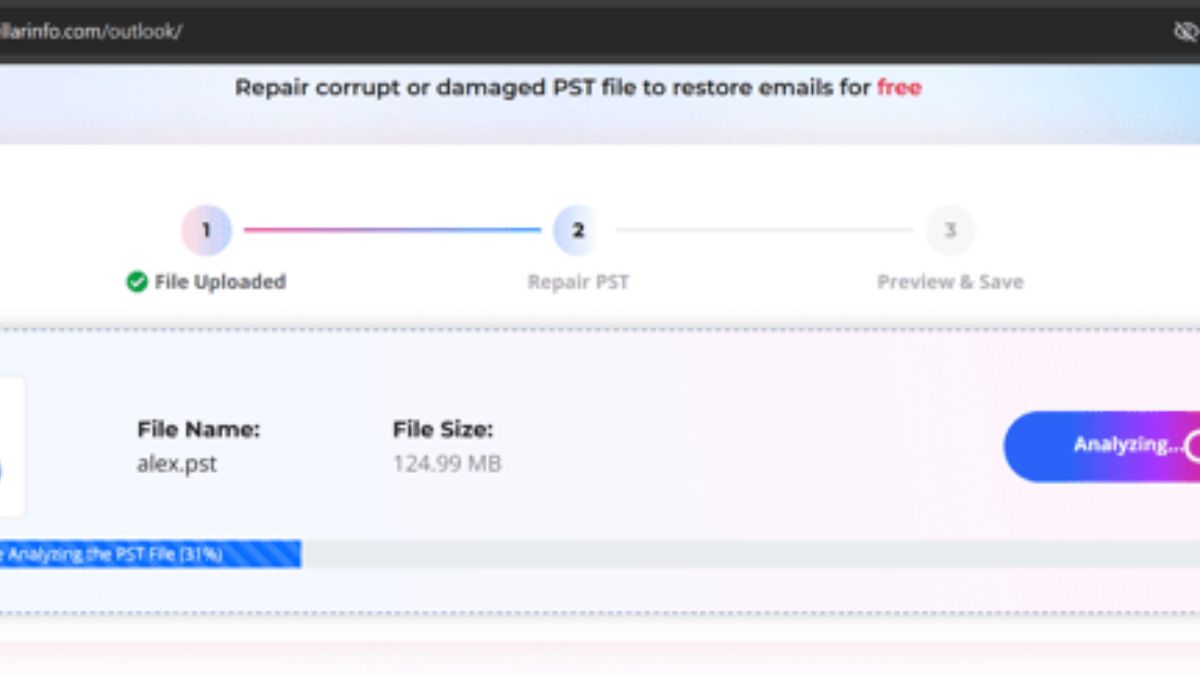
- Preview the recovered folders, emails, contacts, and calendar items once it’s done

- Download the repaired PST file to your computer
Pros:
- Completely free for 1 corrupt PST file repair
- Repaired file automatically deleted after 24 hours to maintain the data integrity
- No software installation required, works from any device with a browser
- Simple, guided process, good for non-technical staff
- Preview feature before you download the final file
Cons:
- Free tier is capped around 500 MB
- Repairs one file at a time
Limitations:
- You’re uploading company email data to a third-party server, which is a real consideration for sensitive mailboxes
- Files are typically deleted from their servers after a short window so you need to download promptly
- Recovery Toolbox Online PST Repair
Recovery Toolbox is another web browser-based online PST repair service. It priced by file size instead of a subscription based. This is also works without any installation like Stellar Online PST Repair but data integrity can be compromised because it doesn’t delete the repaired files from server after repair. So, need the check very carefully before uploading your business information and attachments.
How to use it:
- Visit the Recovery Toolbox for Outlook online repair page
- Upload the corrupted PST file through the site
- Let the tool scan and process the file
- Preview the recovered mailbox content
- Pay based on file size, then download the repaired file
Pros:
- Works on any device
- Useful for one-off repairs where a subscription doesn’t make sense
Cons:
- Pay-per-use pricing (roughly $10 per 1 GB) can get expensive for a very large mailbox
- Requires an internet connection and uploading a full mailbox file, which takes time on large files
- Fewer advanced filtering or selective-recovery options than desktop tools
Limitations:
- Same data-privacy consideration as any online tool: you’re sending a full copy of a mailbox to an external server
- Saving the repaired data back into PST format for use in Outlook still requires Outlook to be installed on a Windows PC
- DataNumen PST Repair
DataNumen Outlook Repair placed at last of the list, doesn’t mean it’s unable to repair corrupt PST file. It is specially built for recovering your email items where other fails. This software usages advanced deep-scan process that digs through corrupted file structures to find what is still recoverable.
How to use it:
- Install DataNumen PST Repair on your computer
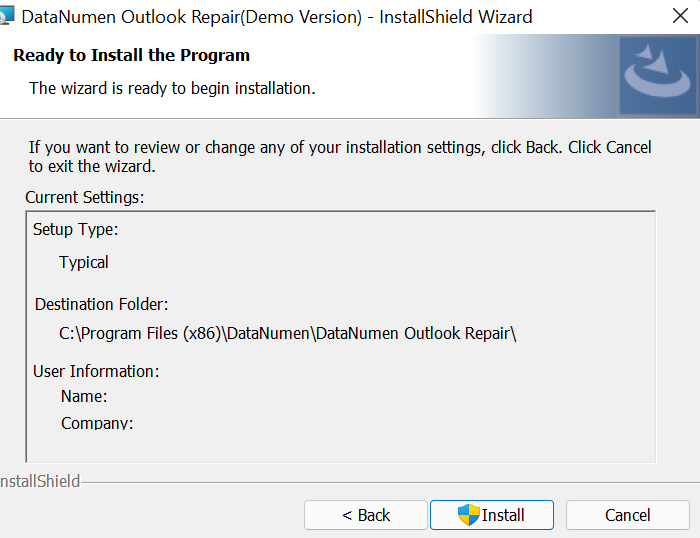
- Open the app and use the browse button to select the damaged file
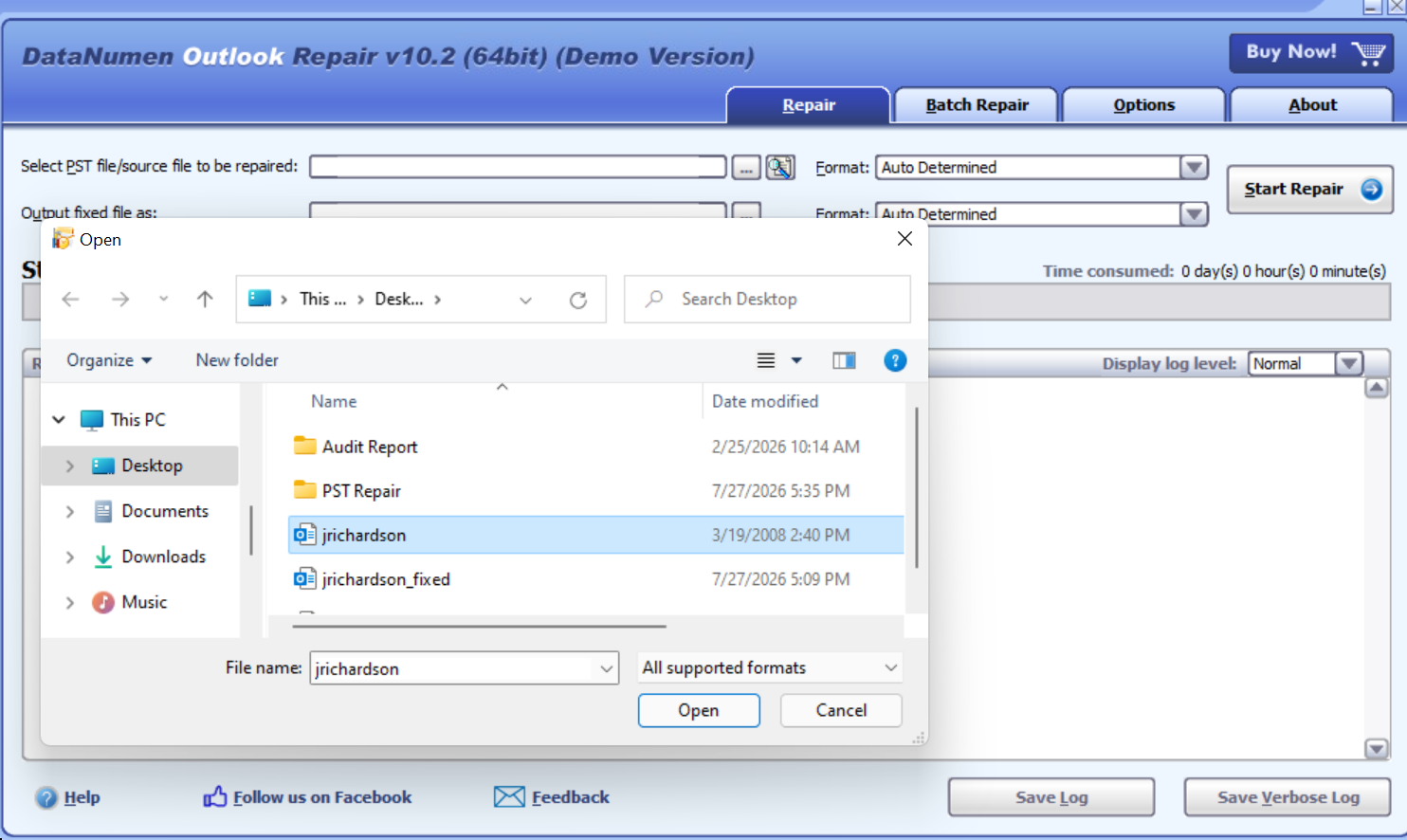
- Click Start Repair
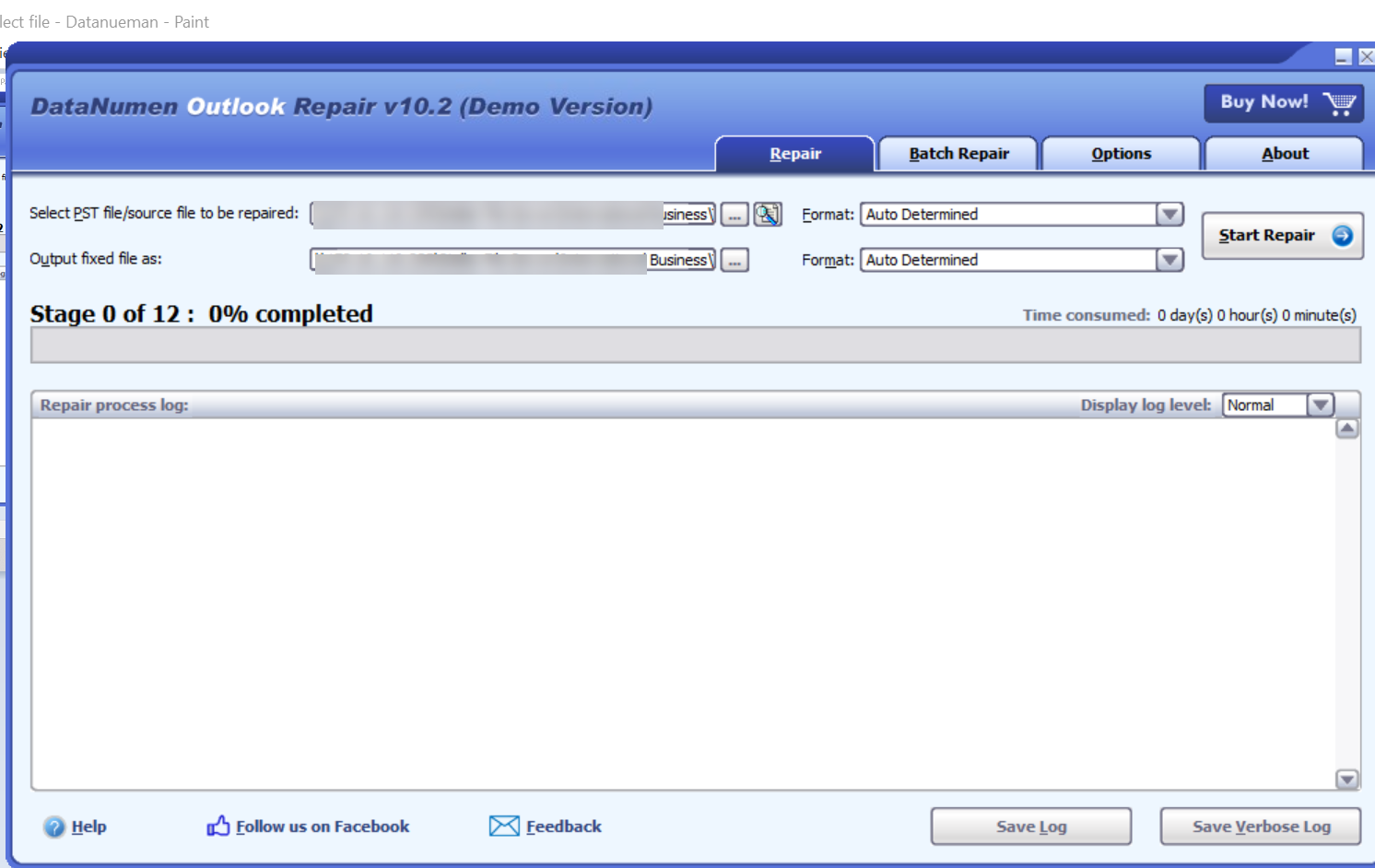
- Check the recovery log once it’s done
- Open the repaired file (saved with a “Fixed” prefix by default) in Outlook to confirm your data’s back
Pros:
- Can repair PST files even if the password’s been lost
- Holds up well against files damaged by malware or ransomware
- Works entirely offline
Cons:
- The trial version replaces recovered message text with placeholder content, so you’ll need to pay to actually use the recovered data
- Interface feels more dated than some competitors
Limitations:
- Windows only, requires installation
- Best suited to one file or a small batch at a time rather than large-scale bulk recovery
Compare: Online vs Desktop Tools
Here’s the honest answer: for business email, desktop software is generally the safer default, and online tools are best treated as a backup option for quick, low-stakes situations.
The reason comes down to what you are handing over. An online PST repair service means uploading a full copy of a mailbox, client emails, internal conversations, attachments, all of it, to someone else’s server. Most reputable service like Stellar Online PST Repair deletes the file after repair and say so clearly, but for a business mailbox that might include client data, contracts, or anything covered by a confidentiality agreement, that’s still a judgment call worth making deliberately rather than by default. Desktop software keeps everything on your own machine from start to finish, which is usually the safer position to be in if anyone ever asks how a mailbox was recovered.
That said, online tools genuinely earn their place in below situations:
- A single small PST file, low sensitivity, and you need a fast fix without installing anything
- You are on a device where you can’t install software (a Mac, a tablet, a locked-down machine)
- It’s a one-time repair and buying a full license doesn’t make financial sense
For anything involving recurring repairs, larger mailboxes, or data you’d rather not send anywhere else, desktop tools like Stellar Repair for Outlook or DataNumen PST Repair are the more sensible long-term choice for an admin. Start with the free ScanPST tool regardless of which path you lean toward. It costs nothing to try, and it clears up a good chunk of everyday corruption before you need to reach for anything else.

Back and neck discomfort can make everyday routines feel harder, including a morning commute, desk work, errands, yard work, and exercise. For many Davie residents, small, consistent adjustments can reduce avoidable strain and make it easier to stay comfortable and active. When pain continues, worsens, or interferes with daily life, speaking with a chiropractor Davie or another qualified healthcare professional may help determine the right next step.
There is no single posture, stretch, pillow, or exercise that works for every person. Back and neck pain can involve muscle strain, irritated joints, nerve-related symptoms, injuries, or medical conditions. Still, a routine built around frequent movement, thoughtful body mechanics, gradual exercise, and adequate recovery can support a healthier relationship with everyday activity.
Why Daily Habits Matter
The body responds to what it does repeatedly. Hours spent sitting still, leaning toward a screen, carrying an uneven bag, or sleeping in an uncomfortable position can leave muscles and joints feeling stiff or overworked. A single stretch may feel good, but it cannot fully counter a day with very little movement. The more useful goal is to build several brief, realistic habits into the day.
That approach is especially practical for people balancing work, school, family responsibilities, and recreation around Davie. It is not about chasing perfect posture. It is about noticing when a position feels strained, making a change before discomfort builds, and giving the body regular opportunities to move.
Common Causes Of Back And Neck Strain
Everyday pain is often connected to a combination of routines rather than to a single isolated activity. Common contributors include:
- Sitting in one position for long periods.
- Looking down at a phone, tablet, or laptop.
- Using a desk setup that encourages reaching or leaning forward.
- Carrying groceries, sports gear, or a heavy bag on one shoulder.
- Lifting and twisting at the same time.
- Returning to demanding exercise too quickly after time off or injury.
- Waking with stiffness after an uncomfortable sleep position.
- Skipping general movement and strength work for long stretches.
Build A Better Desk And Screen Setup
Good posture does not mean holding yourself rigidly in one “correct” position all day. A supportive workstation should make it easier to sit comfortably and change positions often. Practical posture and body-mechanics habits include keeping work close to the body and avoiding prolonged slouching or awkward reaching.
Workstation Checklist
- Set the upper part of the screen near eye level.
- Place the screen close enough that you do not need to lean forward.
- Keep shoulders relaxed rather than raised toward the ears.
- Support both feet on the floor or a footrest.
- Keep the keyboard and mouse within easy reach.
- Use lower-back support if it improves comfort.
- Stand, walk, or reposition regularly.
Use Movement Breaks To Reset The Body
Movement breaks do not need to become full workouts. During computer work, studying, long drives, or television time, stand when stiffness begins to build. Walk briefly, roll the shoulders slowly, take a few relaxed breaths, and gently move the neck through a comfortable range of motion. Then return to the task in a different position.
Keep movements controlled and avoid forcing a stretch. Stop and seek professional guidance if movement causes sharp pain, symptoms spreading into an arm or leg, new numbness, or weakness.
Choose Safe, Simple Exercise
Regular physical activity can help support mobility, strength, balance, and confidence with daily movement. The best starting point depends on current symptoms, health history, fitness level, and prior injuries. Walking, gentle water exercise, mobility work, and basic strength exercises can all be reasonable options when performed with controlled form.
Exercise Rules For A Safer Start
- Start with a short, manageable session.
- Warm up before a more demanding activity.
- Increase distance, time, weight, or intensity gradually.
- Do not push through sharp, severe, or worsening pain.
- Allow recovery time after demanding sessions.
Lift, Carry, And Drive With Care
Daily tasks such as moving boxes, loading sports equipment, gardening, or lifting laundry baskets can challenge the back when a load is awkward. Reliable back-care practices for lifting and daily activity emphasize staying close to the object, bending through the hips and knees, and avoiding twisting while carrying weight.
Safer Lifting Steps
- Move close to the object and place the feet apart for balance.
- Bend through the hips and knees rather than rounding the back.
- Keep the item close to the body as you lift.
- Turn with the feet instead of twisting through the spine.
- Ask for help if the object is too heavy, bulky, or unstable.
For driving, adjust the seat so the back is supported, and the knees remain slightly bent. A small cushion or rolled towel may improve comfort for some people. On longer trips, brief walking breaks can reduce the feeling of being locked into one position.
Support Sleep And Recovery
Sleep affects energy, recovery, stress, and pain sensitivity. There is no universal best mattress or sleep position, but a pillow that keeps the neck comfortable can help. Side sleepers may find a pillow between the knees useful, while some back sleepers prefer support beneath the knees. If a position consistently causes morning pain or stiffness, experiment with a small change rather than assuming discomfort is unavoidable.
Know When Pain Needs Medical Attention
Mild soreness after an unfamiliar activity may settle with time and sensible movement. However, prompt medical care is important when back or neck pain occurs with new weakness, numbness, loss of bowel or bladder control, difficulty walking, balance problems, fever, unexplained weight loss, or severe pain after a fall, crash, or other trauma. Pain that travels into an arm or leg, or symptoms that steadily worsen rather than improve, also deserve professional evaluation.
Create A Simple Daily Plan
Morning
- Take a brief walk or perform gentle mobility work.
- Notice stiffness before lifting, exercising, or doing demanding chores.
- Pack bags evenly and remove unnecessary weight.
During Work Or Study
- Check screen height, chair position, and reach distance.
- Change positions throughout the day.
- Take short movement breaks when tension begins to build.
At Night
- Choose a comfortable sleep position.
- Consider which activities increased or reduced symptoms.
- Plan one small adjustment for the following day.
Small Habits Can Add Up
Back and neck comfort often benefits from practical choices repeated over time. A better workstation, regular movement, safer lifting, gradual exercise, and meaningful recovery can create a body-friendly routine for life in Davie, Florida. The goal is not perfection. It is to make sustainable adjustments, pay attention to warning signs, and seek appropriate care when pain does not improve.


In a world where content is king, the tools we use to create that content can make all the difference. Enter Kalidcan—a game-changer in online writing that’s catching the attention of writers everywhere. Whether you’re crafting a blog post, drafting an article, or simply jotting down ideas, Kalidcan promises to elevate your writing experience. With its innovative features and user-friendly interface, it’s not just another tool; it’s a revolution for anyone who writes online. Let’s dive into what makes Kalidcan stand out in today’s crowded digital landscape and how it can transform your writing journey.
Benefits of Using Kalidcan for Online Writing
Kalidcan transforms the writing experience by offering a user-friendly interface that streamlines the entire process. Writers can easily navigate through their tasks, eliminating frustration and enhancing creativity.
One standout benefit is its advanced AI-powered suggestions. This feature helps refine ideas and improves word choices, making every piece resonate with clarity and engagement.
Collaboration is seamless with Kalidcan. Multiple users can contribute to projects in real time, allowing for instant feedback and fostering teamwork.
Moreover, it includes built-in tools for grammar checks and style improvements. This reduces the time spent on editing, letting writers focus more on what truly matters – their content.
Another advantage is accessibility; Kalidcan works across various devices. Whether you’re at home or on the go, your work remains at your fingertips without any hiccups.
How Kalidcan Saves Time and Improves Writing Efficiency
Kalidcan streamlines the writing process like never before. Its intuitive interface allows users to focus solely on their ideas rather than getting bogged down by technicalities.
With smart suggestions and real-time editing tools, writers can quickly refine their work. There’s no need for endless revisions or second-guessing decisions. The platform learns from your writing style, tailoring feedback that enhances creativity while maintaining clarity.
Users have reported a significant drop in time spent on drafting and editing. This efficiency means more time to brainstorm new content or delve deeper into research.
Collaboration features further amplify productivity. Teams can share insights instantly, ensuring everyone is aligned without lengthy email threads or meetings.
Kalidcan truly transforms how we approach online writing tasks, turning what was once a chore into an engaging experience.
Testimonials from Users
Users have been raving about Kalidcan and its transformative features. One writer shared how the platform helped him overcome writer’s block, unleashing a flow of creativity he hadn’t experienced in years.
Another user praised the intuitive design that makes it easy to navigate. “I can focus on my writing without getting lost in complicated tools,” she noted.
A blogger appreciated the real-time collaboration feature. Working with her team became seamless, resulting in faster project completions and enhanced creativity.
Many users also highlighted Kalidcan’s AI-driven suggestions, which added depth to their work without compromising originality. The feedback is overwhelmingly positive.
Writers from various fields find common ground: Kalidcan isn’t just another tool; it feels like a partner in their creative journey.
Comparison with Other Writing Tools in the Market
Kalidcan stands out in a crowded market of writing tools. Unlike traditional word processors, it offers an intuitive interface designed for efficiency. Users can easily navigate its features without feeling overwhelmed.
While many alternatives focus solely on grammar checks or style suggestions, Kalidcan integrates advanced AI technology that understands context and tone. This allows writers to refine their work more naturally.
Moreover, competing platforms often come with steep learning curves. In contrast, Kalidcan prioritizes user experience from the start. New users can quickly adapt and begin producing high-quality content.
Pricing is another point of difference. Many popular tools require hefty subscriptions for premium features, while Kalidcan provides comprehensive services at competitive rates.
For those seeking collaboration capabilities, Kalidcan shines again. Its real-time editing fosters teamwork effortlessly compared to other options that lag behind in this area.
Success Stories of Users Who Have Utilized Kalidcan
Many users have discovered the transformative power of Kalidcan in their writing journeys. For instance, a freelance journalist shared how the platform streamlined her research process. With its intuitive interface, she crafted articles faster than ever before.
Another user, a college student, praised Kalidcan for enhancing his academic writing skills. He found that the tool helped him organize his thoughts clearly and effectively.
A small business owner attributed her marketing success to Kalidcan’s content suggestions. By using its features, she generated engaging blog posts that drew more traffic to her website.
These stories illustrate just how powerful and versatile Kalidcan can be for various writers across different fields. Each experience highlights unique benefits tailored to individual needs and goals within the vast landscape of online writing.
The Future of Online Writing with Kalidcan
The landscape of online writing is evolving rapidly. Kalidcan stands at the forefront of this transformation, offering innovative tools that adapt to changing user needs.
Imagine a platform where artificial intelligence collaborates with your creative process. That’s what Kalidcan brings to the table—smart suggestions and real-time feedback enhance clarity and engage audiences more effectively.
As technology progresses, so does our understanding of how we communicate. With features designed for seamless integration across devices, writers can work fluidly anywhere they choose. This flexibility empowers creativity without boundaries.
Moreover, as collaboration becomes essential in content creation, Kalidcan fosters teamwork by allowing multiple users to contribute effortlessly on shared projects. Writers will no longer feel isolated; instead, they’ll thrive in community-driven environments.
With ongoing updates and advancements on the horizon, Kalidcan not only keeps pace but also sets trends that redefine writing standards in digital spaces. The future looks promising for those who embrace it.
Conclusion
Kalidcan is more than just a writing tool; it represents a shift in how we approach online content creation. With its array of features designed for efficiency and effectiveness, it has become an essential companion for writers across various fields.
Users have shared transformative experiences, highlighting not only improved productivity but also enhanced creativity. By streamlining the writing process, Kalidcan empowers individuals to focus on what truly matters—their message.
As the digital landscape continues to evolve, tools like Kalidcan will shape our future interactions with written content. Its innovative approach ensures that writers can adapt and thrive in this fast-paced environment. The blend of technology and creativity makes Kalidcan a frontrunner in the realm of online writing solutions.
Embracing such advancements means embracing endless possibilities for expression and communication. As more users discover its benefits, one thing becomes clear: Kalidcan is here to stay.


Your roof is your home’s first line of defense against the elements. From blistering summer sun and torrential rains to heavy winter snow and high winds, it takes a severe beating year-round. Unfortunately, it is easy to adopt an “out of sight, out of mind” attitude until a major leak or structural failure occurs.
Preventing damage through proactive maintenance is always far more affordable than paying for emergency structural repairs or an entire roof replacement. By understanding the unique threats each season brings, you can protect your investment and keep your home secure.
Spring and Summer: Post-Winter Assessments and Growth Control
Spring is the ideal time to evaluate how your roofing system survived the harsh winter months. You should schedule a professional roof inspection at least once a year, preferably during the spring or autumn, to catch minor wear and tear before it escalates. Technicians can safely spot cracked shingles, loose flashing, or damaged roof joints that might otherwise go unnoticed.
As the weather warms up, vegetation growth becomes a primary concern. Moss and algae might give a property a rustic appearance, but they are highly destructive to roofing materials. Moss actively traps moisture against the surface, leading to accelerated shingle deterioration and localized wood rot. Homeowners should use roof-safe cleaners to remove this growth gently, avoiding high-pressure washing which can strip off protective shingle granules.
Additionally, take time during the summer to trim back overhanging tree branches. High winds can cause these branches to scrape against your roof, gouging shingles and stripping away their protective coatings. Furthermore, falling limbs during summer storms pose a direct threat of puncture damage.
Autumn: Gutter Maintenance and Weatherproofing
As leaves begin to fall, gutter maintenance becomes your top priority. Clogged rain gutters are a leading cause of avoidable water damage. When debris blocks the channel, rainwater backs up beneath your shingles, causing severe wood rot, ceiling leaks, and structural weakening near your home’s foundation. Ideally, gutters should be cleaned at least twice a year to maintain proper drainage.
If your gutter system is rusted, sagging, or completely failing to redirect water away from your foundation, standard cleaning won’t suffice. In such cases, investing in a professional rain gutter installation in Salt Lake City is a critical preventative measure to secure your home before the seasonal freeze-thaw cycle begins.
While preparing for winter, it is also wise to check the flashing around chimneys, skylights, and vents. Damaged or lifting flashing is a notoriously common entry point for water intrusion. Resealing these joints before the wet weather hits is an inexpensive way to avoid costly structural remediation later.
Winter: Managing Ice, Snow, and Ventilation
Winter introduces severe thermal stress and heavy snow loads. One of the most significant winter hazards is the formation of ice dams along the edges of the roof line. Ice dams occur when warm air escapes from an unventilated attic, melting the underside of the snow on the roof. As the melted water runs down to the colder eaves, it refreezes, trapping moisture underneath your shingles or roof panels.
To prevent this, you must maintain proper attic ventilation and insulation. Ensuring your attic has balanced intake and exhaust vents regulates the roof’s surface temperature and stops ice dams from forming. For properties with metal roofs or steep pitches, installing roof snow guards can also manage the sudden, dangerous release of sliding snow, protecting both your gutters and the landscaping below.
Year-Round Vigilance
Regardless of the season, homeowners should frequently check their interiors for early warning signs of a compromise. Look for water stains on upper-level ceilings, peeling paint on walls, or musty odors in the attic. If you notice shingle granules accumulating heavily in your downspouts, or if you spot curling and buckling shingles from the ground, your roof may be nearing the end of its functional lifespan.
Ultimately, consistency is key. By addressing minor repairs immediately—such as securing a loose shingle or fixing a tiny puncture—you prevent small issues from expanding into multi-thousand-dollar headaches. Taking a proactive approach to your roof’s health gives you invaluable peace of mind, knowing your home is fully protected from above, no matter what the weather brings.
-

 BLOG1 year ago
hanime1: The Ultimate Destination for Anime Lovers
-

 Technology1 year ago
GLAADVoice.com: How You Can Get Involved and Make a Difference
-

 BILLS1 year ago
Why Does My Instagram Reel Stop Getting Views After One Hour? How to Fix It?
-

 ENTERTAINMENT1 year ago
Sflix: How It’s Changing the Way We Watch Movies and TV Shows
-

 BLOG1 year ago
Imginn: The Ultimate Tool to View Instagram Content Anonymously
-

 BLOG1 year ago
NHentai.nef: Understanding the Popular Hentai Archive
-

 ENTERTAINMENT1 year ago
Crackstreams 2.0: The Future of Free Sports Streaming?
-

 BLOG1 year ago
ThisVid: What Makes It Stand Out in the World of Online Videos